A three.js scene freezes for one frame — sometimes for seconds — when the renderer has to compile new shader programs mid-frame. A common and easy-to-miss trigger is a change in the number of lights: three.js writes light counts into lit shaders, so hiding, adding or removing one PointLight makes every lit material on screen ask for a new program variant, and each variant not yet cached compiles in that frame. Keep the light count constant (dim lights with intensity = 0 instead of visible = false) and warm programs up with compileAsync() before the first frame.
The symptom: one frame that takes seconds
Shader recompilation does not look like a slow scene. The frame rate is fine — then a single frame takes half a second, or ten. It almost always happens the first time something happens: the camera gets close enough for a building’s detail tier to switch in, a user toggles a layer, day turns to night, a weapon fires its muzzle-flash light. Do the same thing again and it is smooth. That makes the bug look random, and it survives testing because whoever tests it has usually triggered it once already.
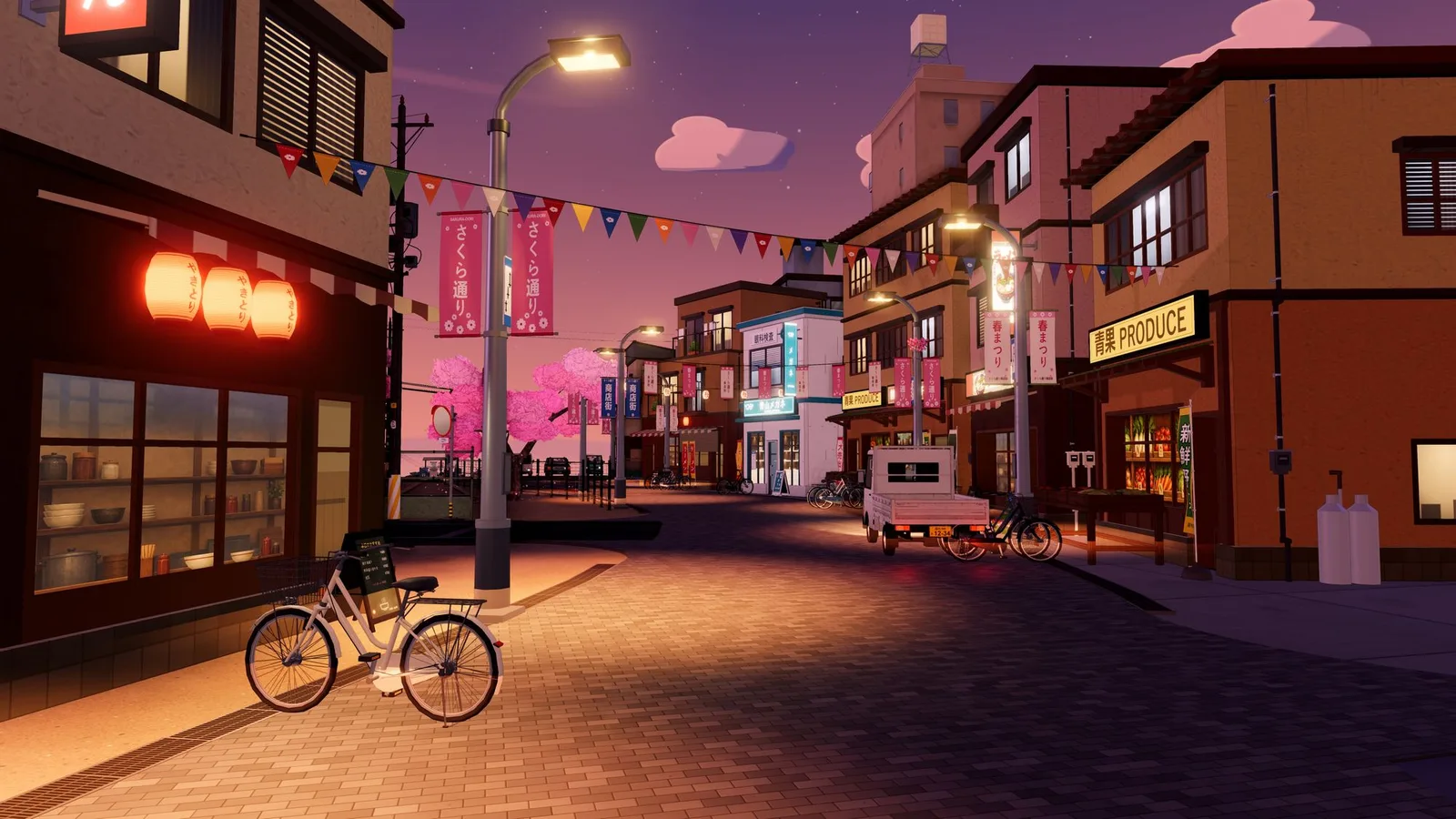
Our worst case came from our own city viewer. One shop model in Sakura-chō carried two PointLights inside its near-LOD group. The first time the camera came close enough for that group to appear, the scene’s point-light count changed and three.js compiled 147 shader programs in one frame — about 36 seconds on a Windows laptop. Before that, hiding a row of buildings in a 27-building showcase cost 29–32 program links per row, for the same reason.
In a performance profile it shows up as one enormous task inside WebGLRenderer.render, with the time spent in getProgramParameter, getUniformLocation or getProgramInfoLog — calls that only look cheap. They block until the driver has finished compiling and linking.
Scope: everything here is about three.js r180 with WebGLRenderer and the built-in materials. WebGPURenderer and node materials build shaders differently; the light-count principle is similar, but the code paths, numbers and fixes in this article are WebGL-specific.
The short version
If you only take one thing from this article, take this. Both lines switch the lamp off; only one of them keeps the shaders you already compiled:
// Changes the point-light count: every lit material on screen needs
// another program variant. Uncached variants compile in this frame.
lamp.visible = false;

// Keeps the count. Only a uniform changes; no new programs.
lamp.intensity = 0;
The same applies to scene.remove(lamp), scene.add(new PointLight()) and hiding a group that contains a light. The rest of the article explains why, measures it, and covers the other triggers, warm-up, a light pool and the cost of keeping unused lights around.
First make sure it is a recompile
Other first-use work produces the same “slow only the first time” symptom, and none of the fixes below will help with it:
- Texture upload. The first draw with a new texture uploads it to the GPU and may generate mipmaps. A large uncompressed image costs tens of milliseconds; the profile shows
texImage2DortexSubImage2D, notgetProgramParameter. - Geometry upload. Big vertex and index buffers go up on first render (
bufferData). - Decoding. Draco, Meshopt or KTX2 transcoding, and image decoding without
ImageBitmap, can run on the main thread when the asset arrives. - The first shadow-map render for a newly enabled shadow, and garbage-collection pauses after a burst of allocations.
The quick test: note the ids in renderer.info.programs before the slow action and look for new ones after it (the tripwire at the end of the article does exactly that), and look at the long task in the profile. New ids together with time in getProgramParameter or linkProgram point to a recompile. No new ids and no program calls make a recompile unlikely, so look at the other causes first — neither signal is proof on its own.
Why the light count is part of the shader
Three terms, because the whole problem lives in the gap between them:
- Material — the JavaScript object you create:
new MeshStandardMaterial({ map }). It describes what a surface looks like. - Program — a compiled and linked pair of GPU shaders (
WebGLProgram). This is what the GPU actually runs, and what costs time to build. - Variant — one specific program for a material under specific conditions. The same material needs a different program with 5 point lights than with 6, with fog than without, for the canvas than for a half-float render target. three.js identifies variants by a cache key built from all of those inputs; materials whose keys match share one program.
The chain in one line: the number of lights changes → the program key changes → cache miss → compile and link → the frame waits.
three.js does not loop over a dynamic list of lights in GLSL. When it builds a program for a lit material — MeshLambertMaterial, MeshPhongMaterial, MeshStandardMaterial, MeshPhysicalMaterial, MeshToonMaterial, or a ShaderMaterial with lights: true — it writes the number of each light type into the shader source as constants:
#define NUM_DIR_LIGHTS 1
#define NUM_POINT_LIGHTS 6
#define NUM_SPOT_LIGHTS 0
#define NUM_HEMI_LIGHTS 1
#define NUM_DIR_LIGHT_SHADOWS 1
#define NUM_POINT_LIGHT_SHADOWS 0
// ...
uniform PointLight pointLights[ NUM_POINT_LIGHTS ];
The same numbers are part of the program cache key. In three.js r180 the chain from “I hid a lamp” to “the frame took four seconds” is:
- Every frame the renderer walks the scene and collects lights. The walk stops at anything with
visible === false, so a hidden light — or a visible light inside a hidden group — is simply not counted. WebGLLights.setup()compares the per-type counts (directional, point, spot, rect-area, hemisphere, the shadow-casting subsets, light probes) with the previous frame. If any number changed, it bumpslights.state.version.- In
setProgram()every material withneedsLightssees that its storedlightsStateVersionis stale and asks for its program again. - The new parameters produce a new cache key. Not in the cache, so three.js creates a new
WebGLProgram: twocompileShadercalls and alinkProgram. - On first use three.js reads link status and uniform locations, which waits for the driver. In Chrome on Windows the driver path is ANGLE, which translates GLSL to HLSL and hands it to the Direct3D compiler. That is the slow part.
The cost is per program, not per material: materials with identical parameters share one program. But a real scene has dozens of distinct variants — with or without a map, normal map, alpha test, vertex colours, skinning, instancing, double-sided — and every variant drawn after the change needs a new program for the new light count.
Colour, intensity, distance, decay, position and direction are uniforms: change them every frame without a recompile. Uploading them is cheap, but what they light is not — every light in the shader is still evaluated per pixel. The number of lights of each type, and how many of each type cast shadows, are compile-time. Moving castShadow from one point light to another keeps the counts and the programs.
Why it only freezes the first time
Each material keeps every program it has used in a map keyed by cache key. Go back to a light configuration the material has seen before and three.js reuses the old program without compiling. So you pay once per new configuration. With lights inside lazily shown LOD tiers, the per-type counts drift as tiers come and go; every count the scene has not had before is a new configuration, while two tier combinations that happen to give the same counts share programs.
Measured: hiding one street lamp
To get numbers rather than folklore we built a test street: 48 buildings, each with a different material variant across Standard, Physical, Lambert, Phong and Toon (real feature combinations, no customProgramCacheKey tricks), six PointLight street lamps, a shadow-casting moon DirectionalLight and a HemisphereLight. “Frame time” here is the duration of renderer.render() plus a 1-pixel readPixels, which forces the CPU to wait until the GPU has finished. That is not the interval between requestAnimationFrame callbacks a user experiences (which also has vsync and compositing), but it puts the whole cost of one render, CPU and GPU, into one number. Every measurement runs on a fresh page with a salted shader source, so Chrome’s own program cache cannot help. Hardware: NVIDIA GeForce RTX 4060 Laptop GPU, Chrome, ANGLE → Direct3D 11, three.js r180 (KHR_parallel_shader_compile available).
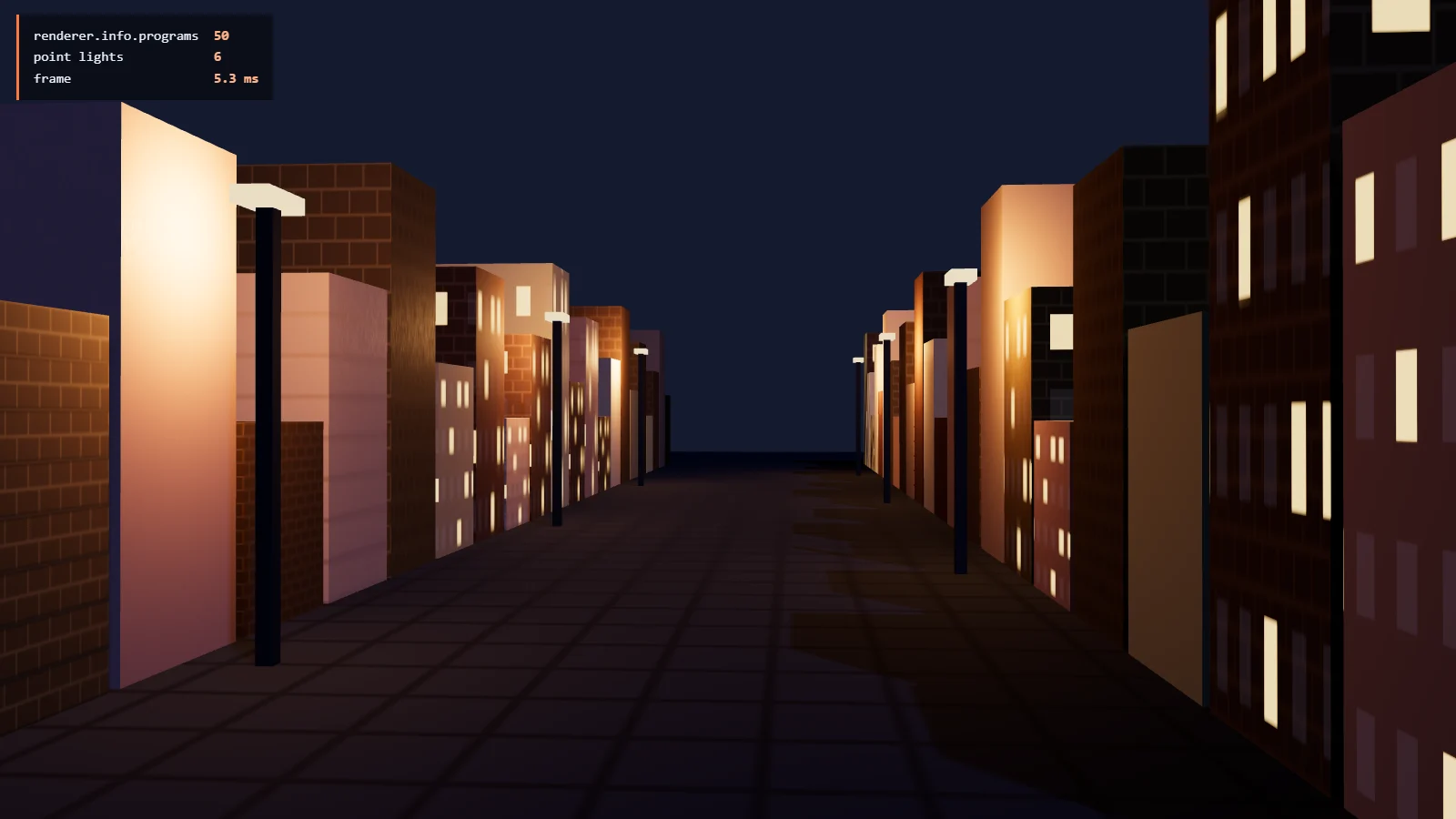
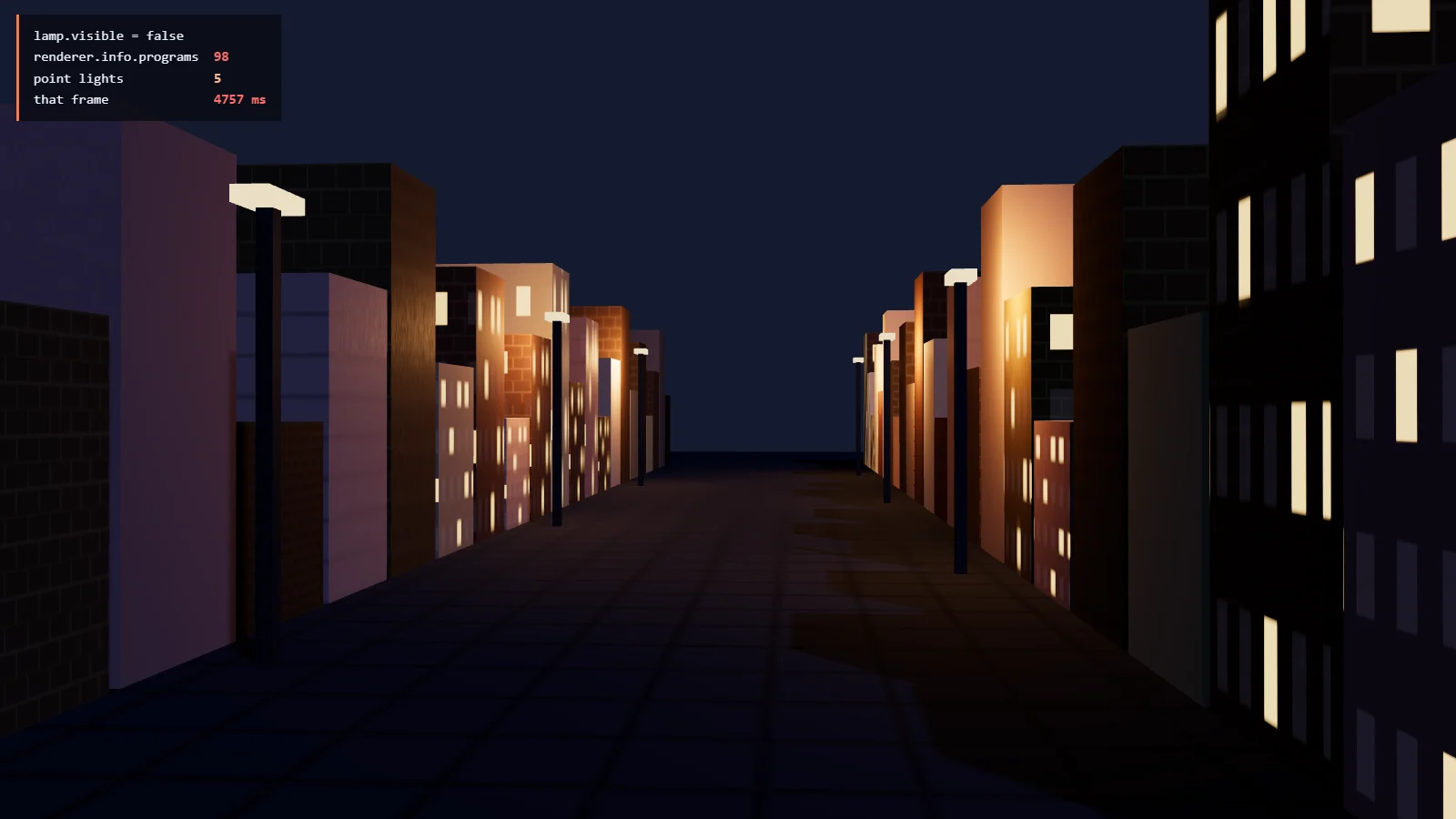
lamp.visible = false: the lamp goes dark, the point-light count drops from 6 to 5, 48 new programs, 4.8 s for that frame.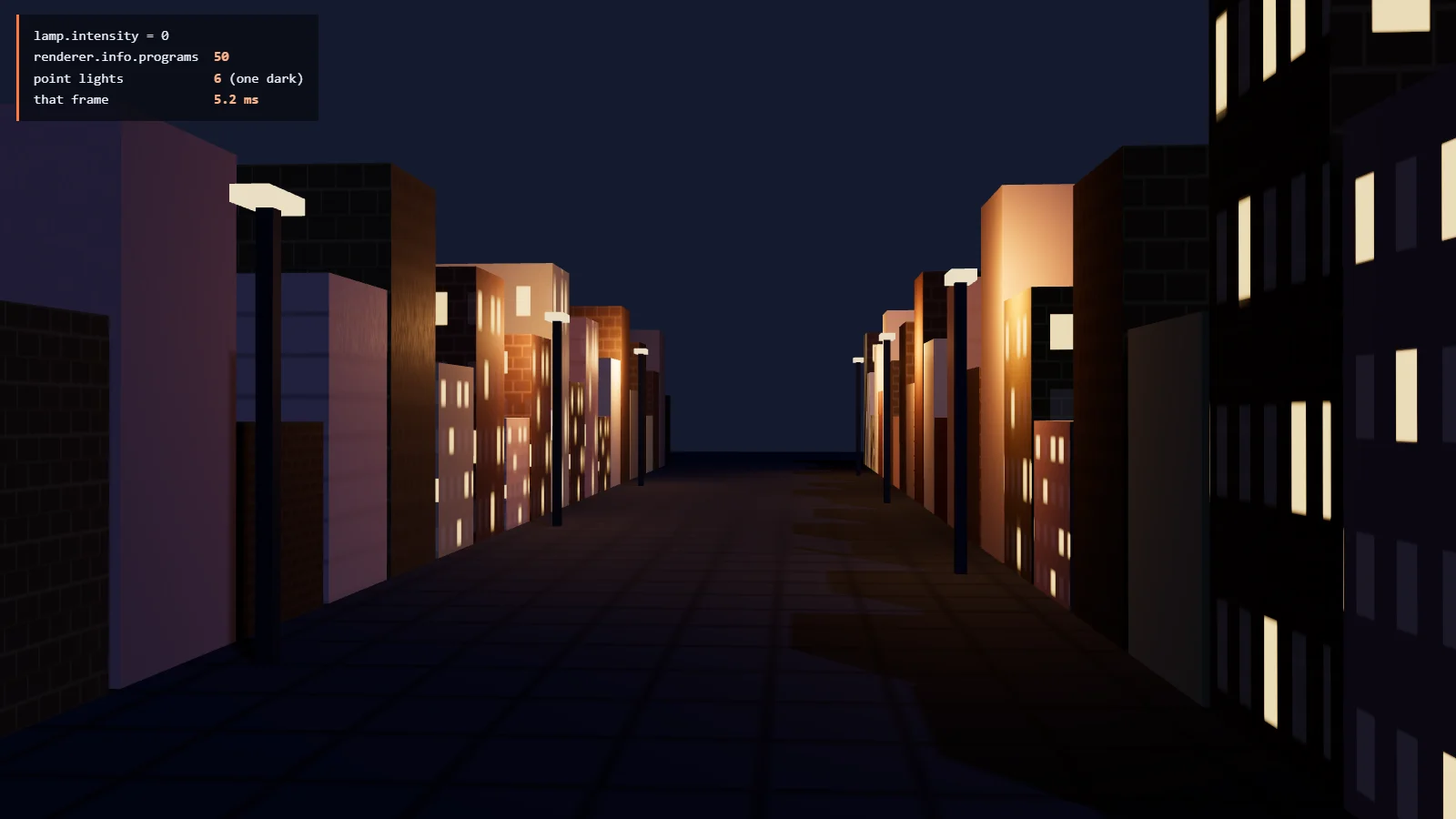
lamp.intensity = 0: the same lamp goes dark, the count stays 6, no new programs, 5.2 ms.Visually the two results are the same: the lamp nearest to the camera is off and the wall beside it is dark. The cost differs by roughly three orders of magnitude. Here is the same pair as a timeline — one run hides and shows lamps through visible, the other through intensity:
Frame time, log scale — same events, two ways to switch a lamp
- light.visible = false / true
- light.intensity = 0 / 22
All values at the event frames
| Frame | Event | visible run | intensity run | Programs, visible run |
|---|---|---|---|---|
| 0 | start | 1.7 ms | 1.7 ms | 50 |
| 20 | hide lamp 0 | 4.7 s | 1.5 ms | 98 |
| 40 | show lamp 0 | 5.4 ms | 2.5 ms | 98 |
| 60 | hide lamp 1 | 8.2 ms | 3.4 ms | 98 |
| 80 | hide lamp 2 | 4.6 s | 2.8 ms | 146 |
| 100 | show lamp 1 | 4.2 ms | 1.5 ms | 146 |
Two details matter in practice. The freeze depends on the count, not on which lamp you switch, which is why it seems random. And programs are never released while a material still holds them, so every visited configuration also costs GPU memory for the rest of the session.
Everything else that triggers a recompile
Light count is the trigger that is easiest to hit by accident, because lights get toggled for gameplay and LOD reasons — it was the cause of every freeze we traced in our own viewer. It is not the only one. Measured on the same scene, one change at a time, each on a fresh page (steady frame: 5 ms):
| Change | New programs | That frame |
|---|---|---|
light. | 48 | 4.8 s |
scene. | 48 | 4.7 s |
scene. | 48 | 5.5 s |
point | 49 | 8.4 s |
scene. | 49 | 4.9 s |
scene. | 28 | 5.3 s |
renderer. | 49 | 6.0 s |
renderer. | 49 | 6.3 s |
Render the same scene into a Half target | 49 | 6.1 s |
material. 0 → 0.5 (one material) | 2 | 150 ms |
material. null → texture + needs (one material) | 0 | 1.5 ms |
light. | 0 | 5.2 ms |
material. = a different texture | 0 | 4.9 ms |
| Colour (all) and roughness (Standard, Physical) on every material | 0 | 5.6 ms |
Median of three runs. The render-target row waits for the GPU with a FLOAT read, a valid read of the RGBA16F target; every frame also checks gl.getError() outside the timed span. Absolute times depend on GPU, driver and browser. Program counts are stable for the same scene, three.js version, settings and renderer capabilities.
- Scene-wide inputs — light counts, the number of shadow-casting lights, fog,
scene.environment, tone mapping, output colour space, clipping planes — change the key of every material they reach.scene.environmentonly reaches Standard and Physical materials, hence the smaller number. - The render target is a shader input. Drawing into a linear half-float buffer (what an
EffectComposerdoes) means no tone mapping and no sRGB encoding in the shader, so every material needs a second program. If you warm up against the canvas and then render through a composer, you compile everything twice — the second time synchronously. We shipped exactly that once. - Per-material switches cost one or two programs each — the material’s own and, if it casts shadows, its shadow-depth variant, which is why the
alphaTestrow shows 2 — but they tend to happen in bulk: an LOD system that setsalphaTestortransparenton far tiers, or streams textures into materials that started withmap: null. Thenull → texturerow shows 0 only because another material already used the “map only” variant — programs are shared by key. On a unique combination it is a new program.alphaTestrecompiles on its own when it crosses zero;transparent,defines,vertexColorsand maps do so afterneedsUpdate. - Object type matters too. The same material on a
Mesh, anInstancedMesh(with or withoutinstanceColor), aSkinnedMeshor aBatchedMeshcompiles to different programs, as do different morph-target counts and the presence of tangents or vertex alpha. Converting objects to instanced meshes at runtime is a recompile. - No recompile: any uniform. Colours, intensities, roughness, exposure (
toneMappingExposure), fog colour and distances,envMapIntensity, and swapping one texture for another of the same kind.
Fix 1: keep the light count constant with a fixed light pool
Fewer lights make each compile cheaper, but as long as the count keeps changing, every count the materials have not seen yet still means new programs. What fixed it for us is one rule: the number of light objects in the scene never changes. The viewer creates a fixed set of lights at startup — 16 point and 8 spot — adds them to the scene once and never hides or removes them. A slot with nothing to light gets intensity = 0.
- Models never contain a
THREE.PointLightorSpotLight. They declare fixtures as data on a node:userData.lights = [{ kind: 'point', position, color, intensity, distance, decay: 2, mode: 'night' }]. In a scene without a pool the model keeps its geometry and its emissive lamp shades; it just casts no light. - The pool gathers declarations, scores them (intensity over distance to the camera), gives the best ones a slot and fades the weakest across a small band so a lamp entering the budget ramps up instead of popping.
- Night-only fixtures use
mode: 'night'. Switching day to night changes intensities, not visibility. - Legacy or third-party models are handled at load: any real point or spot light found in the graph is converted into a declaration on its parent and removed, with a warning naming the model.
Those bullets describe our production pool. The code below is the smallest version that shows the idea, and it is deliberately narrower: static point fixtures only — no spot lights, no night mode, no fading, no unregistering. It reads fixture positions from matrixWorld, so world matrices must be current when update() runs, and its lights are children of the scene root, so their local position is their world position.
import * as THREE from 'three';

// Teaching version: static point fixtures only. Production code also
// handles spot lights, night mode and fades, caches the fixture list,
// dirty-checks slot writes and skips the update when nothing moved.
export class LightPool {
  constructor(scene, size = 16) {
    this.slots = Array.from({ length: size }, () => {
      const light = new THREE.PointLight(0xffffff, 0, 1, 2);
      light.castShadow = false; // shadow counts are compile-time too
      scene.add(light);         // added once; never removed, never hidden
      return light;
    });
    this.fixtures = [];
    this.eye = new THREE.Vector3();
  }

  register(model) {
    model.traverse((node) => {
      for (const d of node.userData.lights ?? []) {
        if (d.kind === 'point') this.fixtures.push({ node, ...d });
      }
    });
  }

  // Call after world matrices are up to date, right before render().
  update(camera) {
    const eye = camera.getWorldPosition(this.eye);
    const ranked = [];
    for (const f of this.fixtures) {
      if (!isShown(f.node)) continue;
      const p = new THREE.Vector3().fromArray(f.position ?? [0, 0, 0]).applyMatrix4(f.node.matrixWorld);
      ranked.push({ f, p, score: f.intensity / (1 + p.distanceToSquared(eye)) });
    }
    ranked.sort((a, b) => b.score - a.score);
    this.slots.forEach((light, i) => {
      const c = ranked[i];
      if (!c) { light.intensity = 0; return; } // dim, never hide
      light.position.copy(c.p);
      light.color.set(c.f.color);
      light.distance = c.f.distance;
      light.decay = c.f.decay ?? 2;
      light.intensity = c.f.intensity;
    });
  }
}

function isShown(node) {
  for (let n = node; n; n = n.parent) if (!n.visible) return false;
  return true;
}
Wiring it up: create the pool before the first compile, register each model after it is added to the scene, and update the pool every frame between the matrix update and the render.
const pool = new LightPool(scene, 16); // before warm-up: the count is now final

scene.add(shop);
pool.register(shop);

renderer.setAnimationLoop(() => {
  controls.update();
  scene.updateMatrixWorld(); // fixture positions come from matrixWorld
  pool.update(camera);
  renderer.render(scene, camera);
});
How big should the pool be?
Every slot is evaluated on every lit pixel of every frame, whether it holds a lamp or not. On stock three.js, 16 empty point slots added 3.3 ms of synchronised frame time on the test street at 3200×1800 (details and a fix in the optional section below). So size the pool from what is on screen, not from the worst case you can imagine.
What we have for our own viewer: a sweep of about 95 street-level cameras found a median of 8 light volumes reaching the frame by day and 9 by night. That is a median only — we did not record high percentiles — so it shows that 16 + 8 is a reasonable starting point, not that it covers every view. Check your densest views directly: log how many fixtures compete for the slots, and look at the picture where the pool runs out and the weakest lamps fade.
An older relative comparison on our 27-building showcase used a software renderer (one frame, same camera): 0 slots 888 ms, 8 point + 4 spot 1016 ms, 16 + 8 1138 ms, 32 + 16 1543 ms. Software rendering exaggerates per-pixel cost and says nothing about a GPU budget; it is only useful for comparing pool sizes against each other, and it agrees with the GPU measurement that slots are not free.
In the test street, driving the same lamp switches through intensities kept the program count at 50 for 60 frames; the slowest frame took 7.3 ms.
Changing the pool size at runtime is itself a full recompile. If night needs a bigger budget than day, pick one size for both, or compile both variants during loading.
Fix 2: compile before the first frame — and compile the right thing
A constant light count stops the recompiles caused by changing light configuration; the other triggers above still apply. The first compile still has to happen somewhere, and it should happen under a loading screen, not in the first visible frame. Three strategies on the same scene, each on a fresh page:
| Strategy | Call blocks for | Programs ready after | First frame | Longest main-thread task |
|---|---|---|---|---|
| No warm-up | — | — | 6.8 s | 6.8 s |
compile() | 89 ms | unknown | 494 ms | 494 ms |
compile | 82 ms | 709 ms | 48 ms | 82 ms |
How to read it. “Call blocks for” is how long the synchronous call itself takes. “Programs ready after” is when compileAsync() resolves; compile() has no such signal. “First frame” is the GPU-synchronised duration of the first render() afterwards, started 50 ms later. “Longest main-thread task” comes from the browser’s Long Tasks API over the whole sequence — the closest number to “how long was the page frozen”. All three end with the same 50 programs. Median of three fresh pages; the no-warm-up row is a different page load from the cold frame above, and cold compiles vary.
Without a warm-up, the first render() blocks the main thread until every program has compiled and linked; the compiler itself may run in another thread or the GPU process, but the page waits for it. compile() returns after 89 ms: it has issued the compile and link calls, and with KHR_parallel_shader_compile the driver works on them in the background — but the first render() right after it still waits for whatever is unfinished, hence 494 ms. compileAsync() makes the same calls (82 ms of blocking work here), then polls the extension’s completion status every 10 ms and resolves when every program is ready. The page stays responsive, and the first frame costs 48 ms.
Five ways a warm-up misses
- The lights must already be final.
compile()collects lights withtraverseVisible()but materials withtraverse(). Hidden detail tiers do get their main programs — with the light count of the currently visible scene. If showing a tier changes that count because the tier contains lights, the warm-up compiled the wrong variant. One more reason lights do not belong inside models. - Compile against the target you will render into. With a composer, set
renderer.setRenderTarget(composer.readBuffer)duringcompileAsync(). Against the canvas you warm tone-mapped sRGB variants the composer never draws, and the real ones compile on the first frame. - Apply the final look first. Tone mapping,
scene.environment, fog and clipping are shader inputs. Set them before the warm-up, not after the loading screen fades. - Not everything is reachable by
compile(). Shadow-depth materials and post-processing override materials (an SSAO normal pass, outline or depth pre-pass) are created only when those passes render. Render real frames under the overlay to catch them. - A normal frame only compiles what it draws. With the camera looking down the test street, the first frame compiled 50 programs and
compile()49 — the one it missed is the shadow-depth program from point 4. From a corner view where nine buildings were outside the frustum, the first frame compiled only 40; the rest would have compiled one by one as the user panned. Hidden objects are skipped by the render and by the shadow pass alike — in r180 the shadow traversal stops atvisible === false— so a hidden LOD tier gets its main program fromcompileAsync()but not its shadow-depth variant.
The function below is a baseline warm-up of the current configuration: whatever is visible, with the lights, look and render target you have right now. It compiles main programs for everything in the scene, then renders one frame with frustum culling off, so off-screen objects also get their shadow-depth programs and texture uploads. It does not unhide objects, cycle LOD levels, enable disabled passes or switch camera layers.
// Run with the render loop paused: this temporarily changes the
// render target and frustumCulled flags, and awaits in between.
async function warmUp(renderer, scene, camera, composer) {
  // Final lighting, environment, fog and tone mapping are already applied.
  const previous = renderer.getRenderTarget();
  renderer.setRenderTarget(composer ? composer.readBuffer : null);
  try {
    await renderer.compileAsync(scene, camera);
  } finally {
    renderer.setRenderTarget(previous);
  }

  // One real frame with culling off: shadow-depth and post-processing
  // programs, plus texture uploads, for visible objects outside the view.
  const unculled = [];
  scene.traverse((o) => { if (o.frustumCulled) { o.frustumCulled = false; unculled.push(o); } });
  try {
    renderer.shadowMap.needsUpdate = true;
    if (composer) composer.render(); else renderer.render(scene, camera);
  } finally {
    for (const o of unculled) o.frustumCulled = true;
  }
}
For full coverage, enumerate the states your app will actually reach and render each one once under the overlay: every LOD level that can appear (force it, render, restore), every post-processing pass that can be switched on, every camera layer, day and night if they differ in anything compile-time. Then check with the tripwire below that nothing compiles on the first real walk-through. Do not let the render loop run while warmUp() is awaiting: it would render with the warm-up’s render target and culling flags.
Fix 3: avoid changing shader variants at runtime
After warm-up, a change to a shader input brings the freeze back whenever it leads to a variant that has not been compiled yet. The pattern is always the same: express the change as a uniform, or decide it once at load and warm up every variant you will use.
| Instead of | Do |
|---|---|
light., scene. | light. on a light that stays in the scene |
new Point for a muzzle flash, explosion or torch | A pre-allocated light (or pool slot) whose intensity pulses |
| Lights inside models or LOD tiers | Light declarations on user, rendered by a fixed pool |
Toggling cast on lights | Decide shadow casters at startup; fade the light instead |
Adding or removing fog, switching scene. on and off | Keep them on; animate fog colour/near/far, env, exposure |
Setting alpha, transparent or defines on LOD switches | Give each tier its own material that is compiled during warm-up |
map: null until a texture streams in | A 1×1 placeholder texture from the start, then swap |
| Creating materials per spawn or per frame | Create and share materials at load; vary per-object data with uniforms or instance attributes |
Mesh visibility, by contrast, is safe: hiding a mesh does not change any other material’s program, and showing it again reuses its program. The hazard is only what else changes when the mesh is hidden — the lights inside it.
Optional: make lit shaders cheaper to compile and to run
Everything above stops recompiles. This section is about the cost of each program and of each light slot, and it means patching a three.js shader chunk. Do it only if profiling shows compile time or per-pixel lighting as a real bottleneck; none of the earlier fixes depend on it.
Compile time grows with the light count
three.js unrolls its light loops (#pragma unroll_loop_start in the lights_fragment_begin chunk): every point light becomes a separate textual copy of the lighting code in the fragment shader. The unrolling exists because shadow-map samplers must be indexed with constants. Long straight-line shaders are exactly what the Direct3D compiler behind ANGLE is slow at.
Compile + link time for one MeshStandardMaterial program (map, normal, roughness)
- stock three.js (unrolled)
- rolled loop patch
All values
| Point lights | Stock (unrolled) | Rolled loop |
|---|---|---|
| 0 | 34 ms | 45 ms |
| 1 | 40 ms | 63 ms |
| 2 | 43 ms | 69 ms |
| 4 | 55 ms | 55 ms |
| 8 | 83 ms | 53 ms |
| 16 | 145 ms | 66 ms |
| 24 | 312 ms | 66 ms |
| 32 | 518 ms | 89 ms |
Multiplying by the number of variants gives a sense of scale, not a load time: 200 variants at 16 point lights is about 29 seconds of compile work on this machine if done one after another. Parallel compilation, shared stages and driver caches make the real wall-clock time shorter, and variants differ in size. In our city viewer, with its 16 point + 8 spot budget and the real material mix, we measured about 345 ms per program stock, 157 ms with a plain for loop (the compiler unrolls a constant bound by itself), 115 ms with a bound it cannot fold, and 72 ms with no point or spot lights at all.
Empty light slots are not free
A fixed pool keeps slots that light nothing at intensity = 0. In three.js r180 those slots are still processed: getPointLightInfo() computes the attenuation and sets directLight.visible, but the loop then calls RE_Direct() for every light regardless — the visible flag only gates the shadow lookup. A zero-intensity light contributes zero and still runs the full lighting model on every lit pixel. We measured the synchronised frame time (render() + readPixels(), as everywhere in this article — not isolated GPU time) on the test street at 3200×1800, device pixel ratio 2, adding zero-intensity point lights next to the six real lamps. The increase is consistent with the extra per-light shader work:
Frame time with N extra point lights at intensity 0 (3200×1800)
- stock
- rolled loop
- rolled + skip black lights
All values: median (range of three passes)
| Extra empty lights | Stock | Rolled loop | Rolled + skip |
|---|---|---|---|
| +0 | 4.3 ms (4.3–5.5) | 4.4 ms (4.1–4.7) | 4.7 ms (4.5–5) |
| +8 | 6.1 ms (5.4–6.2) | 6.7 ms (6.1–6.8) | 4.9 ms (4.4–5.1) |
| +16 | 7.6 ms (7.5–7.8) | 8.4 ms (8.4–8.8) | 4.7 ms (4.4–6) |
| +24 | 9.3 ms (9–9.6) | 10.4 ms (10.2–10.5) | 5.5 ms (4.9–5.9) |
| +48 | 14.1 ms (14–14.2) | 16.9 ms (16.8–18.3) | 6.9 ms (6.7–7.2) |
So a pool budget is a per-pixel cost you pay even on a quiet street, and it grows with resolution. The cure is one line in a rolled loop: skip any light whose colour uniform is black. three.js uploads color × intensity, so an empty slot has a zero colour. Every pixel takes the same side of that branch, which costs a uniform read and a comparison instead of a BRDF. Without the patch, keep the pool as small as your views allow.
The patch
It replaces the point-light block with a real loop whose bound the compiler cannot fold into a constant, and skips black slots. Shadow-map samplers still need constant indices, so the patched block only applies when no point light casts a shadow; otherwise the stock block is used. Two assumptions are built in: decay is never negative (the bound adds min(decay, 0), which is then always 0), and a black light contributes nothing, which holds for the built-in materials because every direct-light term is multiplied by the light colour.
import * as THREE from 'three';

const MARK = '// rolled-point-light-loop';

// Call once, before the first program is compiled. Calling it again is a no-op.
export function installRolledPointLightLoop() {
  const src = THREE.ShaderChunk.lights_fragment_begin;
  if (src.includes(MARK)) return true; // already installed
  const P = '#if ( NUM_POINT_LIGHTS > 0 ) && defined( RE_Direct )';
  const S = '#if ( NUM_SPOT_LIGHTS > 0 ) && defined( RE_Direct )';
  const p = src.indexOf(P), s = src.indexOf(S);
  if (p < 0 || s <= p) return false; // chunk layout changed: stay on stock
  const rolled = `${MARK}
#if ( NUM_POINT_LIGHTS > 0 ) && defined( RE_Direct ) && !( defined( USE_SHADOWMAP ) && NUM_POINT_LIGHT_SHADOWS > 0 )
  // Assumes decay >= 0, so this adds 0 -- but the compiler cannot prove it
  // and keeps a real loop instead of unrolling a constant bound.
  int count = NUM_POINT_LIGHTS + int( min( pointLights[ 0 ].decay, 0.0 ) );
  for ( int i = 0; i < count; i ++ ) {
    if ( pointLights[ i ].color == vec3( 0.0 ) ) continue; // empty pool slot
    getPointLightInfo( pointLights[ i ], geometryPosition, directLight );
    RE_Direct( directLight, geometryPosition, geometryNormal, geometryViewDir, geometryClearcoatNormal, material, reflectedLight );
  }
#else
`;
  THREE.ShaderChunk.lights_fragment_begin = src.slice(0, p) + rolled + src.slice(p, s) + '#endif\n\n' + src.slice(s);
  return true;
}
We pixel-diffed patched and stock renders of the test street at 1600×900 with 16 empty slots. The rolled loop alone matched stock exactly. With the skip, 91 of 1.44 million pixels differed, all in one thin strip on a metal lamp pole, by at most 13 of 255 per channel. The likely cause is a different optimisation and evaluation order chosen by the compiler; we did not investigate it further. This is one scene at one resolution, not proof of equivalence for every material — diff your own scenes before you trust any shader patch.
The same treatment works for spot lights when none casts a shadow or uses a map. Keep a switch for the stock chunk so you can A/B and pixel-diff after three.js upgrades — the anchor strings are tied to the chunk layout, and the function returns false when they stop matching.
Catch it before your users do
Recompiles are silent: no warning, no error, just a long frame. Two cheap guardrails catch most of them.
A runtime tripwire. After loading and warm-up, the set of live programs should stop changing. Track program ids rather than the array length — three.js removes released programs by swapping the last entry into their place, so the length can stay the same while one program is freed and another created, and the newest program is not necessarily at the end:
// Call once after warm-up; call check() after each render.
export function watchPrograms(renderer, label = 'scene') {
  const known = new Set(renderer.info.programs.map((p) => p.id));
  return function check() {
    const fresh = renderer.info.programs.filter((p) => !known.has(p.id));
    if (fresh.length) {
      console.warn(`[${label}] ${fresh.length} new shader program(s) after warm-up`,
        fresh.map((p) => p.name || p.cacheKey.slice(0, 80)));
      for (const p of fresh) known.add(p.id);
    }
  };
}
This is a signal, not a compile counter: it sees programs that are alive at the moment you call it. A program created and released between two checks, or a variant that three.js had already cached, goes unreported. For exact counts in a benchmark, wrap gl.linkProgram instead.
A build rule. Our build fails if a model source constructs a point, spot or rect-area light; a justified exception needs an inline comment with the reason. A browser check builds every model and asserts that its graph contains no real lights, only declarations. The rule exists because the Sakura-chō freeze came from one model added months after the pool was written.
When hunting a freeze, open the Performance panel in Chrome DevTools and record the interaction. A recompile looks like a single long task under the render call with almost no GPU activity — the GPU is idle, waiting for the compiler. Compare the program ids before and after the action to confirm it.
Checklist
- Count your lights per type. Those counts, and how many lights of each type cast shadows, must not change after load.
- Switch lights with
intensity, not withvisible,addorremove. - Keep lights out of models and LOD tiers; render declared fixtures through a fixed pool.
- Size the pool from what is actually on screen: every slot costs per-pixel time, even when empty.
- Apply final lighting, environment, fog and tone mapping, then
compileAsync()against the real render target. - Render one unculled frame under the loading screen, plus one per LOD state and optional pass you will use.
- Watch new program ids after load, and fail the build on light constructors in model code.
- Only if profiling shows compile time or empty slots as the bottleneck: try the rolled-loop patch and pixel-diff the result.
Frequently asked questions
Is a light with intensity 0 free?
It causes no recompile, but it is not free. A zero-intensity light keeps the shader configuration, so switching it costs nothing at the program level. It still occupies a uniform slot, and in stock three.js r180 the shader runs the full lighting model for it on every lit pixel — the result is simply zero. On our test street at 3200×1800, 16 empty point lights added 3.3 ms of synchronised frame time on an RTX 4060 Laptop GPU. A patched loop that skips black lights removes most of that.
Does hiding the parent group of a light count as removing the light?
Yes. three.js stops collecting lights at the first invisible ancestor, so a visible light inside a hidden group is not counted, and the point-light count changes when the group is hidden or shown.
Why is it worse on Windows?
Compile cost depends on the driver path. Chrome on Windows translates WebGL shaders through ANGLE to Direct3D, and that compiler is slow on long, unrolled shaders — that is where our numbers come from. Other platforms can be faster per program. The number of programs a change triggers depends on the scene, the three.js version, renderer settings and GPU capabilities, not on the compiler — with those equal, expect the same count.
Does compileAsync() help without KHR_parallel_shader_compile?
Less. Without the extension three.js cannot ask whether a program has finished, so compileAsync() treats programs as ready almost immediately and the remaining wait moves to the first frame that uses each program. Rendering one frame under the loading screen still keeps that stall out of sight.
How many lights can a three.js scene have?
There is no fixed number. The limits are uniform space in the fragment shader and per-pixel cost, which grows with every light in the shader whether it is near, far or switched off. Pick a budget from what is actually visible, keep it constant, and let a pool decide which fixtures get the slots.
Sources
- three.js r180 — WebGLLights.js (light-count hash and state version)
- three.js r180 — WebGLRenderer.js (setProgram, compile, compileAsync)
- three.js r180 — WebGLPrograms.js (program cache, releaseProgram)
- three.js r180 — WebGLProgram.js (isReady and the parallel-compile extension)
- three.js r180 — WebGLShadowMap.js (shadow traversal)
- three.js r180 — lights_fragment_begin shader chunk
- three.js r180 — lights_physical_pars_fragment shader chunk (RE_Direct)
- three.js docs — WebGLRenderer
- Khronos — KHR_parallel_shader_compile
- ANGLE — the WebGL-to-native graphics layer used by Chrome
- MDN — Long Tasks API