LOD makes distant objects cheaper, but a level that has never been drawn can still hitch on its first switch while the renderer prepares it. We flew a camera over 336 military vehicles in three.js r180: cold, the worst frame of each run was 280–310 ms. Prewarming — compileAsync(), initTexture() and one warm-up frame — left no frame in which the renderer’s program, geometry or texture counts grew, and the worst frames fell to 36–63 ms. This guide separates the three problems people call LOD stutter — first-use stalls, visible pops and flicker at a threshold — plus the per-frame cost of hidden levels, and shows what each fix covers and what it costs.
Three problems hiding behind one word
This guide assumes you already build scenes with three.js. LOD (level of detail) means keeping several versions of a model — LOD0 at full detail, LOD1 and LOD2 progressively cheaper — and drawing the one that suits the distance. THREE.LOD only chooses between versions you prepared; it does not simplify anything. It is an ordinary Object3D whose levels are its children, and during every render() it makes one of them visible according to the camera distance.
“Add THREE.LOD and the frame rate goes up” is true, and it is also where most LOD stutter comes from. A level that has never been drawn is not ready: its shader programs (the compiled GPU code for each material and setting) may not exist, its textures are decoded images still in CPU memory and its vertex buffers have never been sent to the GPU. three.js does all of that lazily, in the frame the level first becomes visible. A camera that flies towards a base triggers it for every new vehicle type and every new level — exactly when the player is looking.
The other two kinds of LOD “stutter” are visual: the pop, when a level switch changes enough pixels to notice, and flicker, when an object standing on a switch distance changes level back and forth. This guide measures all three, plus a fourth cost that is easy to miss: what hidden levels cost every frame while you are not looking at them.
The test: 336 vehicles, three levels each
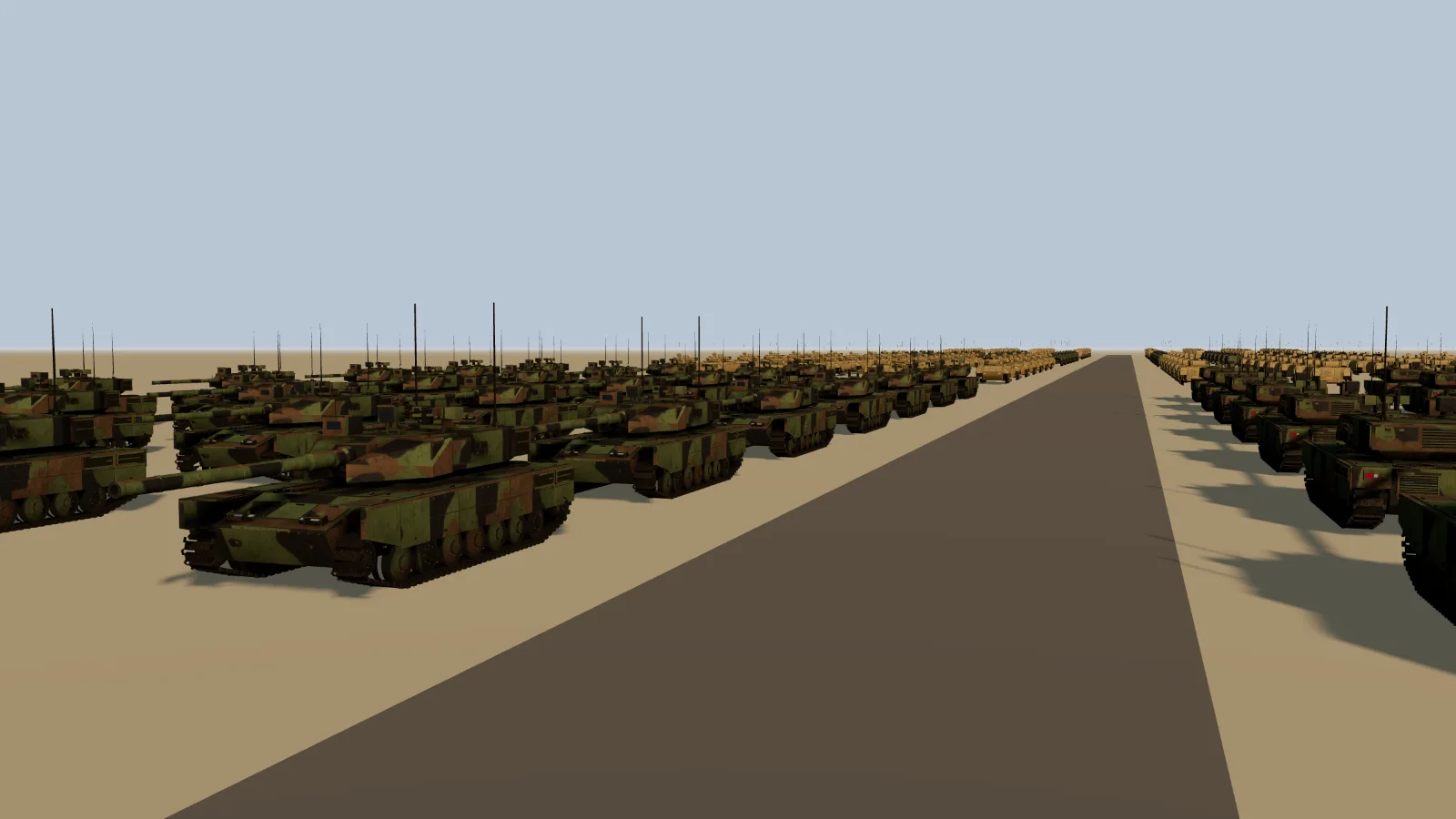
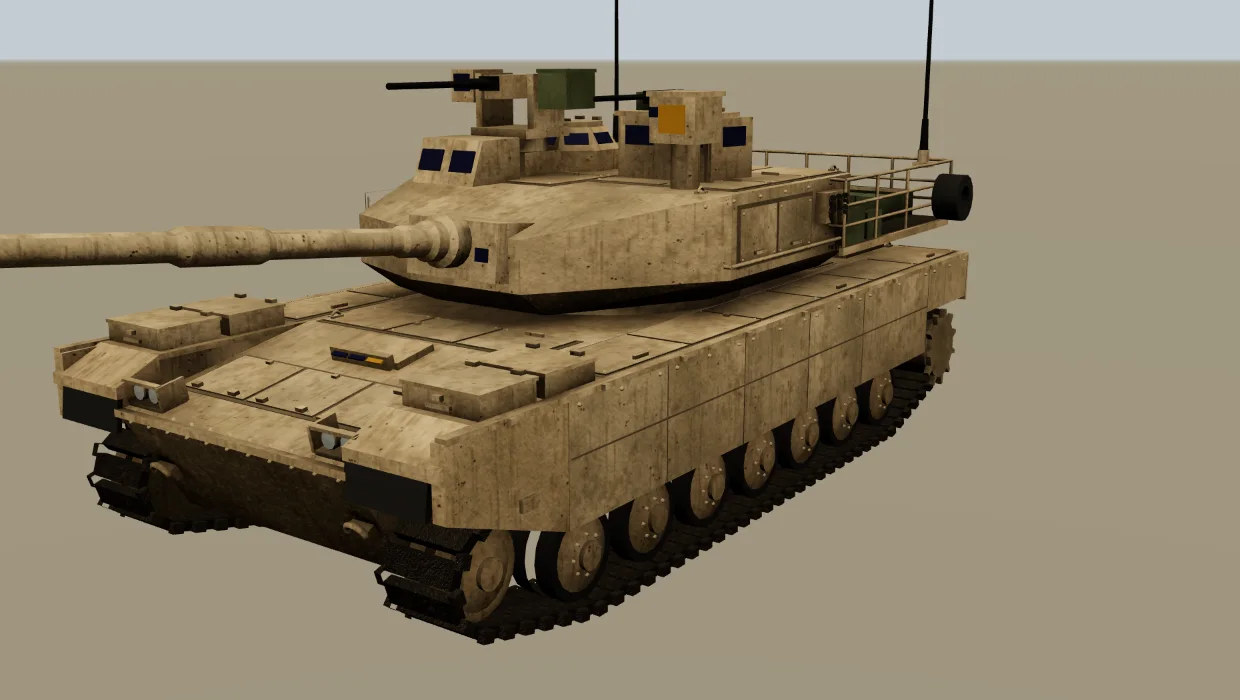
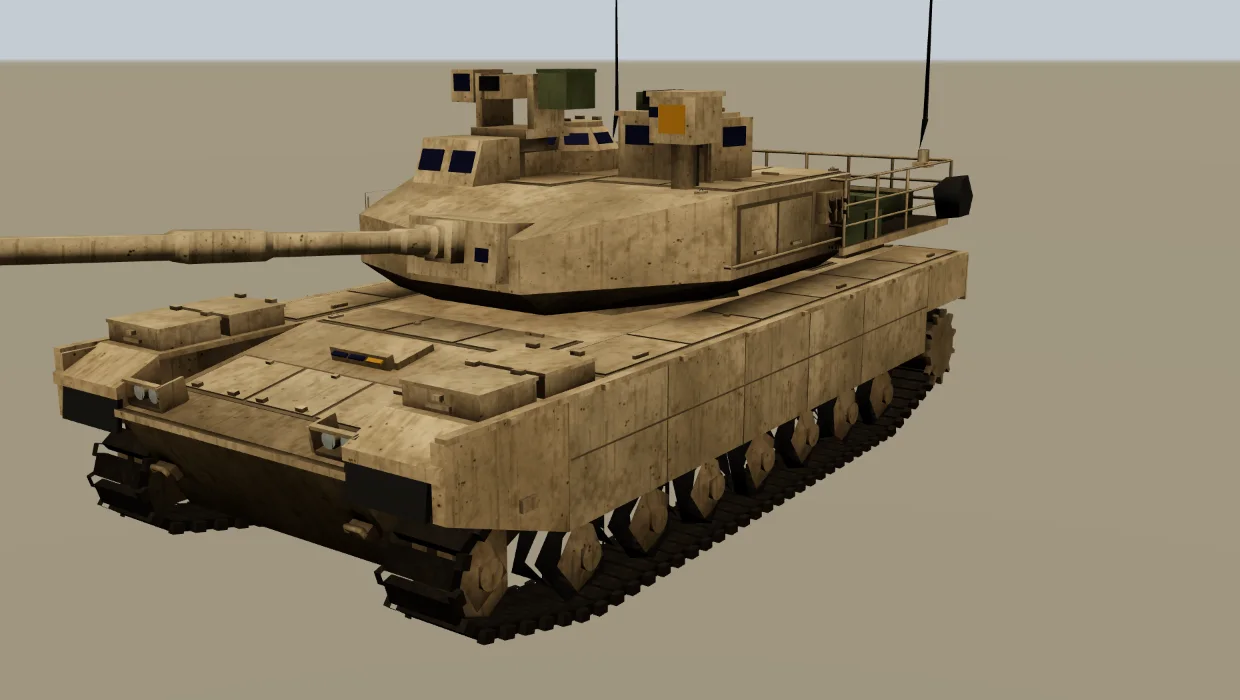
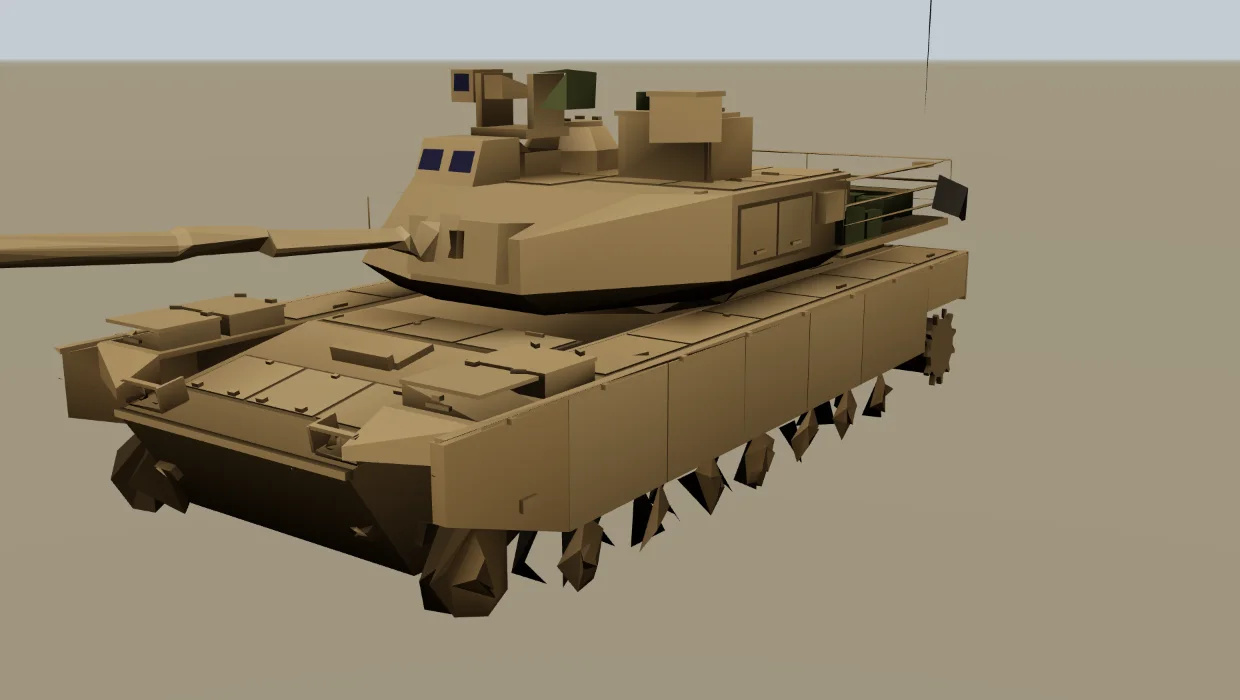
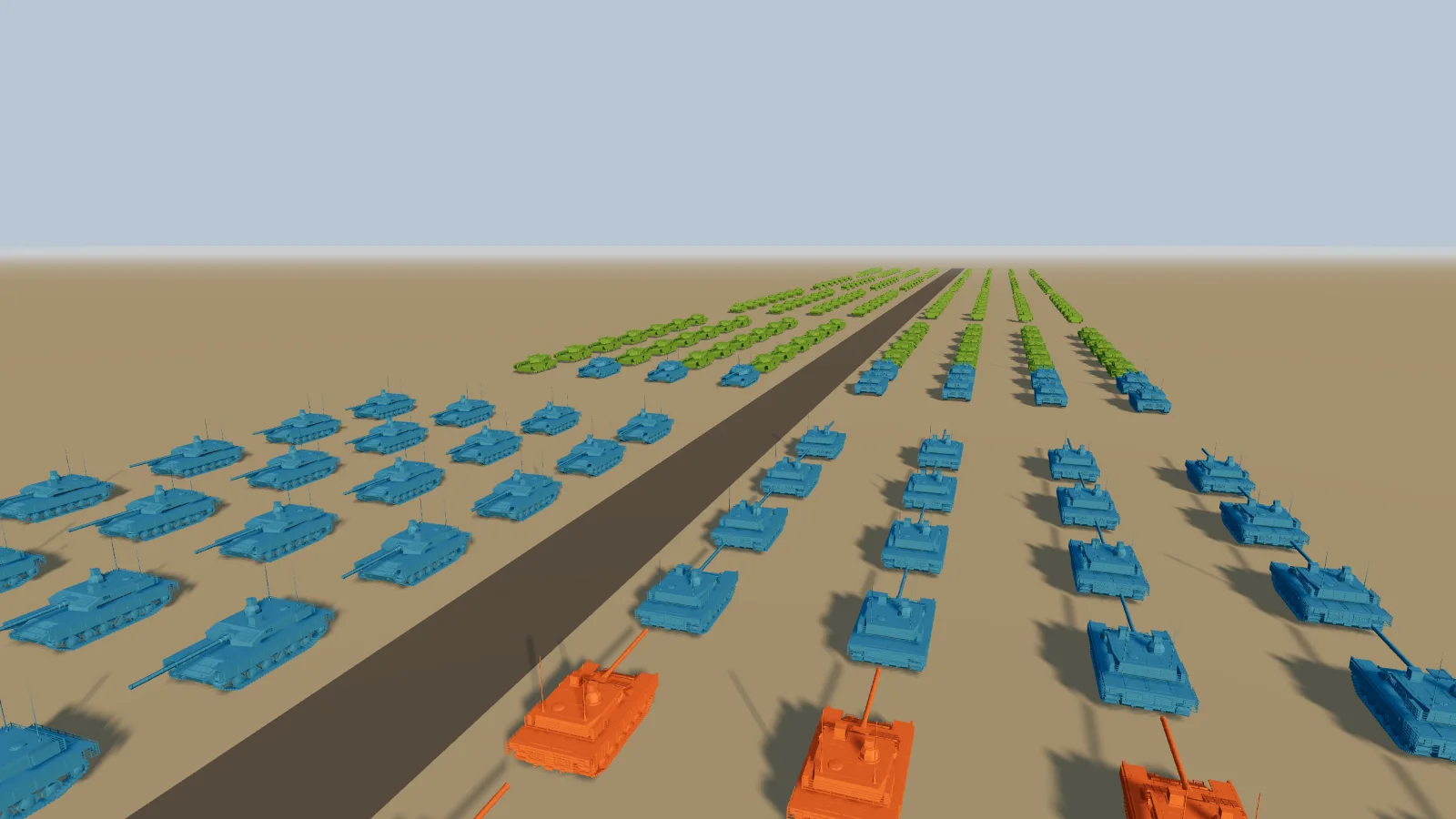
THREE.LOD with three levels. In this frame the nearest tanks are full detail, the rest are LOD1 and LOD2.The vehicles are real game models of six types — tanks, infantry carriers and a truck — each with 22,270–28,170 triangles, around 203 scene-graph nodes (objects in the hierarchy) and 14–15 textures. We built the lower levels in the browser with meshoptimizer, the way you might in a tool step:
| Level | How it is built | Triangles | Draw calls | Shader |
|---|---|---|---|---|
| LOD0 | The GLB as loaded: separate meshes, PBR materials with base, normal, roughness/metal and AO maps. | 25,028 | 158 | MeshStandardMaterial, normal-mapped |
| LOD1 (from 40 m) | All meshes merged per material, simplified with Meshopt (target 30%, error ≤ 1%), normal maps dropped. | 12,286 | 6 | MeshStandardMaterial without normal map — a different program |
| LOD2 (from 130 m) | Everything merged into one mesh, simplified harder (target 5%, error ≤ 5%), each material’s average texture colour baked into vertex colours. | 5,127 | 1 | MeshStandardMaterial, vertex colours, no maps |
Averages over the six vehicle types. Per-type numbers are in the FAQ.
The levels follow the camera
Orange LOD0, blue LOD1, green LOD2, chosen again every frame by THREE.LOD as the camera drives in. The counters are the real level counts and draw calls of each frame.
Notice how little the simplifier could remove: LOD1 keeps about 49% of the triangles at a 1% error cap. Hard-surface models like these are made of hundreds of separate boxes and plates, each already near its minimum; there is no dense surface to thin out. On models like this the win from LOD is draw calls (one request from the CPU to draw one mesh with one material) — 158 → 6 → 1 per vehicle — not triangles. Organic or scanned meshes simplify much further.
How we measured. NVIDIA GeForce RTX 4060 Laptop GPU, Chrome, ANGLE → Direct3D 11, three.js r180, 1600×900, device pixel ratio 1, MSAA on, PCF soft sun shadows with a 2048² map, KHR_parallel_shader_compile available. The camera follows a fixed path, one step per rendered frame, so every run sees the same frames. What we time is a synchronized render time: from the start of renderer.render() until a one-pixel readPixels returns. The readback makes the CPU wait for the GPU, so the number includes the GPU work and any compile or upload the frame triggers, and it repeats well. It is not the interval between displayed frames in a real game — a normal pipeline overlaps CPU and GPU work, and camera code, game logic, the event loop and the compositor are outside the timer.
After every frame we read renderer.info and record whether the counts of programs, geometries and textures grew. Each variant ran on three fresh page loads with Chrome’s shader disk cache disabled and a random #define prepended to the shader source, so identical sources cannot hit Chrome’s in-memory program cache. That does not exclude every cache in ANGLE or the driver, but the cold spikes repeated on all three loads.
Where the hitch comes from
Frame time during the fly-in, cold against prewarmed (log scale)
- Cold: nothing prewarmed
- Prewarmed (compileAsync + initTexture + warm-up frame)
Summary for every prewarm level
| Prewarm | One-off cost before frame 1 | Median frame | 99th percentile | Worst frame, each run | Frames over 50 ms, each run |
|---|---|---|---|---|---|
| Cold: nothing prewarmed | — | 8.9 ms | 29 ms | 310, 280, 309 ms | 3, 6, 5 |
| compileAsync() | 573 ms | 8.8 ms | 29 ms | 56, 73, 48 ms | 2, 7, 0 |
| compileAsync() + initTexture() | 900 ms | 8.8 ms | 24 ms | 33, 90, 42 ms | 0, 1, 0 |
| + one warm-up frame, all levels | 1.3 s | 8.7 ms | 26 ms | 63, 36, 49 ms | 1, 0, 0 |
First LOD1, first LOD0
The fly-in replayed at its measured render times: each frame is held for as many 60 Hz refreshes as it took in the benchmark — a visualization of the measurements, not a screen recording. The two freezes are the first LOD1 and the first LOD0 vehicles.
The same path, prewarmed
compileAsync, initTexture and one warm-up frame before the start. No frame on this stretch increases the program, geometry or texture counts.
Cold, the fly-in has a handful of very long frames and they line up with events, not with load. The worst ones of the run with the median worst frame, with how much each renderer.info count grew inside them:
| Frame | Time | New programs | New geometries | New textures |
|---|---|---|---|---|
| 263 | 309 ms | 4 | 102 | 3 |
| 168 | 219 ms | 3 | 6 | 10 |
| 0 | 146 ms | 2 | 8 | 1 |
Each spike is a first appearance. On the first frame the far level of every type is drawn at once. Later the first vehicle crosses into LOD1, which needs the program without the normal map and the textures LOD2 never used; then the first one crosses into LOD0, which brings around 208 meshes’ worth of vertex buffers and the normal-mapped program. Every new vehicle type pays the texture and geometry part again when its block comes into range.
Between the spikes the median frame is 8.9 ms — LOD is doing its job. But against a 16.7 ms budget each cold run had 3–6 frames over 50 ms, three refreshes or more at 60 Hz, and the longest ones read as a freeze.
Prewarming: what compileAsync does and does not cover
three.js has two public tools for this: renderer.compile() / compileAsync() and renderer.initTexture(). Each step below removes one class of spike; together with a single warm-up frame they flatten the timeline.
Scroll the table sideways for all columns →
| Prewarm | One-off cost | First frame | Worst frame, each run | 99th pct. | Frames > 50 ms, each run | Frames where counts grew |
|---|---|---|---|---|---|---|
| Cold: nothing prewarmed | — | 146 ms | 310, 280, 309 ms | 29 ms | 3, 6, 5 | 13 |
| compileAsync() | 573 ms | 48 ms | 56, 73, 48 ms | 29 ms | 2, 7, 0 | 13 |
| compileAsync() + initTexture() | 900 ms | 20 ms | 33, 90, 42 ms | 24 ms | 0, 1, 0 | 13 |
| + one warm-up frame, all levels | 1.3 s | 8.5 ms | 63, 36, 49 ms | 26 ms | 1, 0, 0 | 0 |
Three fresh page loads per row. One-off cost, first frame and 99th percentile are medians of the three; the worst-frame and over-50 ms columns list every run. “Counts grew” is the number of frames after the first in which the program, geometry or texture count of renderer.info went up. The one-off cost runs before the first frame, behind a loading screen.
compileAsync(scene, camera) creates a program for every material in the graph and waits, using KHR_parallel_shader_compile, until the driver reports them ready. Two details from the r180 source matter for LOD. It walks the scene with traverse(), not traverseVisible(), so the materials of hidden LOD levels are compiled too — you do not have to make levels visible for this step. But it gathers lights with traverseVisible(), so the lights the scene will use must already be in it and visible, or the programs it builds are for the wrong light count and get rebuilt later. It cost 573 ms here, and the worst frame per run fell from 280–310 ms to 48–73 ms.
What remained were texture uploads. GLTFLoader hands you decoded ImageBitmaps, but nothing reaches the GPU until a material using them is drawn: then texImage2D and mipmap generation run inside that frame. A 1024² texture with mips is about 5.6 MB of GPU memory, and LOD1 of one vehicle type touches a dozen of them. renderer.initTexture(texture) does that upload on demand; calling it for every texture took 315 ms; the worst frames were 33, 90, 42 ms — better, but one run still had a long one.
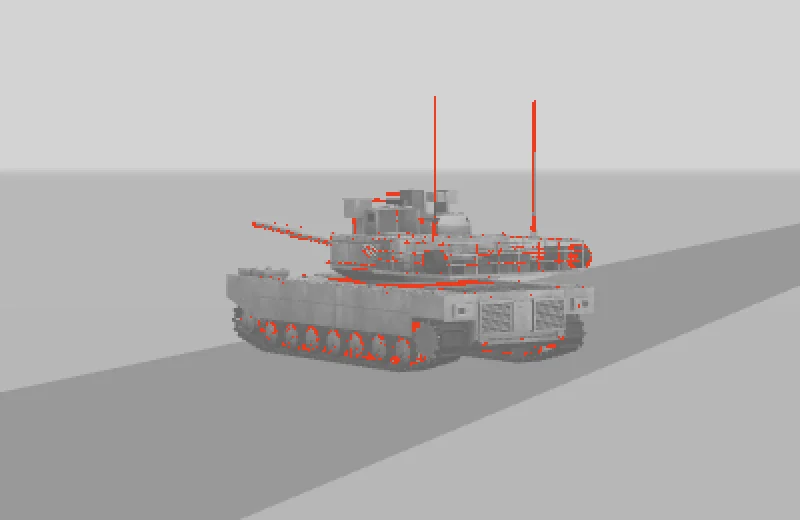
Three things are still left for the first draw, and these two calls do not cover them: vertex and index buffers (uploaded by WebGLObjects on first render), shadow-pass programs (the depth materials that compile() never sees), and per-draw state such as vertex array objects — plus on ANGLE/Direct3D the backend can build shader variants for a new vertex layout on first use. The practical way is to render one frame with every level visible and frustum culling off, behind the loading screen. That cost 371 ms for 336 vehicles and took the first frame from 20 ms to 8.5 ms. In all three runs no frame after the first increased the program, geometry or texture count, against 13 such frames per run without it.
The worst frames that remained were 63, 36, 49 ms, in the busiest stretch of road but not at the same frame in each run. The counters rule out growth in those three counts there, not every possible cause: garbage collection, the browser or OS scheduler and the driver remain candidates, and so do uploads the counters cannot see — renderer.info.memory.geometries counts BufferGeometry objects, not WebGL buffers, and an update to an existing texture or attribute does not change it. Proving there were no bufferData or texImage2D calls takes WebGL call instrumentation or a GPU capture, best done separately from timing.
// Call once after loading, before the first visible frame. `root` is your loaded
// content, not the whole scene, so lights you keep hidden on purpose stay hidden.
export async function prewarm(renderer, scene, camera, root) {
  // 1. Programs for every material, hidden LOD levels included.
  //    Lights must already be in `scene`: compile() reads the visible ones.
  await renderer.compileAsync(root, camera, scene);

  // 2. Textures: decoded, but not uploaded until first use.
  const textures = new Set();
  root.traverse((o) => {
    for (const m of [].concat(o.material || [])) {
      for (const key in m) if (m[key]?.isTexture) textures.add(m[key]);
    }
  });
  for (const texture of textures) renderer.initTexture(texture);

  // 3. One frame with every level drawn: vertex buffers, shadow programs,
  //    draw-time state.
  const saved = [];
  root.traverse((o) => saved.push([o, o.visible, o.frustumCulled, o.autoUpdate]));
  try {
    for (const [o] of saved) {
      o.visible = true;
      o.frustumCulled = false;
      if (o.isLOD) o.autoUpdate = false; // keep LOD.update() from hiding levels again
    }
    renderer.render(scene, camera);
  } finally {
    for (const [o, visible, culled, auto] of saved) {
      o.visible = visible;
      o.frustumCulled = culled;
      if (o.isLOD) o.autoUpdate = auto;
    }
  }
}

// root must be reachable from the rendered scene (visible ancestors, on the
// camera's layers) and its world matrices current, or step 3 never draws it.
scene.add(root);
scene.updateMatrixWorld(true);
await prewarm(renderer, scene, camera, root);
One warm-up frame exercises one configuration. Ours was WebGLRenderer, ordinary meshes with standard materials, one camera, the main pass and one shadow-casting sun. Another camera, a layer setup, material.visible toggles, a post-processing pass or a different shadow setup can each need programs this frame never built — warm up every configuration you will actually render. We drew the warm-up frame to the canvas: a render target with a different colour space or tone mapping compiles different programs (in our recompilation test a HalfFloat target rebuilt 49 programs). If the frame must not be seen, cover it with your HTML loading overlay.
For streamed content — a new block of the map, a vehicle type spawned mid-game — prewarm per object before you add it: compileAsync(object, camera, scene) compiles it against the target scene’s lights and initTexture uploads its maps. Neither uploads vertex buffers; that still happens in the first frame the object is drawn, and adding it behind the camera does not help, because frustum culling skips it there. Either give it one real draw with frustumCulled = false while it is small on screen, or budget for that first draw. Spread texture uploads over several frames: a few per frame fit the budget, fifty do not.
The cost you pay every frame: hidden levels are still in the graph
Prewarming fixes the spikes. The second problem shows up as a baseline that is higher than it should be. THREE.LOD keeps every level as a child and only toggles visible. The renderer skips invisible objects when it builds the render list, but scene.updateMatrixWorld(), which it calls at the start of every render(), does not look at visibility. It visits every node of every level, recomposing local matrices along the way. Our 336 vehicles are 71,065 nodes, almost all of them in LOD0 levels that are hidden most of the time.
One frame on the road, 336 vehicles (lower is better)
- updateMatrixWorld() alone
- Whole frame: matrices + render() + GPU
updateMatrixWorld() is timed in a separate call before the frame, so it estimates that part rather than splitting the frame itself. NVIDIA GeForce RTX 4060 Laptop GPU, Chrome, ANGLE → Direct3D 11, three.js r180, 1600×900.All values
| Variant | updateMatrixWorld | LOD.update × 336 | Draw calls | Frame |
|---|---|---|---|---|
| THREE.LOD, defaults | 11 ms | 0.10 ms | 771 | 27 ms |
| matrixAutoUpdate / matrixWorldAutoUpdate off on each LOD | 11 ms | 0.10 ms | 771 | 27 ms |
| matrixAutoUpdate off on every node | 12 ms | 0.10 ms | 771 | 28 ms |
| scene.matrixWorldAutoUpdate = false | 0.00 ms | 0.10 ms | 771 | 16 ms |
| No LOD (every vehicle at LOD0), defaults | 11 ms | 0.00 ms | 17,740 | 99 ms |
| No LOD, scene.matrixWorldAutoUpdate = false | 0.00 ms | 0.00 ms | 17,740 | 90 ms |
Timed on its own, that walk cost 11 ms per frame — about 39% of the whole default frame (27 ms). The usual advice does not help in r180: setting matrixAutoUpdate = false and matrixWorldAutoUpdate = false on each LOD object (11 ms) only skips the work on that one node; Object3D.updateMatrixWorld still recurses into all its children. Turning matrixAutoUpdate off on every node (12 ms) removes the matrix maths but not the walk.
What works is to stop the renderer from walking the graph at all, and update the few things that move yourself:
// After the static world is placed:
scene.updateMatrixWorld(true);
scene.matrixWorldAutoUpdate = false;   // render() no longer walks the graph

// For anything that moves, update its subtree after you move it:
truck.position.x += speed * dt;
truck.updateMatrixWorld(true);

// A camera without a parent is still updated by render() itself.
With that, the same frame went from 27 ms to 16 ms. The alternative is to have fewer nodes: merge each level’s static parts per material at build time (our LOD1 already is), or keep only the active level attached and swap children on a level change. LOD.update() itself — a distance and a few comparisons per object — cost 0.10 ms for all 336 vehicles, so the number of LOD objects is not the problem; the number of nodes under them is.
For scale: without LOD, every vehicle at LOD0, the same frame needed 17,740 draw calls and 90 ms even with static matrices, against 771 calls and 16 ms with LOD.
Another per-frame cost that LOD does not remove: the shadow pass draws every caster inside the light’s frustum at whatever level the main camera selected, including vehicles behind you. Fit the shadow camera to the view — ours follows the camera with a 140 m box — or the full-detail tanks behind the player are drawn into the shadow map every frame.
Choosing switch distances from pixels, not guesses
A level switch is a pop when enough pixels change at once. That is measurable: render the object at a distance with level A, then with level B, and count the pixels that differ. We did that for three of our vehicles at distances from 10 to 300 m, from one view angle under one light. The percentages below are what this comparison measured, not a universal visibility threshold: contrast, exposure, antialiasing and resolution all move them.
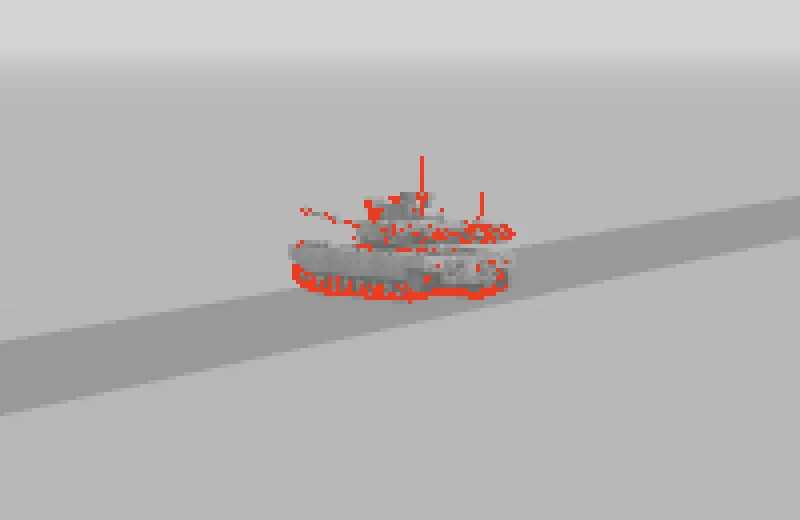
Pixels that change when a tank switches level (M1 Abrams, 1600×900, log scale)
- LOD0 → LOD1 (textured, merged per material)
- LOD1 → LOD2 (one mesh, colours baked into vertices)
- LOD1 → LOD2 textured instead
All values: changed pixels, and as a share of the vehicle’s own pixels
| Distance | Vehicle covers | LOD0→1 (Abrams) | LOD1→2 baked | LOD1→2 textured | LOD0→1 Bradley | LOD0→1 HEMTT |
|---|---|---|---|---|---|---|
| 20 m | 46,785 px | 3,510 (8%) | 11,039 (24%) | 993 (2%) | 1,818 (5%) | 6,727 (13%) |
| 30 m | 20,262 px | 1,615 (8%) | 4,758 (23%) | 473 (2%) | 856 (6%) | 2,850 (13%) |
| 40 m | 11,334 px | 932 (8%) | 2,688 (24%) | 275 (2%) | 480 (6%) | 1,513 (12%) |
| 60 m | 5,030 px | 459 (9%) | 1,214 (24%) | 140 (3%) | 208 (5%) | 654 (12%) |
| 80 m | 2,860 px | 263 (9%) | 711 (25%) | 74 (3%) | 117 (5%) | 369 (12%) |
| 130 m | 1,091 px | 124 (11%) | 281 (26%) | 30 (3%) | 52 (6%) | 142 (12%) |
| 160 m | 724 px | 84 (12%) | 196 (27%) | 18 (2%) | 33 (6%) | 87 (11%) |
| 220 m | 386 px | 45 (12%) | 108 (28%) | 15 (4%) | 19 (7%) | 48 (12%) |
Two things stand out. First, the share of the tank that changes is nearly constant with distance — about 8% for LOD0 → LOD1 here — so the absolute number of popping pixels falls roughly with the square of the distance. Doubling a switch distance makes the pop about four times smaller and — if objects are spread evenly over the ground — keeps about four times as many of them at the expensive level. That is the trade you are actually tuning.
Second, triangle count did not predict the far level’s pop. We tried three LOD2 builds. The first was aggressive: target 3%, error up to 15% and meshoptimizer’s Prune flag, which removes small disconnected parts — on a tank, every track link and road wheel. It had about a thousand triangles and changed 64% of the tank’s pixels at 130 m. Our final baked LOD2 (target 5%, error 5%, no pruning, one material, about 5,127 triangles) changed 26%. A third build kept the source materials and textures, merged per material with the original normals (target 8%, error 4%): 3%, at the price of 6 draw calls instead of 1.
These are three practical builds, not controlled A/B tests: geometry, normals, material properties and textures all differ between them, so the numbers do not isolate the effect of Prune or of the textures. What they do show is that on this model the cheapest far level was also the most visible switch. Either push it out until the lost detail is small on screen, or fade it in.
meshoptimizer also tells you the geometric error it introduced. Turned into pixels, it gives a starting point for the switch distance: with a perspective camera, an error of e metres covers about e · H / (2 d · tan(fov/2)) pixels at distance d. Our largest LOD1 error was 0.108 m (Leopard 2A7); with a 900-pixel-tall view and a 50° FOV its estimated projection drops below one pixel from about 104 m, and at our 40 m it is about 2.6 px. Sub-pixel is an estimate, not a promise that the switch goes unnoticed — silhouettes, thin parts and shading can still show it — and at 40 m the switch also drops the normal map, which a geometric error estimate does not account for.
import * as THREE from 'three';

// PerspectiveCamera only. Returns a THREE.LOD threshold at which a geometric error
// of `error` world units (model scale included) is about `pixels` tall on screen.
// No camera.zoom here: LOD.update() already divides the distance by it.
export function switchDistance(error, pixels, camera, renderer) {
  const height = renderer.getDrawingBufferSize(new THREE.Vector2()).y;
  const tanHalf = Math.tan(THREE.MathUtils.degToRad(camera.fov) / 2);
  return (error * height) / (2 * pixels * tanHalf);
}

// MeshoptSimplifier.simplify returns a relative error; scale it to metres.
const [indices, relError] = MeshoptSimplifier.simplify(index, positions, 3, target, 0.01);
const error = relError * MeshoptSimplifier.getScale(positions, 3);
lod.addLevel(lod1, switchDistance(error, 1, camera, renderer), 0.1);
THREE.LOD compares plain distance divided by camera.zoom. It ignores the field of view and the canvas size, so a sniper-scope FOV change or a 4K canvas does not move the switch points. If either changes at run time, rescale the level distances, e.g. by tan(baseFov / 2) / tan(fov / 2) for a zoom.
Hysteresis: stop flicker at the boundary
Put an object exactly at a switch distance and let the camera sway — head bob, an idle animation, a physics jitter — and a plain threshold changes level on every crossing. The geometry is already uploaded by then, so it costs no time; it is just ugly. addLevel(object, distance, hysteresis) has a fix since r155: while a level is visible, the distance needed to switch back to the finer level shrinks by the hysteresis fraction.
| Viewer standing at | Sway (main wave) | No hysteresis | 2% | 5% | 10% |
|---|---|---|---|---|---|
| 40.1 m (switch at 40 m) | ±0.3 m | 18 | 0 | 0 | 0 |
| 40.1 m (switch at 40 m) | ±1 m | 18 | 18 | 0 | 0 |
| 130.2 m (switch at 130 m) | ±0.3 m | 30 | 0 | 0 | 0 |
| 130.2 m (switch at 130 m) | ±2 m | 18 | 0 | 0 | 0 |
Level changes in 10 seconds (600 frames) of LOD.update() with the camera swaying around a fixed point: two sine waves with 1.1 s and 0.37 s periods, the second at 0.4× the amplitude of the first. Together they reach about 1.28× the listed sway: ±0.38 m for ±0.3 m.
Standing on a switch distance
A 5° telephoto view of a tank 130 m away while the camera sways by about ±0.3 m. First half: it flips between LOD1 and LOD2 on every sway. Second half: hysteresis 0.08, and it stays put.
Without hysteresis the level changed 18–30 times in ten seconds of standing still. With it, what matters is where the return threshold sits. The band is a fraction of the threshold and sits below it: with 2%, LOD1 appears at 40 m and the vehicle returns to LOD0 only under 39.2 m. A sway keeps flipping the level only if it crosses both the switch distance and the return threshold, so put the return below the lowest distance the unwanted motion reaches. Standing at 40.1 m, the ±0.3 m sway (real peaks ±0.38 m) never went below 39.7 m, so 2% was enough; ±1 m of vehicle shake (peaks ±1.28 m) reached 38.8 m and still switched 18 times. 5% moves the return to 38 m and stopped both. A band wider than the full excursion is the conservative choice. Because it is a fraction, the band grows with distance — 5% is 6.5 m at 130 m — which matches how much further the camera has to move before a far object visibly changes size. 0.05–0.1 is a sensible starting point. Concretely, in r180 LOD1 appears at 40 m and stays until you come back under 40 × (1 − h) m.
const lod = new THREE.LOD();
lod.addLevel(full, 0);
lod.addLevel(medium, 40, 0.08);  // back to full detail under 36.8 m
lod.addLevel(far, 130, 0.08);    // back to medium under 119.6 m
scene.add(lod);
Cross-fading without new shaders
Hysteresis stops repeated pops; a cross-fade hides the single one. The obvious approach — make both levels transparent and animate opacity — has costs in three.js. Toggling transparent when the fade starts, or switching alphaTest between zero and non-zero, changes the material’s program, so the fade itself compiles shaders. Materials that are transparent from the start avoid the recompile, but then the vehicles go through the transparent pass: sorted back to front and blended, with depth writes still on by default (so the two levels hide each other unevenly) or turned off (so sorting errors show). For solid hard-surface models we chose an opaque dither instead.
A screen-door (dither) fade keeps both levels opaque. In a band around the switch distance, each pixel compares a fixed screen-space noise value with the fade amount: the incoming level keeps the pixels below it, the outgoing level the pixels above. Where both levels have a surface in the same place, that splits the pixels between them. It is an approximation, not a guarantee. The fade amount comes from each fragment’s own distance, and the two levels’ surfaces sit at slightly different depths, so in a given pixel both may survive or both may be discarded; where silhouettes differ, only one level has a fragment at all. Both levels are also submitted and shaded up to the discard, so the GPU pays for both (numbers below). The noise is fixed to the screen, so with a moving camera the pattern can show as a fine shimmer. Driving both levels from one fade value per object, through a uniform, gives a cleaner split at the price of CPU work per object. The code is compiled into the level materials from the start, so nothing changes at run time.
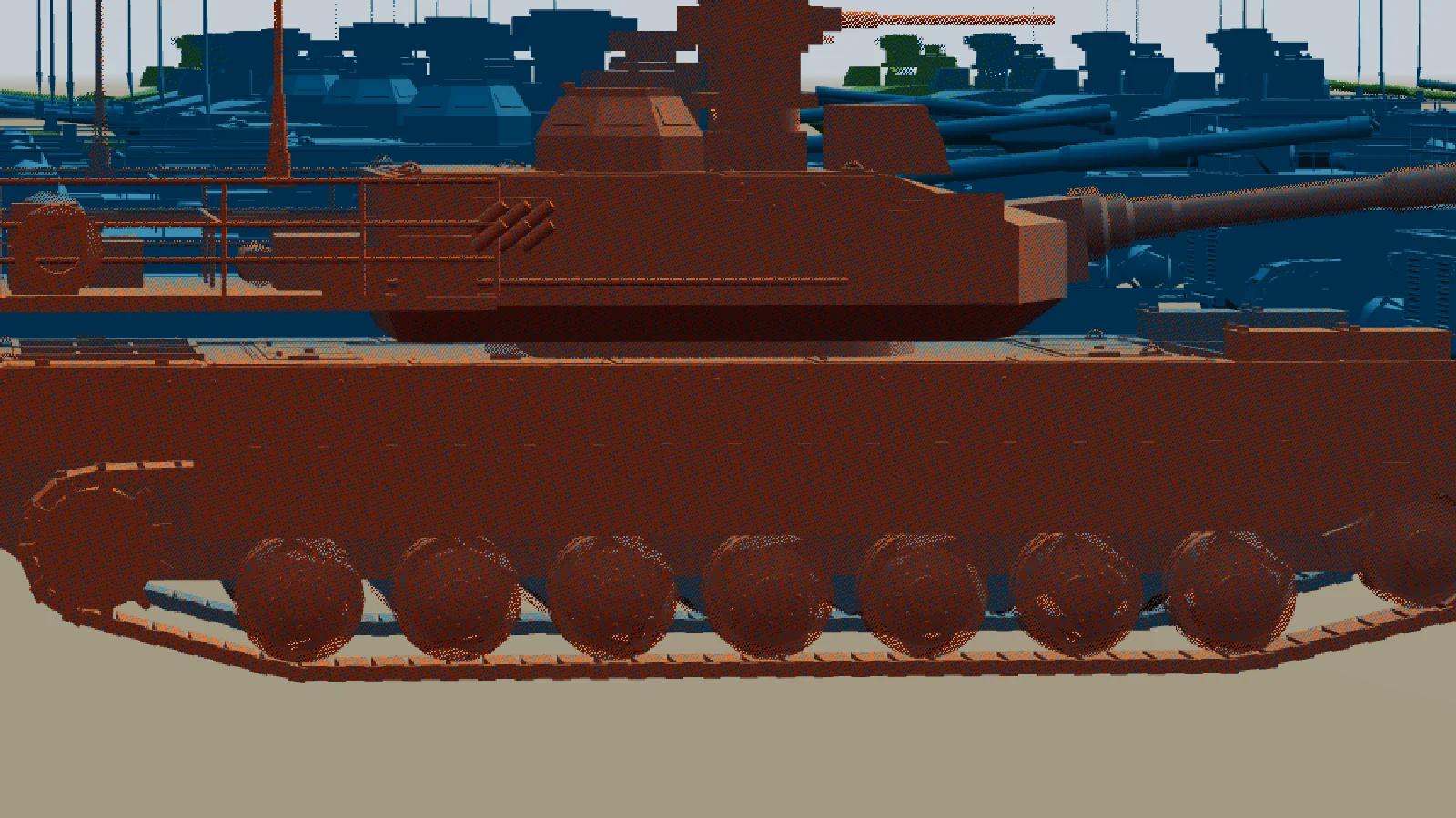
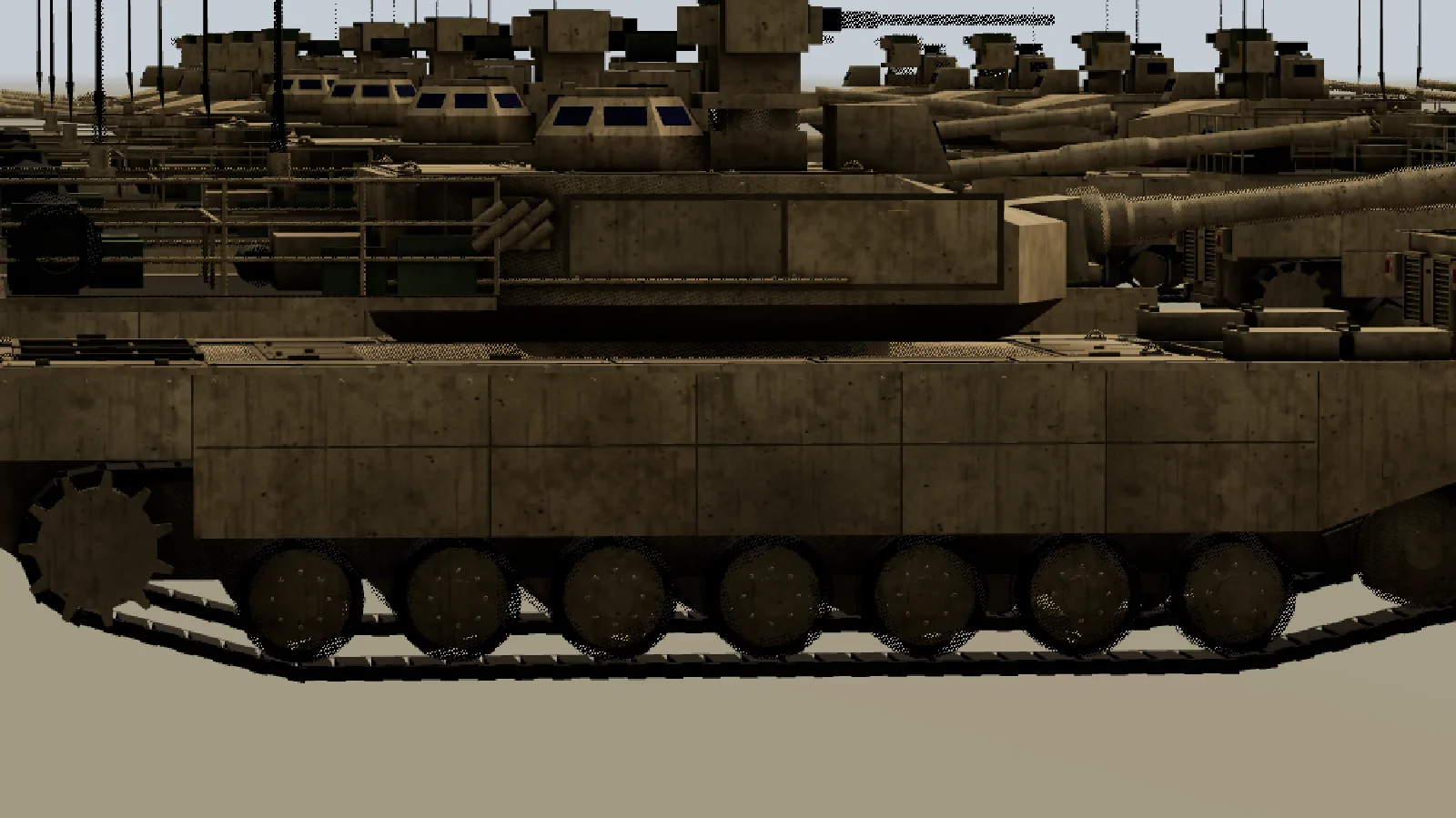
THREE.LOD at 130 m
A telephoto dolly across the switch distance. Tracks, wheels and texture detail change in a single frame.
Same dolly, 31 m blend band
Between 114 and 146 m LOD1 and LOD2 share the pixels of the tank. No single frame changes much.
// level: 0, 1, 2 …  D: switch distances [0, 40, 130]; band: fade half-width, fraction of D.
export function addDitherFade(material, level, D, band = 0.12) {
  const fadeIn = level > 0 ? [D[level] * (1 - band), D[level] * (1 + band)] : [0, 0];
  const fadeOut = level < D.length - 1 ? [D[level + 1] * (1 - band), D[level + 1] * (1 + band)] : [0, 0];
  const range = new THREE.Vector4(...fadeIn, ...fadeOut);
  material.onBeforeCompile = (shader) => {
    shader.uniforms.lodRange = { value: range };
    shader.vertexShader = shader.vertexShader
      .replace('#include <common>', '#include <common>\nvarying vec3 vLodWorld;')
      .replace('#include <project_vertex>',
        '#include <project_vertex>\nvLodWorld = (modelMatrix * vec4(transformed, 1.0)).xyz;');
    shader.fragmentShader = shader.fragmentShader
      .replace('#include <common>', '#include <common>\nvarying vec3 vLodWorld;\nuniform vec4 lodRange;')
      .replace('#include <clipping_planes_fragment>', `#include <clipping_planes_fragment>
        float lodD = distance(cameraPosition, vLodWorld);
        // interleaved gradient noise: a stable threshold per pixel
        float lodN = fract(52.9829189 * fract(dot(gl_FragCoord.xy, vec2(0.06711056, 0.00583715))));
        if (lodRange.y > 0.0 && lodN >= smoothstep(lodRange.x, lodRange.y, lodD)) discard;
        if (lodRange.w > 0.0 && lodN <  smoothstep(lodRange.z, lodRange.w, lodD)) discard;`);
  };
  // same source for every level: one program, different uniforms
  material.customProgramCacheKey = () => 'lod-dither';
}

// Replaces THREE.LOD's switching: a level stays visible while any part of the object
// is in its range. position and radius are world-space bounds of the object.
export function updateFade(items, camera, D, band = 0.12) {
  const cam = camera.getWorldPosition(new THREE.Vector3());
  for (const { levels, position, radius } of items) {
    const d = cam.distanceTo(position);
    for (let i = 0; i < levels.length; i++) {
      const lo = i > 0 ? D[i] * (1 - band) - radius : -Infinity;
      const hi = i < levels.length - 1 ? D[i + 1] * (1 + band) + radius : Infinity;
      levels[i].visible = d >= lo && d <= hi;
    }
  }
}

// Wiring, for LODs whose levels are plain meshes, after they are placed in the world.
const D = [0, 40, 130];
const items = lods.map((lod) => {
  lod.autoUpdate = false;                   // or render() shows a single level again
  lod.levels.forEach(({ object }, i) => {
    const clones = new Map();                 // one clone per source material per level
    const cloneForLevel = (source) => {
      if (!clones.has(source)) {
        const clone = source.clone();
        addDitherFade(clone, i, D);
        clones.set(source, clone);
      }
      return clones.get(source);
    };
    object.traverse((o) => {
      if (!o.isMesh) return;
      o.material = Array.isArray(o.material) ? o.material.map(cloneForLevel) : cloneForLevel(o.material);
    });
  });
  const sphere = new THREE.Box3().setFromObject(lod).getBoundingSphere(new THREE.Sphere());
  return { levels: lod.levels.map((l) => l.object), position: sphere.center, radius: sphere.radius };
});

function frame() {
  camera.updateMatrixWorld();
  updateFade(items, camera, D);
  renderer.render(scene, camera);
}
The shader hook computes the world position from modelMatrix, which is right for ordinary meshes. For InstancedMesh or BatchedMesh the instance or batch matrix has to be applied too, and items that move need their position updated.
The levels need their own material instances for this — the uniform range is per level — but instances with the same source share one compiled program. Our LOD1 materials were already separate clones, so this cost nothing extra in programs.
What it does cost: inside the bands both levels are drawn, and every fragment of every level runs the extra test. On the road frame, the fade raised draw calls from 771 to 805 and the frame from 16 ms to 20 ms. Without shadows, where the frame is mostly the main pass, it was 4.8 ms against 6.3 ms. Over the whole fly-in, prewarmed, the median frame went from 8.7 ms to 13 ms.
Two caveats. discard in a shader can disable early depth rejection on some GPUs, so keep the band narrow and consider compiling the test only into materials of objects that actually fade. And the shadow pass uses three.js’s own depth materials, which do not have the dither: inside the band both levels cast shadows. The shadows are nearly identical, so this is rarely visible. If it is, do not copy this discard into a customDepthMaterial: in the shadow pass cameraPosition is the light’s shadow camera and gl_FragCoord is a shadow-map texel, so the fade would follow the light, not the player. Either let only one level cast shadows inside the band (castShadow is per object and does not change programs), or pass the main view’s fade state to a shadow-specific material — customDepthMaterial for directional and spot lights, customDistanceMaterial for point lights — and accept that its dither will not match the screen pixel for pixel.
What turns an LOD switch into a recompile
The rule behind all of this: an LOD switch should only change visible. Anything that changes a material’s program at run time compiles in the frame it happens, and in three.js many innocent-looking changes do:
- A light inside a level. three.js bakes the number of lights into every lit shader. A
PointLightin a near level makes every lit material on screen recompile when that level shows or hides — we measured 4.8 s for one light in our shader recompilation guide. Keep lights out of LOD levels; drive a fixed pool of lights from data instead. - Toggling
transparent,vertexColorsordefines, adding or removing a map (it takes effect withneedsUpdate), or switchingalphaTestbetween 0 and a positive value to fade or simplify a level. Changing an already positivealphaTestkeeps the program, and so does swapping compatible textures in the same slot — same UVchannel, same kind of texture. Make each level’s material final at load time, and prewarm it. - Creating materials on a level change, e.g. cloning to tint a far level. A new material with an unchanged program is cheap, but its textures and uniforms are new state; create them once, at load.
- A different material type per level (Lambert or Basic far away) is fine — it is one more program — but only if it is prewarmed. In our test the LOD1 program without normal maps was one of the cold spikes.
- A second camera.
LOD.update()runs insiderender()for whichever camera you pass. A minimap, a reflection or aCubeCamerarender selects levels for its camera, and may draw — and upload — levels the main view never uses. Give extra cameras their own layers, or setautoUpdate = falseand calllod.update(mainCamera)yourself.
Checklist
For any scene that uses LOD:
- Prewarm behind the loading screen:
await renderer.compileAsync()with the final lights in place,renderer.initTexture()for every texture, then one frame with every level visible andfrustumCulled = false— once for each camera and pass configuration you render. - For streamed content, prewarm per object with
compileAsync(object, camera, scene)andinitTexture, budget for its first draw, and spread texture uploads over several frames. - Keep lights and other program-changing state out of LOD levels.
- Give every level after the first some hysteresis, 0.05–0.1, so that its return threshold sits below the lowest distance the camera’s jitter reaches.
- Measure the worst frame of every run and the 99th percentile on your weakest device, not the average or a median of maxima.
When your measurements call for it:
- Many nodes under the LODs: set
scene.matrixWorldAutoUpdate = falseand update movers yourself, or merge each level’s parts per material. - Visible pops: pick switch distances by measuring changed pixels. In our test, triangle count did not predict the pop; what each level lost in small parts, normals and materials mattered more — measure your own levels.
- A pop that is still visible and a GPU budget to spare: a dithered fade compiled into the materials from the start. It replaces
LOD.update(), soaddLevel’s hysteresis no longer applies — the blend band does that job. - Shadows: fit the shadow camera to the view; the shadow pass draws the main camera’s levels, including those behind it.
Frequently asked questions
Does THREE.LOD use screen size or distance?
Distance: the distance from the camera to the LOD object’s origin, divided by camera.zoom. Field of view, canvas resolution and the object’s size are ignored, so pick distances per model and rescale them if the FOV or resolution changes at run time.
Does compileAsync compile hidden LOD levels?
Yes. In r180 it walks the scene with traverse(), which includes invisible objects, so materials of hidden levels get programs. It does not upload their textures or vertex buffers and does not compile shadow-pass programs; use initTexture() and one warm-up frame for those. Lights are collected only if visible, so add them before compiling.
Can I use LOD with InstancedMesh?
THREE.LOD switches whole objects, so it does not work per instance. Options: one InstancedMesh per level per spatial chunk, rebuilt as the camera moves; BatchedMesh, where setGeometryIdAt(instanceId, geometryId) switches one instance to another geometry stored in the same batch; or a library such as InstancedMesh2 with built-in per-instance LOD. We did not measure these here — see our instancing guide for their per-frame costs.
Which level does raycasting hit?
Not necessarily the one on screen. In r180 LOD.raycast picks a level from the raw distance to the ray origin, without camera.zoom, so with a zoomed camera even a ray from the main camera can test a different level than the displayed one; rays from a turret or an AI use their own distance. And raycaster.intersectObject(lod, true) also recurses into every child, hidden levels included, so you can get hits from several levels at once. Pick explicitly: intersect the displayed level’s subtree, lod.levels[lod.getCurrentLevel()].object, recursively — or, for gameplay, use a separate collision proxy that does not change with distance. With a dithered fade two levels can be visible at once; choose one of them, e.g. the finer, for picking.
Should I generate LODs at run time?
Only if you have to. Loading and simplifying each of our vehicles in the browser took 190–279 ms of elapsed time, including the awaited file load; the simplification itself is synchronous, so part of that blocks the main thread. Do it offline — gltf-transform simplify or meshoptimizer’s gltfpack — or in a worker, and ship the levels with the model.
What did each vehicle’s levels look like?
| Vehicle | LOD0 tris / draws | LOD1 tris / draws | LOD2 tris |
|---|---|---|---|
| M1 Abrams | 22,950 / 208 | 10,723 / 6 | 4,945 |
| T-90M | 23,508 / 206 | 11,304 / 6 | 5,278 |
| Leopard 2A7 | 22,270 / 220 | 10,849 / 6 | 3,040 |
| M2A3 Bradley | 27,220 / 198 | 12,508 / 5 | 6,099 |
| BTR-80 | 26,050 / 60 | 14,853 / 6 | 5,754 |
| M978 HEMTT | 28,170 / 58 | 13,477 / 5 | 5,648 |
Sources
- three.js r180 — LOD.js (update, hysteresis, raycast)
- three.js r180 — Raycaster.js (recursive intersection)
- three.js r180 — Material.js (transparent, alphaTest, depthWrite)
- three.js r180 — WebGLGeometries.js (what renderer.info.memory.geometries counts)
- three.js r180 — WebGLRenderer.js (compile, compileAsync, initTexture, projectObject)
- three.js r180 — Object3D.updateMatrixWorld
- three.js r180 — WebGLShadowMap.js
- three.js r180 — BatchedMesh.setGeometryIdAt
- three.js docs — LOD
- meshoptimizer — simplification
- glTF Transform — simplify()
- Khronos — KHR_parallel_shader_compile
- Jorge Jimenez — Interleaved gradient noise (Next Generation Post Processing in Call of Duty: Advanced Warfare)
- @three.ez/instanced-mesh (InstancedMesh2) — per-instance LOD