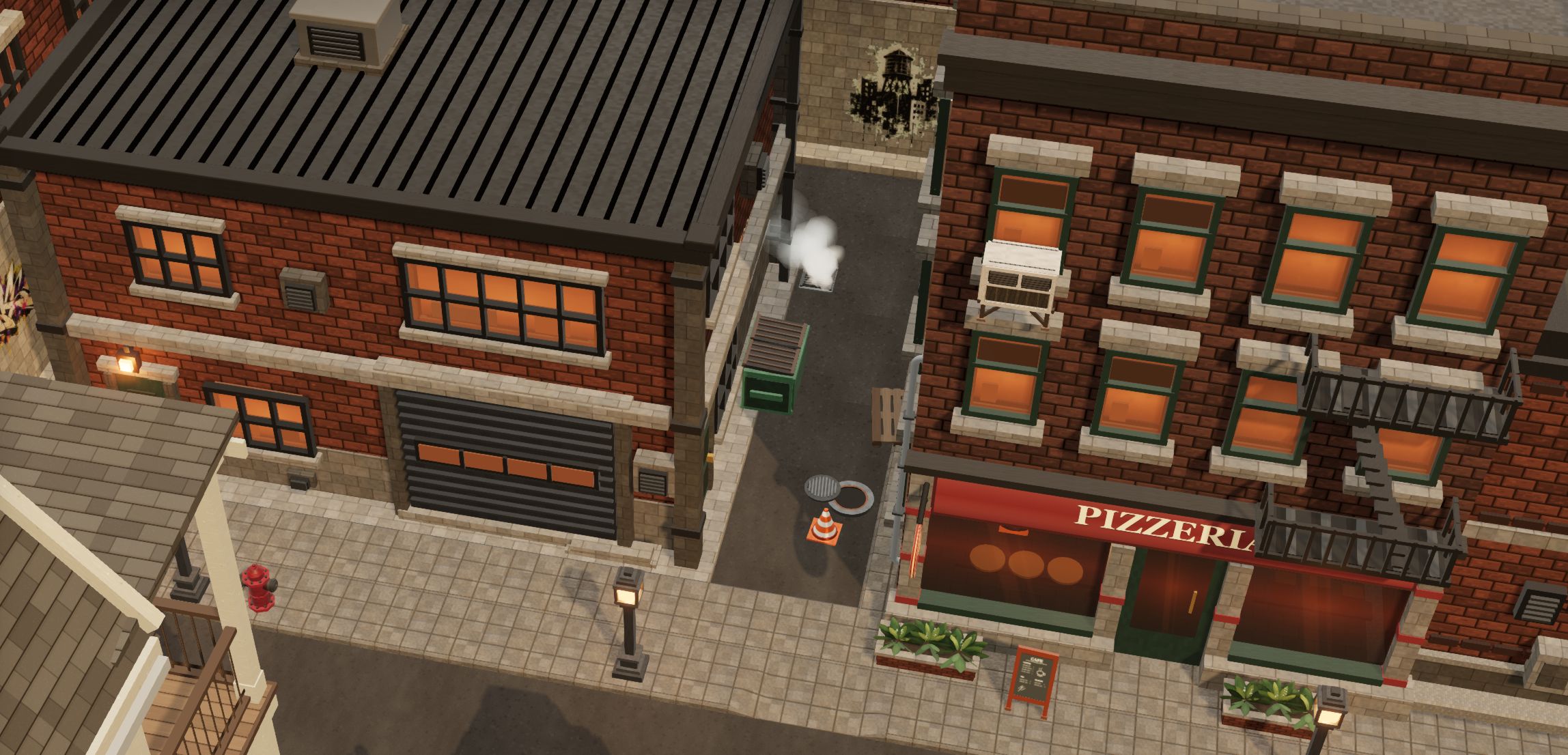
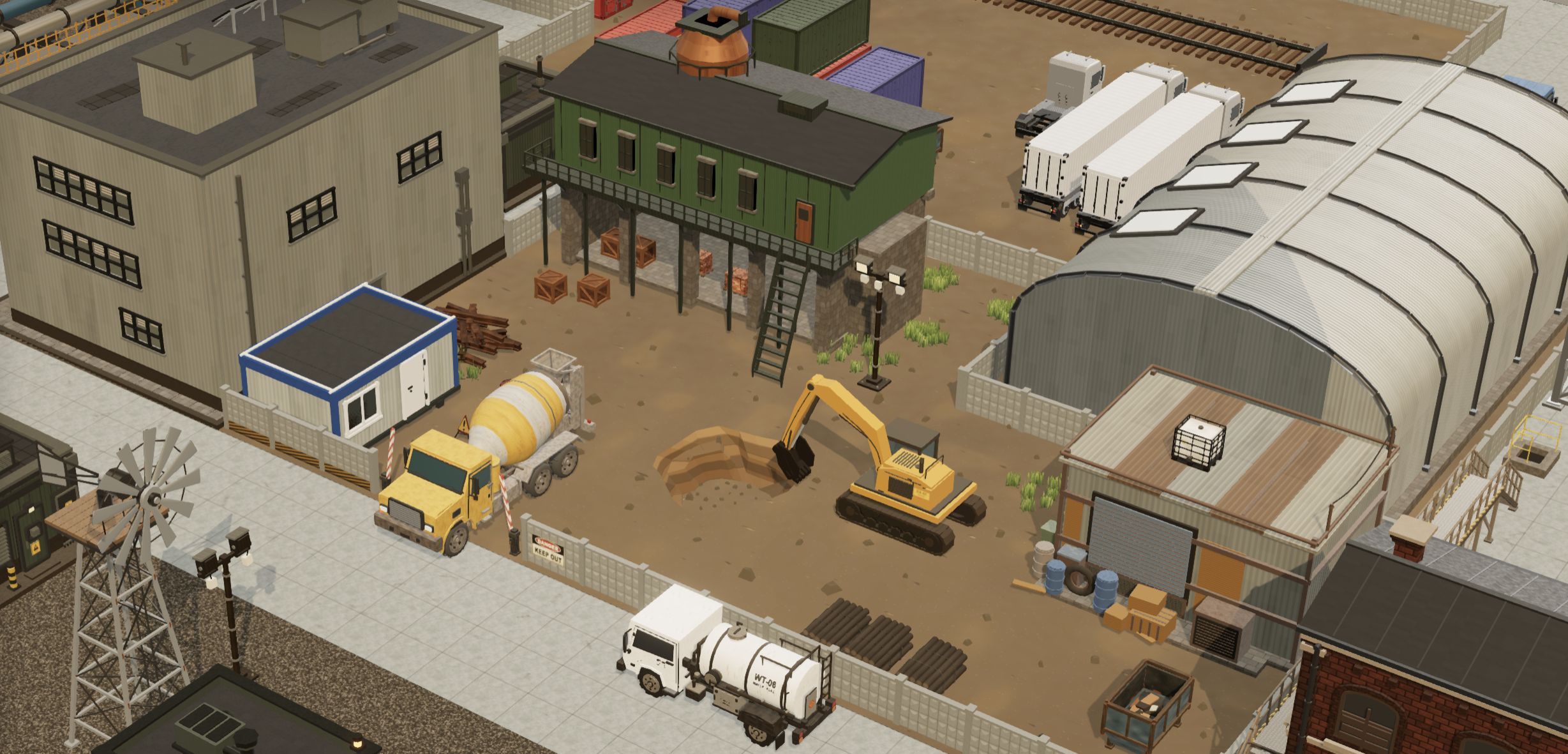
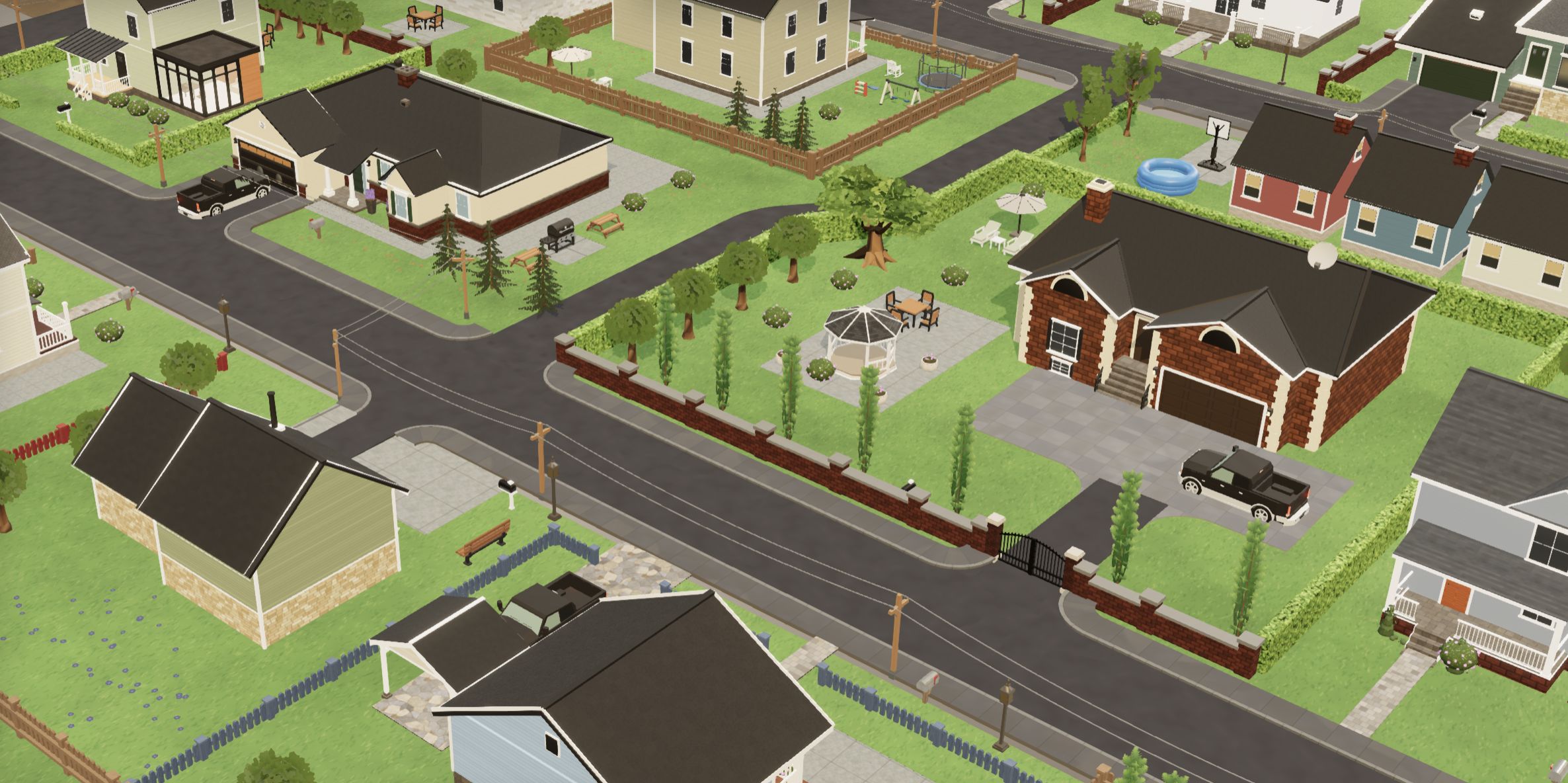
For many copies of a few models, use InstancedMesh: it took our 10,000-prop yard from 26 ms to 2.2 ms a frame and stays cheap to move and pick. Merge geometry only for static props nobody clicks — just as fast, but it copies every vertex. Use BatchedMesh when many different meshes share one material and per-object culling matters.
The short version
| Your scene | Use |
|---|---|
| Many copies of a few models (trees, rocks, crates, lamps) | InstancedMesh, one per mesh part |
| The same, spread over a large world with the camera inside it | InstancedMesh per spatial chunk, so culling still works |
| Static, never moved or picked, many small pieces | Merged geometry per chunk |
| Many different models with one material, culling matters | BatchedMesh; for opaque materials, turn sort off |
| A few hundred objects or fewer | Leave them as separate meshes |
The reasons, the numbers and the traps are below; the full decision guide is at the end. Everything here is about WebGLRenderer; WebGPURenderer has its own instancing and batching paths and was not measured.
The test: 10,000 props, 20 types, one material
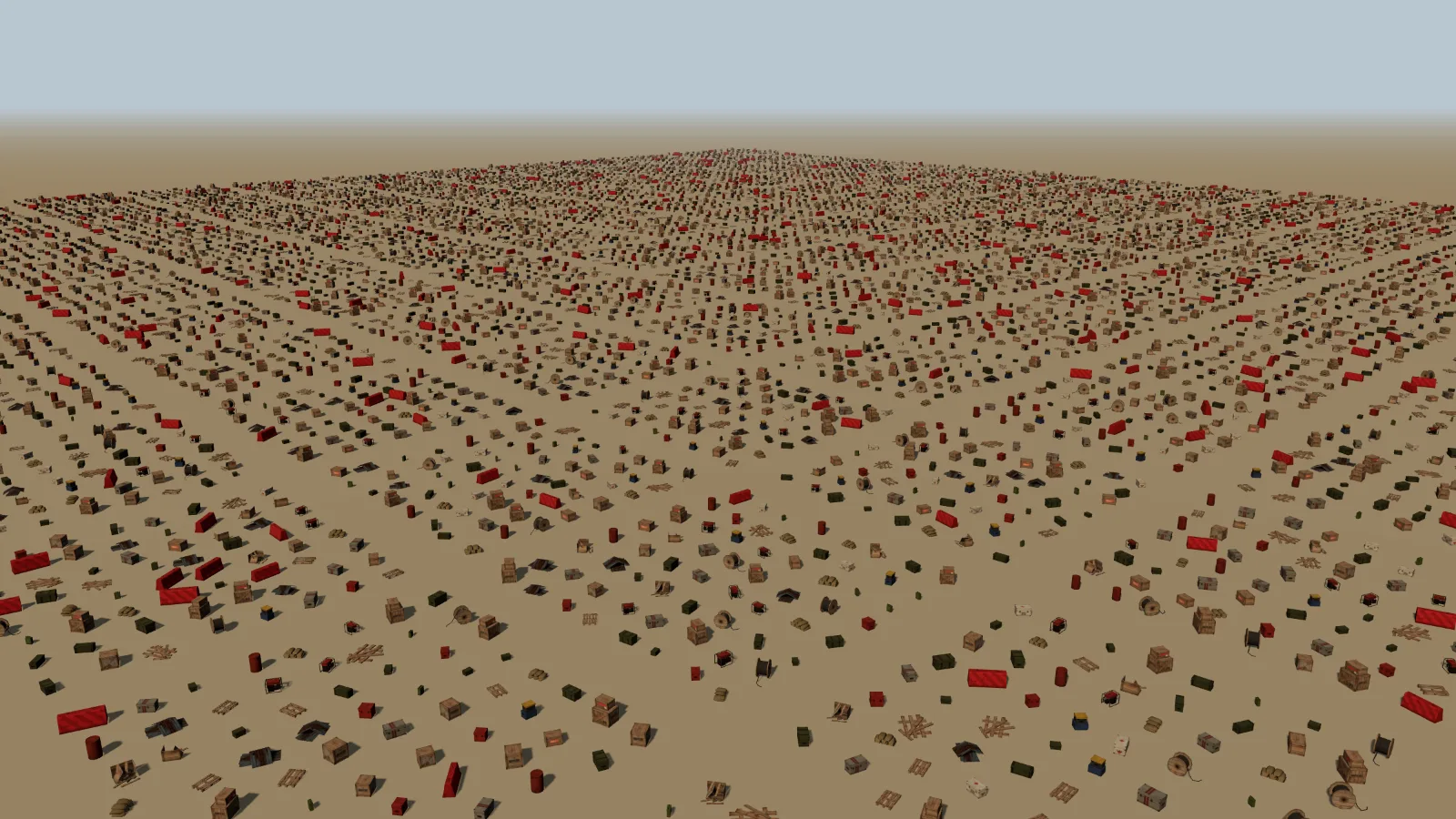
InstancedMesh per prop type.“Should I use instancing, merging or BatchedMesh?” is usually answered with “instancing for identical objects, merging for static ones, batching for everything else”. That is roughly right, and it hides most of what actually decides the frame: how much work three.js does on the CPU per object, what the GPU has to process when only part of the scene is visible, how much memory each option duplicates, and what it costs to move, hide or click one prop afterwards.
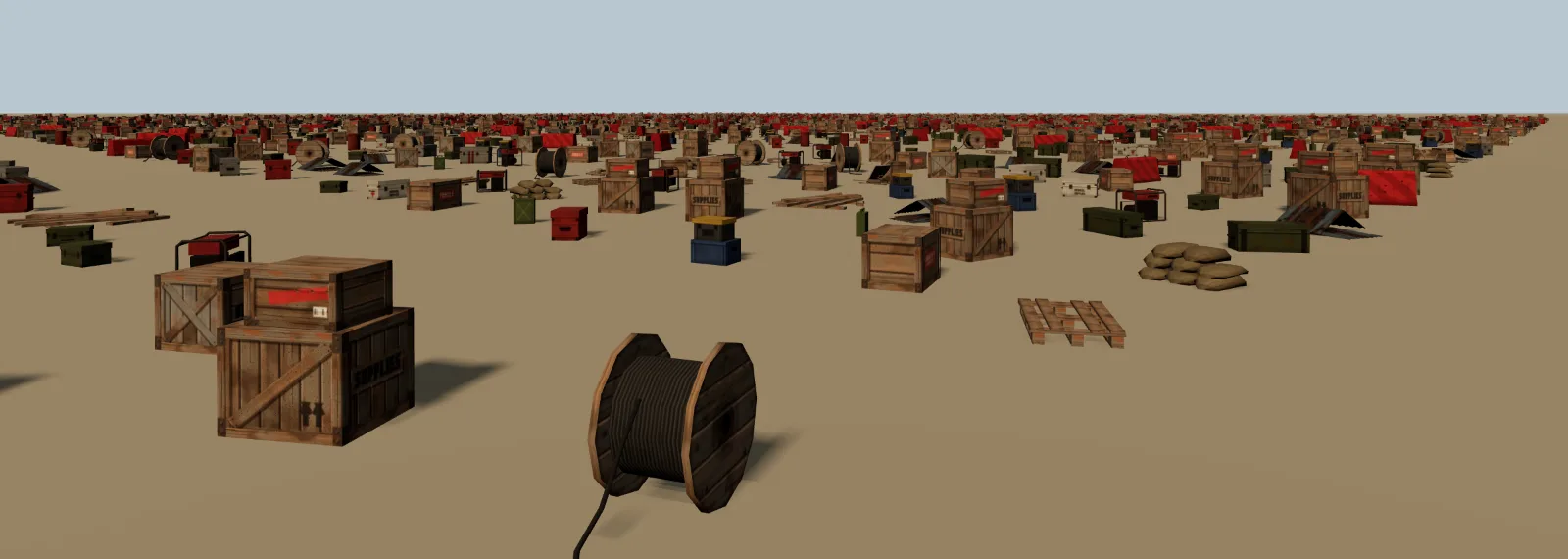
So we built a scene that looks like a real use case and drew it seven ways. The props are 20 real models from our Apocalyptic pack. They share one texture atlas, so all of them can use a single material — the condition under which merging and batching can collapse the whole scene into one draw. Each prop has between 42 and 360 triangles, each placement has a random rotation and a 0.9–1.15 scale.
| Variant | What it is | Draw calls |
|---|---|---|
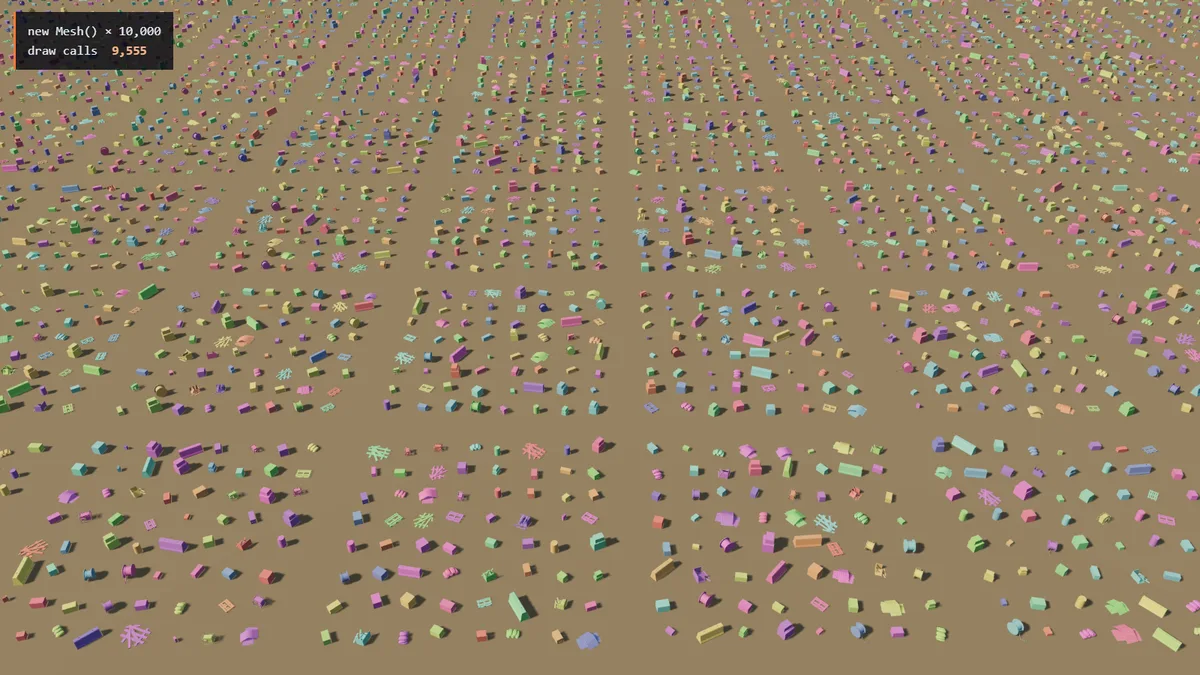
| 10,000 Mesh | One THREE. per prop. Geometry and material are shared, nothing is copied. The baseline everybody starts with. | 9,555 |
| 10,000 Mesh, frozen | The same, with matrix and matrix off — the usual first “optimisation”. | 9,555 |
| InstancedMesh | One Instanced per prop type: 20 objects, each holding a 4×4 matrix per copy. | 21 |
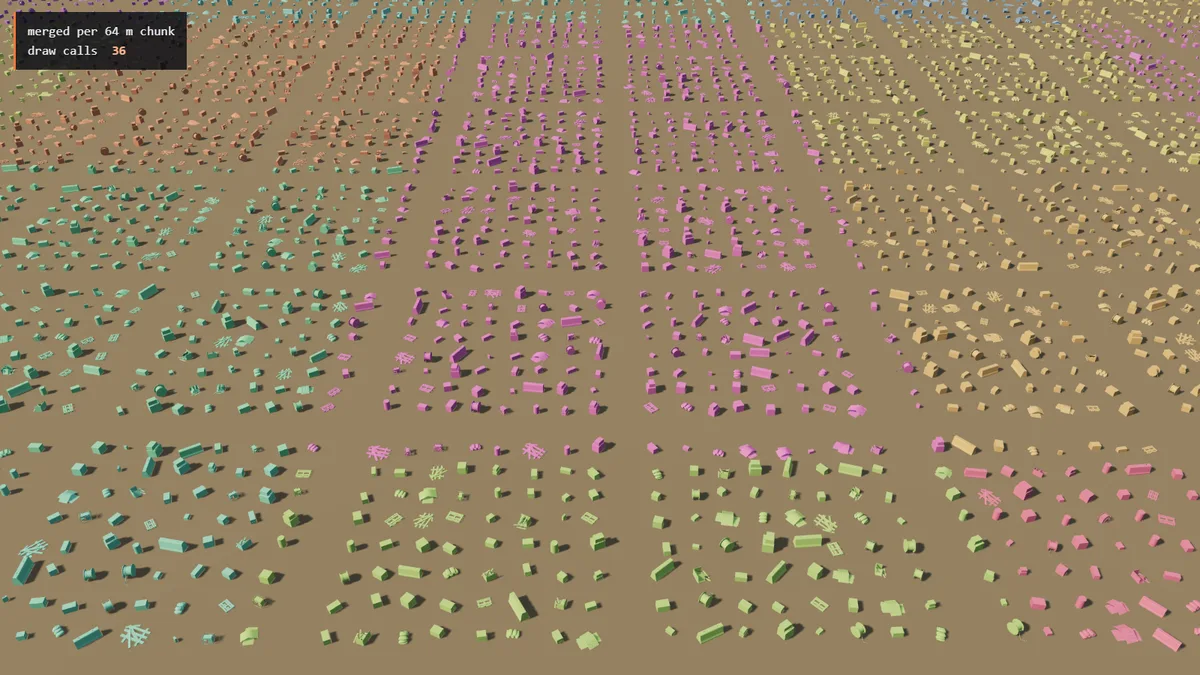
| InstancedMesh, chunked | The same, split into 36 squares of 64 m, so each square can be culled separately. | 667 |
| Merged | Every prop’s vertices transformed and copied into one Buffer with merge. | 2 |
| Merged, chunked | One merged mesh per 64 m square. | 36 |
| BatchedMesh | All 20 geometries stored once in one Batched, 10,000 instances. Defaults: per-instance culling and sorting on. | 2 |
| BatchedMesh, no sort | The same with sort. | 2 |
The draw-call column counts the main pass from the overview camera, as reported by renderer.info.render.calls. The ground plane is one extra call in every row; separate meshes outside the view are culled, which is why the first two rows show fewer than 10,000.
How we measured. NVIDIA GeForce RTX 4060 Laptop GPU, Chrome, ANGLE → Direct3D 11, three.js r180, 1600×900, no vsync. For each variant the page is reloaded and the scene rebuilt, then 120 frames are timed; each variant was measured on three fresh page loads, interleaved, and we report the median. We record three numbers per frame: the main-thread time spent inside renderer.render(), the GPU time from a EXT_disjoint_timer_query_webgl2 query, and the whole frame — from the start of render() until a one-pixel readPixels returns, which forces the browser to finish both. Two cameras: an overview with almost the whole yard in view (96% of the props; the rest fall just outside the frame), and a person-height camera inside the yard whose view frustum — the pyramid of space the camera can see — contains 60% of them, most of those far away and tiny.
Two caveats on reading the numbers. The “frame” is serialised: the CPU work finishes, then we wait for the GPU. In a real requestAnimationFrame loop the two overlap, so a frame costs closer to the larger of the two than to their sum. And the GPU timer measures elapsed time on the GPU’s timeline, including the gaps where it waits for the CPU to send the next command — so for 10,000 separate meshes much of the “GPU time” is the GPU idling between draws, not work.
What each option sends to the GPU
A draw call is one request to the GPU: “draw these triangles with this shader and these settings”. Before each one, three.js does work on the main thread — frustum test, sorting, picking the program, uploading uniforms such as the object’s matrices, binding buffers — and the browser translates the call for the native driver (ANGLE turns it into Direct3D on Windows). That per-call cost is the thing all three techniques exist to remove. They remove it in different ways:
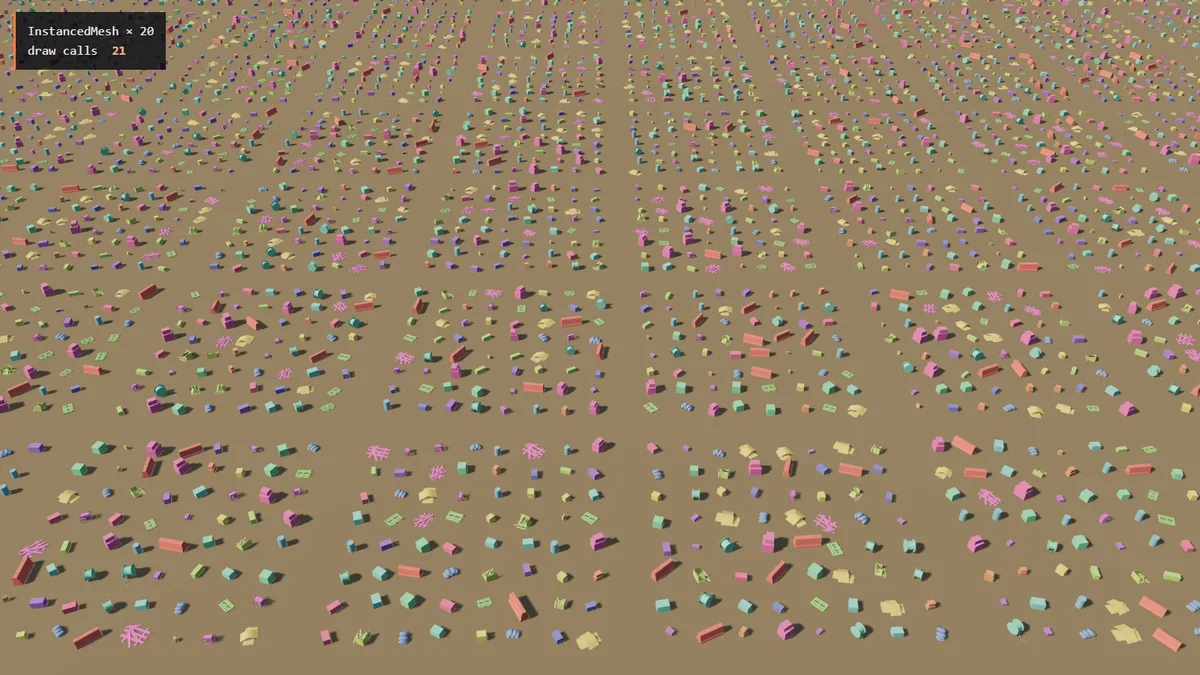
InstancedMesh: one draw per prop type — 20.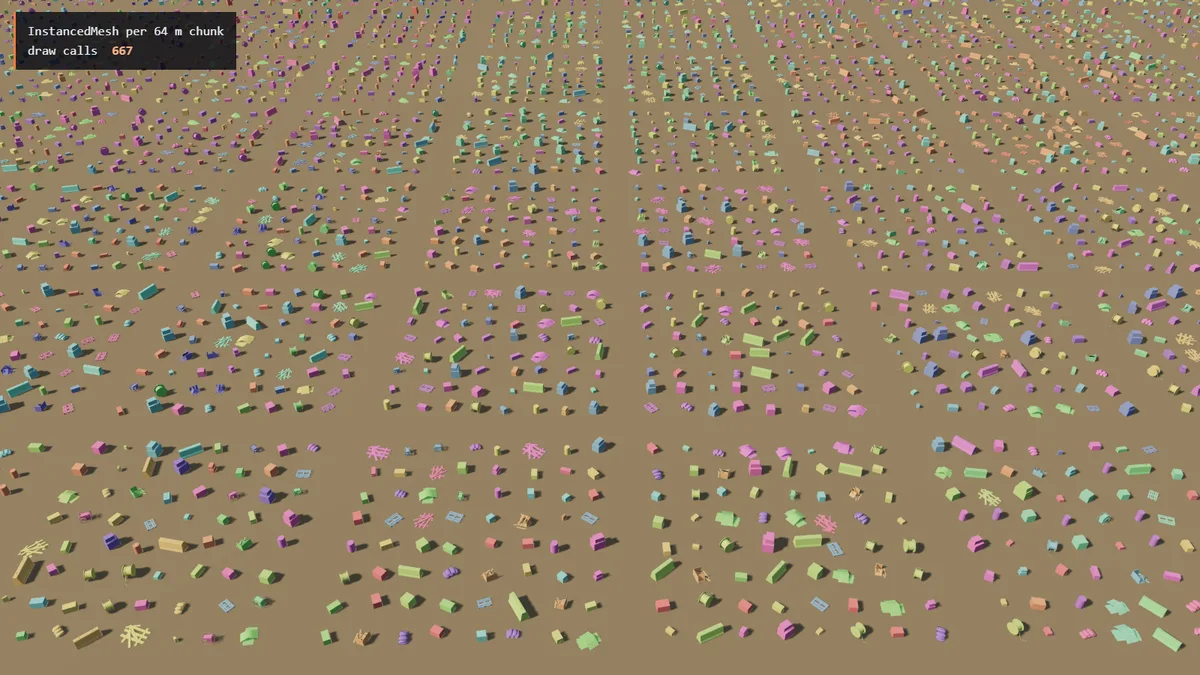
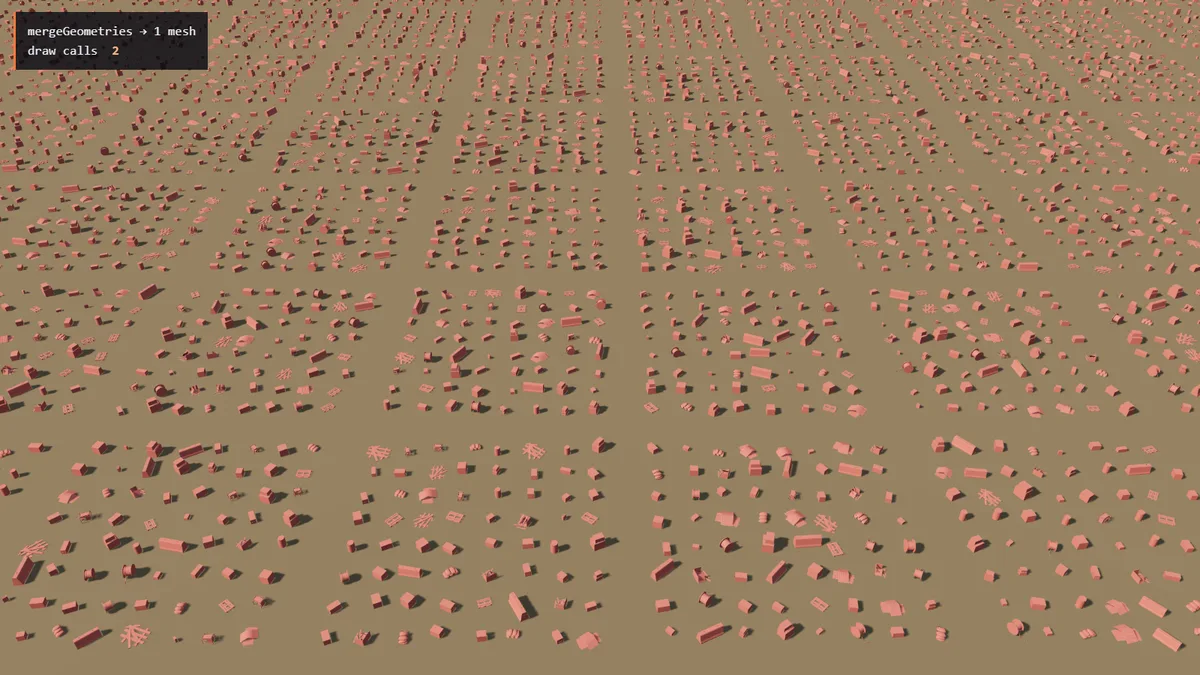
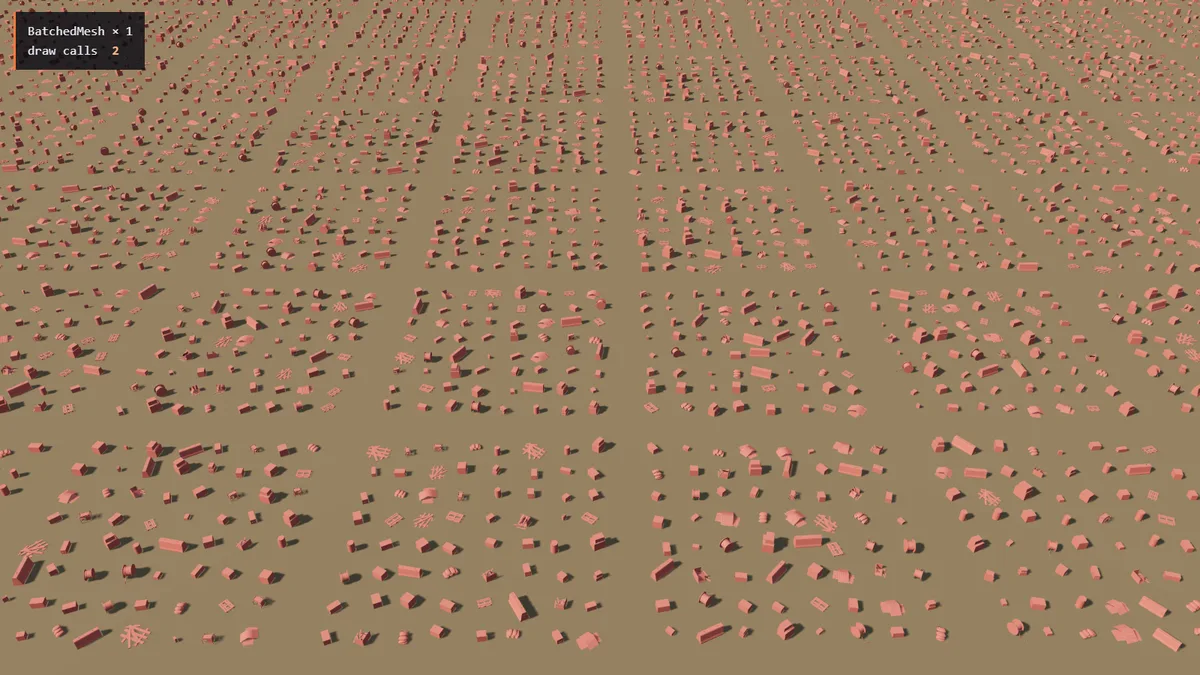
BatchedMesh: one multi-draw call for everything.InstancedMesh keeps one copy of a geometry and a buffer of per-copy matrices (16 floats, 64 bytes each). The vertex shader reads the matrix for the copy it is drawing. One call draws every copy, but only of one geometry with one material: 20 prop types means 20 calls, and a model built from three meshes means three InstancedMesh objects.
Merged geometry bakes each prop’s transform into its vertices and concatenates them. The GPU sees one ordinary mesh. Nothing about the original props survives: there is no per-prop matrix, visibility or id unless you build that bookkeeping yourself.
BatchedMesh stores each distinct geometry once in a shared buffer and keeps per-instance matrices in a texture. Every frame, before drawing, it walks all its instances in JavaScript: it frustum-culls each one, optionally sorts them, and writes the list of visible ranges. Then it issues them in one multiDrawElementsWEBGL call. That makes it the only option that combines one draw call, different geometries and per-object culling — and the only one with a per-frame loop over every object.
| Separate Mesh | InstancedMesh | Merged | BatchedMesh | |
|---|---|---|---|---|
| Different geometries in one draw | no | no | yes | yes |
| Frustum culling | per object | whole mesh | whole mesh | per instance |
| Move / hide one prop | set transform | set | rewrite vertices | set, set |
| Raycast returns | the object | instance | face only | batch |
| Per-prop colour | own material | set | vertex colours | set |
| Geometry memory | once per type | once per type | once per prop | once per type |
| GPU data for 10,000 props here | 0.2 MB | 0.8 MB | 87 MB | 0.8 MB |
| JS heap added by building | 14 MB | 1.2 MB | 88 MB | 1.7 MB |
Separate meshes upload almost nothing extra to the GPU — their matrices travel as uniforms with every draw — but 10,000 Object3Ds with their matrices and bookkeeping cost 14 MB of JavaScript heap.
Results: the draw-call wall is real, the rest is close
Frame time, render() + GPU, median of 360 frames (lower is better)
- Overview: 96% of props in view
- Ground camera: 60% of props in the view frustum
renderer.render() until a one-pixel readPixels returns, so it includes both the JavaScript and the GPU work. The bars for 10,000 separate meshes are clipped at 10 ms. NVIDIA GeForce RTX 4060 Laptop GPU, Chrome, ANGLE → Direct3D 11, three.js r180, 1600×900.All values: main-thread time inside render(), GPU time, whole frame
| Method | Draw calls | JS (overview) | GPU (overview) | Frame (overview) | Frame (ground) |
|---|---|---|---|---|---|
| 10,000 Mesh | 9,555 | 21 ms | 17 ms | 26 ms | 18 ms |
| 10,000 Mesh, frozen matrices | 9,555 | 20 ms | 16 ms | 23 ms | 17 ms |
| InstancedMesh × 20 | 21 | 0.08 ms | 1.5 ms | 2.2 ms | 1.8 ms |
| InstancedMesh, 64 m chunks | 667 | 1.4 ms | 1.6 ms | 3.9 ms | 3.5 ms |
| Merged, 1 mesh | 2 | 0.05 ms | 1.4 ms | 2.0 ms | 1.5 ms |
| Merged, 64 m chunks | 36 | 0.09 ms | 1.8 ms | 2.6 ms | 1.3 ms |
| BatchedMesh | 2 | 2.4 ms | 1.6 ms | 5.1 ms | 3.4 ms |
| BatchedMesh, sortObjects off | 2 | 0.57 ms | 1.7 ms | 3.2 ms | 2.2 ms |
Ten thousand separate meshes cost 26 ms a frame from the overview camera, with 96% of them in view — over the 16.7 ms budget of a 60 Hz display before a single other system has run. Almost all of it is per-call overhead: 21 ms of main-thread time inside render(). The alternatives bring the frame down by 5.0× (BatchedMesh) to 13× (merged geometry).
Freezing the matrices barely helped (23 ms against 26 ms, within the run-to-run noise of this row). Recomposing 10,000 matrices costs a fraction of a millisecond; the time goes into culling, sorting, binding and issuing 10,000 draws — about 2.2 µs of main-thread time per draw here. Freezing is a good habit for static objects, but it is not a fix for object count.
Among the three, the differences are small from the overview camera: merged geometry is the fastest at 2.0 ms, instancing follows at 2.2 ms, BatchedMesh is last at 5.1 ms. The first gap is a tenth of a millisecond of GPU time (1.5 ms against 1.4 ms), close to the noise. If it is real, the likely cause is that every instanced vertex also reads its instance matrix (an extra vertex fetch, i.e. memory read) and multiplies by it, and that 20 draws replace 2. The batch is last for a different reason, covered below: its main-thread time is 2.4 ms, against 0.08 ms for instancing.
Our numbers measure a fast desktop GPU behind Chrome’s Direct3D translation layer. On a phone or an integrated GPU everything is slower, and the per-call overhead of separate meshes grows faster than GPU time — so the gap between the first rows and the rest widens. Measure on the weakest device you support.
Culling: InstancedMesh draws everything or nothing
From the ground camera, 40% of the props are outside the view. Here the options stop being equivalent. three.js frustum-culls an InstancedMesh as one object, using a bounding sphere around all its instances. Our 20 instanced meshes each span the whole yard, so all 20 always pass, and the GPU receives every one of the 1.24 M triangles even when 4,024 props are behind the camera or outside the view.
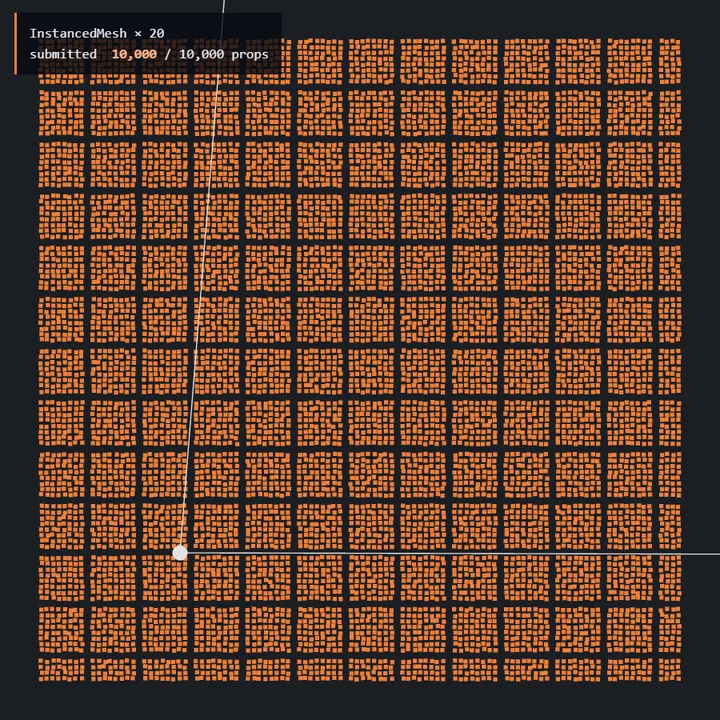
InstancedMesh × 20: 10,000 of 10,000 props submitted.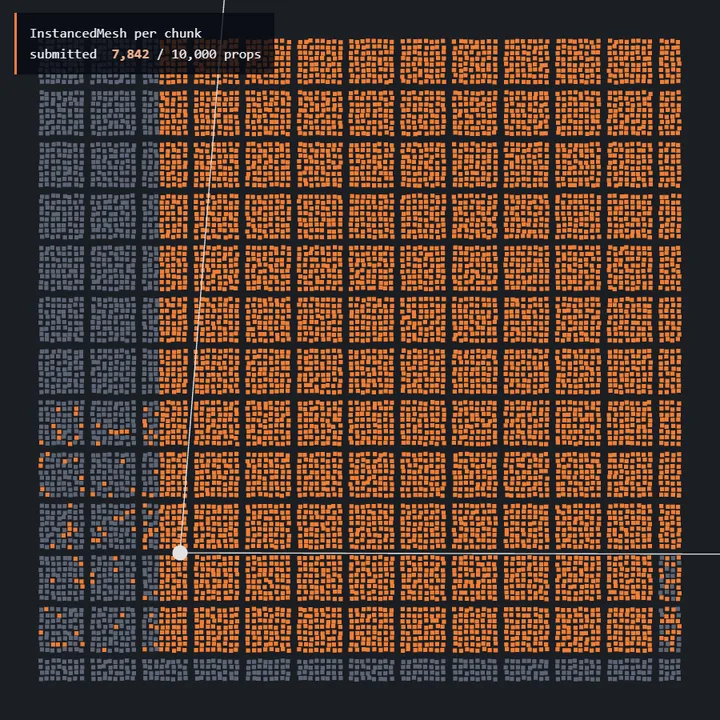
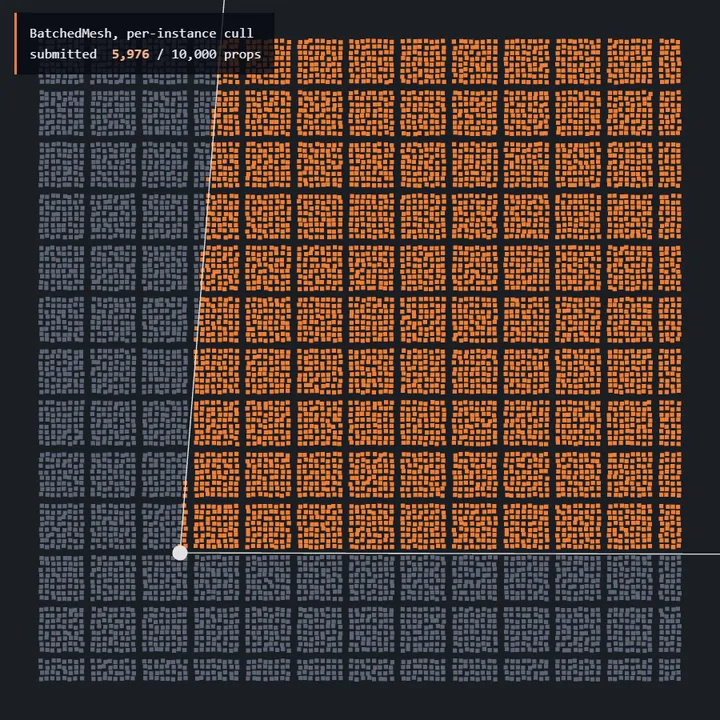
BatchedMesh: 5,976 submitted.Orange: props whose triangles reach the GPU from the ground camera (white wedge). Grey: culled on the CPU. Computed with the same frustum and bounding spheres three.js uses.
| Ground camera | Triangles submitted | GPU time | Frame |
|---|---|---|---|
| 10,000 Mesh | 0.74 M | 11 ms | 18 ms |
| InstancedMesh × 20 | 1.24 M | 1.3 ms | 1.8 ms |
| InstancedMesh, 64 m chunks | 0.97 M | 1.2 ms | 3.5 ms |
| Merged, 1 mesh | 1.24 M | 1.0 ms | 1.5 ms |
| Merged, 64 m chunks | 0.96 M | 0.88 ms | 1.3 ms |
| BatchedMesh | 0.74 M | 0.93 ms | 3.4 ms |
Separate meshes and BatchedMesh cull per prop and send 0.74 M triangles; whole-yard instancing and merging send all of them. Splitting into 64 m chunks sits in between — and with a 64 m grid it still sends 0.97 M, because a chunk is drawn in full as soon as its bounding sphere — which is larger than the square — touches the view frustum.
And yet the frame barely cares: 1.3 ms of GPU time for instancing against 0.93 ms for the batch. Small, cheaply shaded props cost the GPU very little per triangle, and off-screen triangles are thrown away after the vertex shader without shading a pixel. Culling pays off when what you skip is expensive: dense meshes, heavy vertex shaders (skinning, wind on foliage), and above all shadow maps, where each cascade or shadow-casting light draws the scene again.
Chunking is not the only way to get culling back. Libraries such as @three.ez/instanced-mesh (InstancedMesh2) cull each instance on the CPU and draw only the visible ones, optionally with a BVH and per-instance LOD. Without a BVH that is the same kind of per-instance loop BatchedMesh runs; with one, culling skips whole branches of the tree, so its cost grows with what is visible rather than with the total. We did not measure it here.
We hit the opposite trade in our city viewer. Folding repeated buildings, trees and lamps into one InstancedMesh per run removed draw calls, but a 260 m row of trees was then submitted whenever any tree was on screen. Chunking the runs — one instanced mesh per 8 copies — was the compromise. On our benchmark city, against plain clones:
| Copies per InstancedMesh | Draw calls, worst camera | Triangles submitted, worst camera |
|---|---|---|
| 2 | −35% | +13% |
| 4 | −53% | +43% |
| 8 (our default) | −61% | +85% |
| unlimited | −58% | +138% |
Each cell is the least favourable of four cameras, relative to the same camera with plain clones — so it reads worse than the trade is. The +85% lands on the cheapest view, which submitted few triangles to begin with. What decides the worst frame is the busiest camera, and across all four the peak triangle count rose only 9% at chunks of 8 while the peak draw count fell 65%. Note also that “unlimited” is not even the draw-call optimum: with nothing left to cull, views that used to skip whole runs now submit them.
There is a second, quieter culling trap. The bounding sphere of an InstancedMesh (and of a BatchedMesh) is computed once, on first use. If you later move instances outside it, the whole mesh can be culled while those instances are still on screen — they vanish at the edge of the view. Call computeBoundingSphere() after moving instances far, or after adding them.
BatchedMesh: one draw call, plus a loop you pay for
From the overview camera, BatchedMesh spent 2.4 ms of main-thread time per frame, against 0.08 ms for instancing. The time goes into its onBeforeRender: for each instance it reads the matrix, transforms a bounding sphere, tests it against the frustum, computes a depth, and finally sorts the visible list. That runs every frame, whether anything changed or not, and it runs again for each shadow-casting light (through onBeforeShadow).
Sorting is the largest part. Opaque instances are sorted front to back so the depth test can reject hidden pixels early and reduce overdraw — shading the same pixel several times. For our props, which are cheap to shade, that saving is smaller than the sort itself: turning sortObjects off cut the main-thread time to 0.57 ms and the frame from 5.1 ms to 3.2 ms. That applies to opaque materials only. With a transparent material the same sort orders instances back to front so they blend correctly; switch it off there and the result is visibly wrong.
import * as THREE from 'three';

// types: [{ geometry }], all with the same attributes and one material.
// placements: [{ type, matrix }]
export function buildBatch(types, placements, material) {
  const vertices = types.reduce((n, t) => n + t.geometry.attributes.position.count, 0);
  // All indexed or all non-indexed; a non-indexed batch needs no index space.
  const indices = types.reduce((n, t) => n + (t.geometry.index ? t.geometry.index.count : 0), 0);
  // Size capacities up front. setInstanceCount() and setGeometrySize() can grow
  // them later, but each call reallocates and re-uploads the buffers.
  const batch = new THREE.BatchedMesh(placements.length, vertices, indices, material);
  const geometryIds = types.map((t) => batch.addGeometry(t.geometry));
  const instanceIds = placements.map((p) => {
    const id = batch.addInstance(geometryIds[p.type]);
    batch.setMatrixAt(id, p.matrix);
    return id;
  });
  // Opaque props with a cheap shader: the per-frame sort costs more than it saves.
  // Keep sorting on for transparent materials — it orders them for blending.
  if (!material.transparent) batch.sortObjects = false;
  return { batch, instanceIds };
}
Two more switches matter. With both perObjectFrustumCulled and sortObjects set to false, and no visibility change since the last frame, the loop is skipped entirely — useful for a batch that is always fully on screen. And the single call depends on the WEBGL_multi_draw extension. Without it, three.js issues one drawElements per visible range inside the same object: none of the per-object three.js work of separate meshes (no extra culling, sorting, program or buffer binding), but still one GL call per instance through the browser and driver. On Chrome for Windows the extension is present, but ANGLE runs much the same loop internally (see tiny meshes below). Check renderer.extensions.has('WEBGL_multi_draw') on the devices you target.
With a shadow-casting sun the gap grows, because the shadow pass repeats the loop over all 10,000 instances: BatchedMesh spent 5.8 ms per frame on the main thread (1.1 ms without sorting), while instancing stayed at 0.13 ms. Separate meshes doubled to 41 ms.
| With shadows (overview) | JS in render() | GPU | Frame |
|---|---|---|---|
| 10,000 Mesh | 41 ms | 38 ms | 46 ms |
| InstancedMesh × 20 | 0.13 ms | 2.7 ms | 3.5 ms |
| Merged, 1 mesh | 0.09 ms | 2.5 ms | 3.0 ms |
| BatchedMesh | 5.8 ms | 3.5 ms | 11 ms |
| BatchedMesh, sortObjects off | 1.1 ms | 3.4 ms | 6.1 ms |
One r180 detail touches these numbers. When three.js decides whether a BatchedMesh needs a different shader program, it checks object.colorTexture, but the batch keeps its colours in _colorsTexture. For a batch without colours the check always reports a change, so the renderer re-selects the program — from its cache, without compiling — on every pass, main and shadow. The bug is in r180–r185 and fixed in r186; on those versions the setColorAt call recommended below also removes this per-pass work. We isolated it on a 20-instance batch, where the culling loop costs next to nothing: one setColorAt before the first render saved up to about 15 µs a frame without shadows and about 75 µs with a shadow pass (the largest differences between noisy runs, not a strict bound). So a few percent of the JavaScript times above is this bug; the rest is the loop.
Our own production result is a useful warning. In the city viewer we tried folding repeated buckets that hold several different geometries into BatchedMesh. On counts it did exactly what it promises: fewer draws than instancing and far less triangle inflation. In time, on an Intel Iris Xe, the frame got 2.2 ms slower, and three of four test cameras regressed: each batch draw — one multi-draw call carrying its list of ranges — cost more than an ordinary instanced draw, and the per-frame loop added a fixed cost on top. The one camera that improved, by about 10%, was fill-bound — limited by how many pixels the GPU shades, with heavy overdraw and few calls — where per-instance culling saves real GPU work. Batching is off by default in our viewer.
How we split the cost per draw
Within each build we fitted frame time against the number of draws across cameras. The instanced build came out at about 7.1 µs per draw plus about 2.9 ms of fixed cost per frame; the batched build at about 9.6 µs per draw plus about 5.2 ms fixed. Fewer, dearer draws on a higher floor: the batched build removed draws and still lost time.
The lesson is not “BatchedMesh is slow”. A draw call is not a fixed unit of time: its cost depends on what is being drawn and how. Removing draws is only a win if the replacement is cheaper in total — measure the frame, not the counter.
Moving props: who pays for an update
Frame time while props move (overview camera, lower is better)
- Nothing moves
- 1,000 props move
- All 10,000 move
All values
| Method | Still | 1,000 moving: update JS | 1,000 moving: frame | All moving: update JS | All moving: frame |
|---|---|---|---|---|---|
| 10,000 Mesh | 27 ms | 0.07 ms | 26 ms | 0.42 ms | 27 ms |
| InstancedMesh × 20 | 2.3 ms | 0.08 ms | 2.8 ms | 0.47 ms | 3.1 ms |
| InstancedMesh, 64 m chunks | 4.2 ms | 0.15 ms | 11 ms | 0.79 ms | 15 ms |
| Merged, 1 mesh | 1.9 ms | 0.37 ms | 7.8 ms | 2.1 ms | 10 ms |
| Merged, 64 m chunks | 2.0 ms | 0.42 ms | 9.5 ms | 2.9 ms | 13 ms |
| BatchedMesh | 5.5 ms | 0.06 ms | 5.5 ms | 0.38 ms | 6.3 ms |
| BatchedMesh, sortObjects off | 3.9 ms | 0.05 ms | 3.3 ms | 0.39 ms | 3.6 ms |
Static yards are the easy case. Once props move — physics debris, a crowd of barrels on a conveyor, swaying trees — the cost of writing the new transforms and getting them to the GPU decides the result:
- InstancedMesh barely notices: writing 1,000 matrices took 0.08 ms, and the whole frame went from 2.3 ms to 2.8 ms. Setting
instanceMatrix.needsUpdateuploads the whole matrix buffer — 0.6 MB for 10,000 props, which is nothing. - BatchedMesh is equally cheap to write — its matrices live in a texture that is re-uploaded when changed — and keeps its usual loop cost.
- Merged geometry has no matrices. Moving a prop means rewriting its vertices and re-uploading them: 7.8 ms a frame with 1,000 moving props, because a few scattered props dirty the whole position buffer: 1.59 million vertices, 18 MB, uploaded every frame. Rotating would also mean rewriting normals.
- Chunked instancing was the surprise: 11 ms with 1,000 moving props. The moving props are spread over the yard, so each of the roughly 700 small instanced meshes uploads its buffer every frame. Many small uploads cost far more than one large one. Keep moving objects out of chunked static batches.
For a few changes in a large InstancedMesh, upload only what changed. Each range is a separate upload call, so this pays off for a handful of contiguous instances, not for 1,000 scattered ones:
mesh.setMatrixAt(i, matrix);
mesh.instanceMatrix.addUpdateRange(i * 16, 16); // 16 floats per instance
mesh.instanceMatrix.needsUpdate = true;
// three.js clears the ranges after the upload.
Hiding or removing an instance is cheap too, if you keep your own id map. The standard trick is to move the last instance into the freed slot and shrink count:
const tmp = new THREE.Matrix4();
// idOfSlot[slot] -> your prop id, slotOfId[id] -> slot
export function removeInstance(mesh, slot, idOfSlot, slotOfId) {
  const last = mesh.count - 1;
  if (slot !== last) {
    mesh.getMatrixAt(last, tmp);
    mesh.setMatrixAt(slot, tmp);
    // copy instanceColor the same way if you use setColorAt
    const moved = idOfSlot[last];
    idOfSlot[slot] = moved;
    slotOfId[moved] = slot;
  }
  mesh.count = last;
  mesh.instanceMatrix.needsUpdate = true;
}
BatchedMesh has this built in: setVisibleAt(id, false) to hide, deleteInstance(id) to free the slot, and setGeometryIdAt(id, geometryId) to swap the geometry of one instance — a per-object LOD switch without leaving the batch. A merged mesh can only hide a prop by collapsing its vertices or by rebuilding.
One trap when you start colouring or highlighting instances: per-instance colour is a shader variant. three.js compiles an InstancedMesh with and without instanceColor as two different programs, and a BatchedMesh with and without its colour texture likewise. So the first setColorAt after the mesh has been drawn makes the next frame compile a new program — a hitch the moment the user hovers the first prop. Create the buffer before the first render, with one white entry: mesh.setColorAt(0, new THREE.Color(1, 1, 1)). The buffer starts out white, so that call changes nothing visible. On a BatchedMesh make it after addInstance, with an id that exists, or it throws. When you change colours later, an InstancedMesh also needs mesh.instanceColor.needsUpdate = true — easy to forget, and nothing changes on screen without it; a BatchedMesh flags its colour texture itself. Our article on shader recompilation measures what such a compile costs.
Picking: the cost of losing the objects
| Method | One raycast | What the hit tells you |
|---|---|---|
| 10,000 Mesh | 0.69 ms | the prop’s Mesh |
| InstancedMesh × 20 | 1.4 ms | instance within the type |
| InstancedMesh, 64 m chunks | 0.13 ms | instance within the chunk |
| Merged, 1 mesh | 84 ms | a triangle (face) — you map it back |
| Merged, 64 m chunks | 8.3 ms | a triangle in the chunk |
| BatchedMesh | 1.4 ms | batch (instance id) |
A raycast against one merged mesh took 84 ms — 61× slower than instancing. Every other option first rejects whole props by their bounding volumes and only tests the triangles of the few it hits. The merged mesh has one bounding sphere around everything, so the ray tests all 1.24 M triangles. Do that on every mouse move and it is the slowest part of your frame. Merging per chunk brought it to 8.3 ms; a bounding-volume hierarchy library such as three-mesh-bvh brings it far lower, at the cost of more memory and build time.
The hit also only says which triangle was hit. To know which prop that was, record where each prop’s vertices start while merging, and look the hit up:
import { mergeGeometries } from 'three/addons/utils/BufferGeometryUtils.js';

export function mergeProps(placements, geometries) {
  const firstVertex = new Uint32Array(placements.length);
  let vertex = 0;
  const parts = placements.map((p, i) => {
    const g = geometries[p.type].clone().applyMatrix4(p.matrix);
    firstVertex[i] = vertex;
    vertex += g.attributes.position.count;
    return g;
  });
  const merged = mergeGeometries(parts);
  parts.forEach((g) => g.dispose());

  // hit -> index of the placement it came from
  function propAt(hit) {
    const v = hit.face.a; // a vertex of the hit triangle, indexed or not
    let lo = 0, hi = firstVertex.length - 1;
    while (lo < hi) {
      const mid = (lo + hi + 1) >> 1;
      if (firstVertex[mid] <= v) lo = mid; else hi = mid - 1;
    }
    return lo;
  }
  return { geometry: merged, propAt };
}
Memory and load time: merging copies everything
Instancing and batching store each of the 20 geometries once. Merging stores every vertex of every prop: 87 MB of vertex data against 0.8 MB for instancing — 109× more — and the same again on the JavaScript heap (88 MB measured), unless you drop the CPU copy after upload: call onUpload(function () { this.array = null; }) on every attribute and on the index, or you only save part of it. Compute the bounding sphere before that: once the arrays are dropped, raycasting the mesh throws and its bounds can no longer be recomputed. Building it took 386 ms on the main thread, against 5.0 ms for the instanced version.
With low-poly props that is survivable. With a 5,000-triangle prop it is not: the merged buffer grows with vertices × copies, the instanced one with copies × 64 bytes. We ran into this with far-distance proxies of repeated buildings in our city viewer: baking the copies into the merged proxy geometry would have taken it from about 17 MB to about 160 MB, while one more instance matrix is sixteen floats.
Frame time against prop count, overview camera (log scale)
- Mesh
- InstancedMesh × 20
- Merged, 1 mesh
- BatchedMesh
- BatchedMesh, sortObjects off
sortObjects-off series comes from a later run on the same machine, so read it against the others only where the gaps exceed about a millisecond — from 10,000 props up, not at 1,000–5,000. NVIDIA GeForce RTX 4060 Laptop GPU, Chrome, ANGLE → Direct3D 11, three.js r180, 1600×900.All values: frame time and GPU memory for geometry and instance data
| Props | Mesh | InstancedMesh | Merged, 1 mesh | BatchedMesh | BatchedMesh, sortObjects off | Merged: memory |
|---|---|---|---|---|---|---|
| 1,000 | 2.2 ms | 1.5 ms | 0.89 ms | 1.8 ms | 1.1 ms | 8.6 MB |
| 2,500 | 7.5 ms | 1.6 ms | 1.1 ms | 2.9 ms | 1.9 ms | 22 MB |
| 5,000 | 15 ms | 1.9 ms | 1.3 ms | 3.4 ms | 2.3 ms | 44 MB |
| 10,000 | 29 ms | 2.4 ms | 2.3 ms | 6.6 ms | 3.1 ms | 87 MB |
| 20,000 | 55 ms | 3.6 ms | 3.1 ms | 11 ms | 4.8 ms | 175 MB |
| 40,000 | 103 ms | 5.8 ms | 4.8 ms | 26 ms | 8.3 ms | 350 MB |
The scaling run shows the same picture over a range, and one more. Separate meshes grow linearly with the object count and cross the 60 Hz budget between 5,000 and 10,000 props (103 ms at 40,000). Instancing and merging stay cheap — 5.8 ms and 4.8 ms at 40,000 — but the merged buffer grows to 350 MB. BatchedMesh with its default sorting grows fastest of the three: 26 ms at 40,000, 4.6× the instanced frame. Most of that is the sort. With sortObjects off the same batch took 8.3 ms — 1.4× the instanced frame — though its loop still grows with the count (2.3 ms of main-thread time at 40,000, and again for every shadow-casting light).
Tiny meshes: where instancing is weakest
Instancing has a known weak spot on the GPU: meshes with very few vertices. Each instance is a small, separate piece of vertex work, and GPUs process vertices in fixed-size groups (warps or wavefronts of 32 or 64 threads), so tiny instances leave part of the hardware idle. We drew 12-triangle cubes in large numbers to see how much it matters here:
| Cubes | Method | GPU time | Frame |
|---|---|---|---|
| 100,000 | InstancedMesh | 1.9 ms | 2.9 ms |
| 100,000 | Merged, 1 mesh | 1.2 ms | 2.1 ms |
| 100,000 | BatchedMesh, sortObjects off | 8.8 ms | 17 ms |
| 400,000 | InstancedMesh | 6.9 ms | 7.7 ms |
| 400,000 | Merged, 1 mesh | 3.7 ms | 4.3 ms |
| 400,000 | BatchedMesh, sortObjects off | 42 ms | 73 ms |
BatchedMesh collapsed here: 73 ms a frame at 400,000 cubes, 27 ms of it in its JavaScript loop and 42 ms on the GPU — for what the counter reports as a single draw call. The GPU part grows with the number of ranges in the multi-draw. Direct3D 11 has no native multi-draw, and ANGLE’s D3D11 back end expands the call into a loop: for every range it sets the gl_DrawID uniform and issues an ordinary draw (MULTI_DRAW_BLOCK in Context11.cpp). So on Chrome for Windows one BatchedMesh “draw” of 400,000 ranges is 400,000 draws to the driver.
At 400,000 cubes the instanced draw needed 6.9 ms of GPU time against 3.7 ms for the same cubes merged. For tiny, static, numerous pieces — voxels, bricks, gravel, tiles — merging (per chunk) beats instancing on the GPU. That is also how our viewer draws Tiny Cubes scenes: tiles that share one material are merged into one mesh per map chunk, so a whole region renders in one draw call.
What to use: a decision guide
| Your situation | Use | Why |
|---|---|---|
| Many copies of a few models (trees, rocks, crates, lamps, fences) | InstancedMesh, one per mesh part | Lowest CPU cost, tiny memory, cheap to move and pick. |
| Copies spread over a large world, camera inside it | InstancedMesh per spatial chunk | Gets culling back. Size chunks by measuring; we use 64 m for small props and 8 copies for repeated runs. |
| Static, never picked or moved, few unique vertices (terrain decoration, voxels, distant city blocks) | Merged per chunk | Cheapest GPU path, no per-frame CPU work. Watch memory and give up picking. |
| Many different models with one material, each appearing a few times, culling matters | BatchedMesh | The only option with one draw, mixed geometries and per-object culling. For opaque materials, turn off sort unless overdraw is heavy; keep it on for transparent ones. |
| A few hundred unique objects | Separate meshes | A few hundred draws are fine; keep the editing and the simplicity. |
| Per-object LOD with the same material | BatchedMesh with set, or one Instanced per LOD tier | A batch swaps one instance’s geometry in place; with instancing you move the instance between tier meshes. |
| Objects that change materials or skeletons independently | Separate meshes, or instancing per state | Instances share one material and one geometry; batches share one material. Skinned meshes cannot be instanced this way at all. |
And the limits that decide the grouping in every case: one material per InstancedMesh or BatchedMesh (use a texture atlas to merge materials, as the Apocalyptic props do), identical vertex attributes for everything in a batch or a merge, and no transparency sorting between instances of an InstancedMesh — its copies draw in buffer order.
If your models come as GLB files with several meshes each, instance each mesh separately and compose its node transform with each placement:
import * as THREE from 'three';

// One InstancedMesh per mesh inside the model; placements: Matrix4[]
export function instanceModel(model, placements) {
  const group = new THREE.Group();
  const m = new THREE.Matrix4();
  model.updateMatrixWorld(true);
  model.traverse((node) => {
    if (!node.isMesh) return;
    // A SkinnedMesh is also isMesh, but its skeleton cannot be instanced like this.
    if (node.isSkinnedMesh) throw new Error(`${node.name}: skinned, cannot instance`);
    const mesh = new THREE.InstancedMesh(node.geometry, node.material, placements.length);
    placements.forEach((placement, i) => {
      mesh.setMatrixAt(i, m.multiplyMatrices(placement, node.matrixWorld));
    });
    mesh.castShadow = node.castShadow;
    mesh.receiveShadow = node.receiveShadow;
    mesh.computeBoundingSphere(); // culling uses it; recompute after big moves
    group.add(mesh);
  });
  return group;
}
Pass gltf.scene as model, after it has loaded. For chunking, group placements by Math.floor(x / size) and Math.floor(z / size) and call the same function once per chunk.
Checklist
- Count draw calls first:
renderer.info.render.callsafter a frame. Hundreds are fine; thousands on the main pass are the problem these tools solve. The counters reset at eachrender()after the shadow pass, so shadow draws are not in the total, and after anEffectComposerframe you read only its last pass. For the full frame, setrenderer.info.autoReset = falseand callrenderer.info.reset()once per frame. - Group by geometry and material. Repeated models →
InstancedMesh; one material shared by many different models → atlas them and considerBatchedMeshor merging. - Merge only what is static and never addressed individually, and merge per chunk, not per level.
- Chunk large instanced or merged sets so culling still works — especially if the scene casts shadows.
- On
BatchedMeshwith an opaque material, setsortObjects = false. Budget for its per-instance loop, which runs every frame and again for each shadow-casting light, and checkWEBGL_multi_drawon your target devices. - Give instances their colour buffer before the first render —
mesh.setColorAt(0, new THREE.Color(1, 1, 1)), afteraddInstanceon a batch — so the first highlight does not compile a new shader. After later changes, setinstanceColor.needsUpdate = trueon anInstancedMesh. - Recompute bounding spheres after moving instances far, or they will be culled while visible.
- Measure frame time — main thread and GPU — on your weakest target, not draw counts on your fastest.
Frequently asked questions
Is InstancedMesh always faster than separate meshes?
For more than a few dozen copies of the same mesh, yes in practice: it replaces one draw call per copy with one per geometry. For two or three copies there is nothing to gain, and separate meshes are simpler to edit, select and animate.
Can one InstancedMesh draw different models?
No. It draws one geometry with one material. Different models need one InstancedMesh each, or a BatchedMesh, which can hold several geometries that share a material and the same vertex attributes.
Does InstancedMesh support different colours per instance?
Yes. setColorAt(index, color) creates an instance colour buffer that multiplies the material colour. BatchedMesh has the same method. Call it once before the first render, e.g. mesh.setColorAt(0, new THREE.Color(1, 1, 1)): adding the colour buffer later switches the mesh to a different shader program, which compiles mid-frame. After changing colours on an InstancedMesh, set mesh.instanceColor.needsUpdate = true. Anything beyond colour — different textures, roughness per instance — needs a texture atlas or a custom shader attribute.
Why are my instances disappearing at the edge of the screen?
The bounding sphere of an InstancedMesh is computed once, on first use. If instances have moved outside it since, the renderer culls the whole mesh while some of them are still visible. Call computeBoundingSphere() after moving or adding instances, or set frustumCulled = false for small sets.
Is merging geometry still worth it?
For static, numerous, rarely addressed pieces — yes, especially per spatial chunk: it was the cheapest option on the GPU in our test and has no per-frame CPU cost. You pay in memory, which grows with every copy, in build time, and in picking, which needs your own bookkeeping.
How many draw calls is too many in three.js?
There is no fixed number, because a draw call has no fixed cost. As a rough guide from our measurements, a few hundred are cheap on desktop and a few thousand start to dominate the frame; separate meshes cost us about 2.2 µs of main-thread time each at 10,000 on a fast laptop. Measure frame time on your slowest target device.
Sources
- three.js r180 — InstancedMesh.js
- three.js r180 — BatchedMesh.js (per-instance culling, sorting, onBeforeShadow)
- three.js r180 — WebGLRenderer.js (multi-draw and its fallback)
- three.js r180 — BufferGeometryUtils.mergeGeometries
- three.js r180 — Frustum.intersectsObject (bounding-sphere culling)
- three.js docs — InstancedMesh
- three.js docs — BatchedMesh
- Khronos — WEBGL_multi_draw
- Khronos — EXT_disjoint_timer_query_webgl2
- three-mesh-bvh — BVH raycasting for three.js
- @three.ez/instanced-mesh (InstancedMesh2) — per-instance culling and LOD
- ANGLE — Context11.cpp, MULTI_DRAW_BLOCK (multi-draw on Direct3D 11)