Draco and Meshopt both shrink GLB geometry several times; neither touches textures, and which one wins depends on the model and on how the file is delivered. Draco usually makes the smallest file for static geometry. Meshopt also compresses animation and morph targets, and behind gzip or Brotli it was the smaller transfer for all five of our test files. Before you pick either for files other people will open in Blender, Unity, Unreal or Godot, check that their importer supports the extension. The decision table is at the end; everything in between is measured.
What the three options actually do
A GLB stores geometry as plain arrays: 32-bit floats for every position, normal and UV, 16- or 32-bit integers for triangle indices. That is fast to load — the bytes go to the GPU almost as they are — and large. There are three standard ways to shrink it, and they work very differently.
| What it does | Decoded into | Compresses | |
|---|---|---|---|
QuantizationKHR_mesh_quantization | Stores attributes as 8- or 16-bit integers instead of floats. Not a codec: no decoder, the GPU reads the integers directly. | The same small integers | Vertex attributes, morph targets |
DracoKHR_draco_mesh_compression | Quantizes, predicts each vertex from its neighbours along the mesh connectivity and entropy-codes the rest into an opaque bit stream. Google’s library, decoded with a WASM module in Web Workers. | The types the file’s accessors declare. In our files: 32-bit floats for positions, normals, UVs and colours; skin indices stayed 16-bit | Triangle meshes only: positions, normals, UVs, colours, skin weights, indices |
MeshoptEXT_meshopt_compression | A byte-oriented, lossless codec for whole buffer views, designed so that gzip or Brotli can squeeze its output further, plus optional lossy filters for normals, rotations and other values. The tools that write it quantize and reorder the data first. Its decoder is 25 KB of JS with the WASM inlined (6 KB with Brotli). | Exactly the bytes the encoder stored: with the tools we used, quantized 8- and 16-bit integers | Any buffer: meshes, morph targets, animation keyframes, instance transforms |
In practice Draco is the stronger codec for a single static mesh, and in a typical pipeline its output decodes back to floats. Meshopt is weaker on its own, but its output still contains structure that a generic compressor finds, and it covers animation, which Draco leaves as raw floats. At default settings every tool quantizes positions to about the same precision, so the visual result is nearly identical; how the bits are packed is what differs.
What is being compared. We compare the tool settings people actually ship, not the bare extensions. The differences below include the codec itself plus quantization, vertex reordering and, for gltfpack, scene and animation changes (merged buffer views, resampled keyframes, extra nodes). A Meshopt file written without quantization would not have small GPU buffers, for example: that comes from quantizing, not from EXT_meshopt_compression.
KHR_meshopt_compression is the Khronos version of the same compression, with an updated codec version. Its spec was still a release candidate in November 2026; three.js reads it from r183, but most tools still write and read the EXT_ version used in this article.
The test files
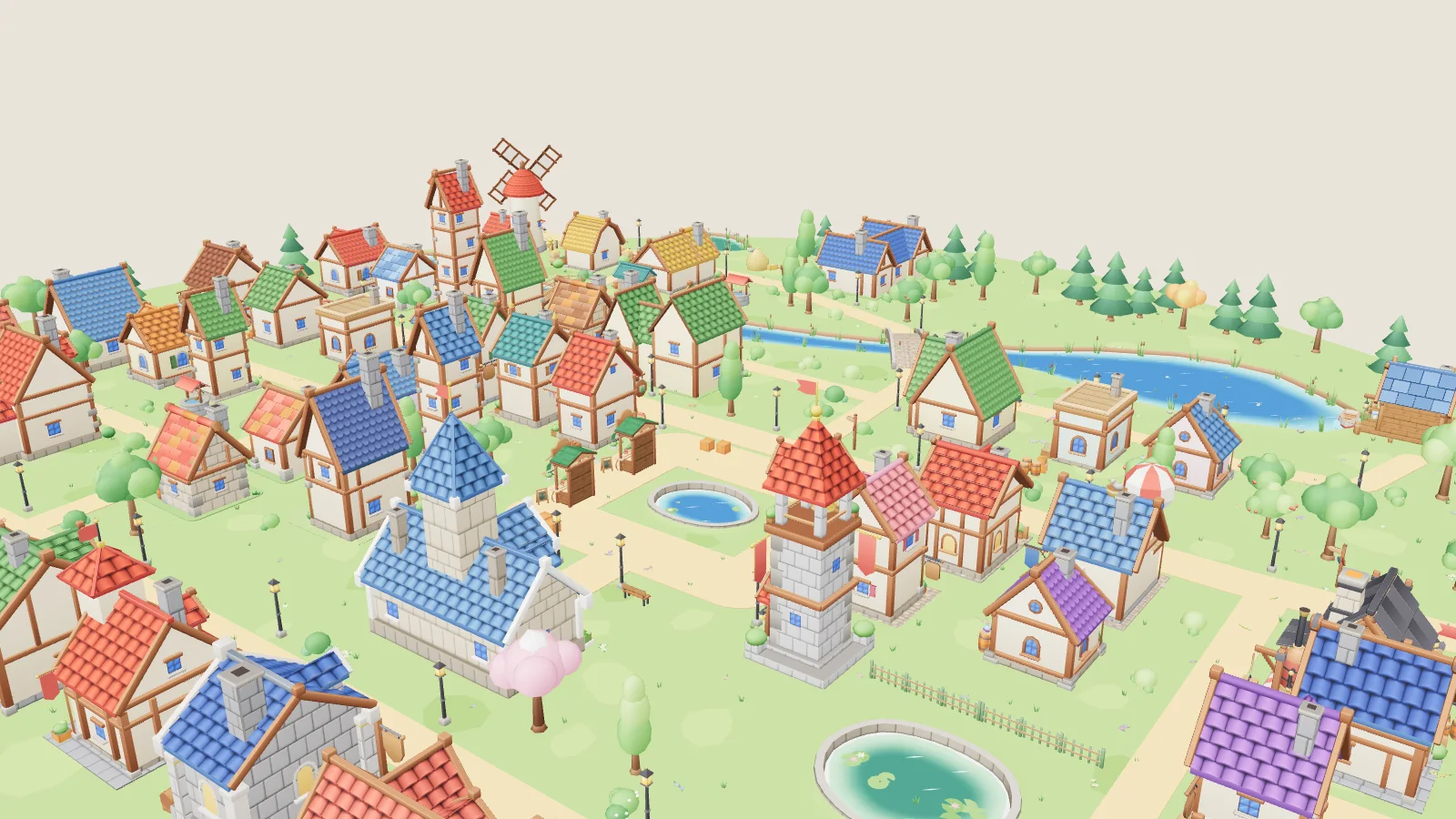
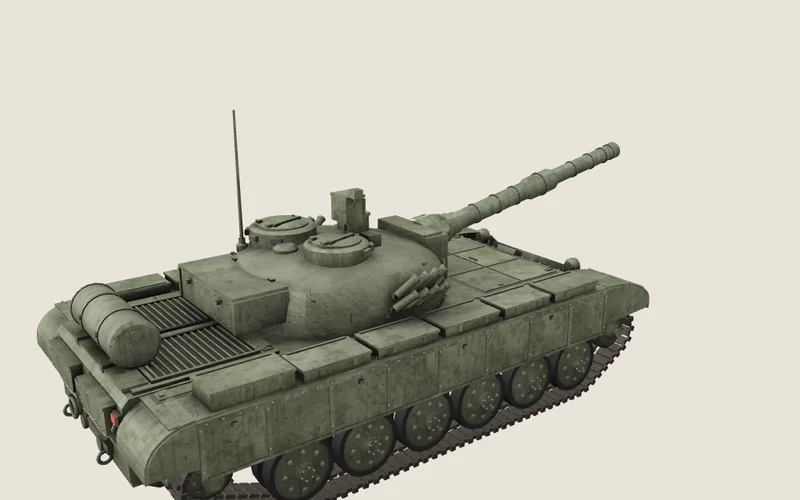
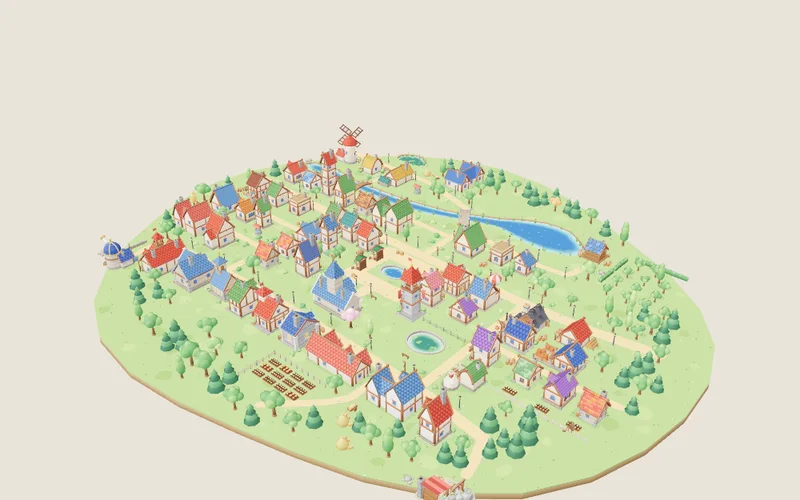
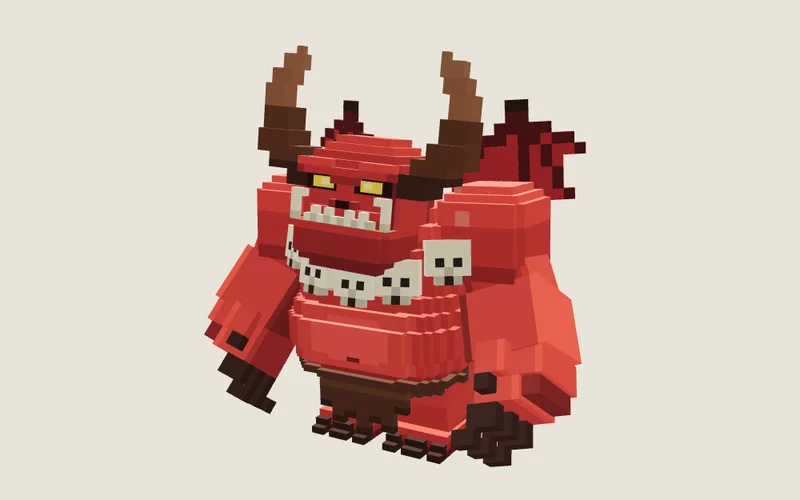
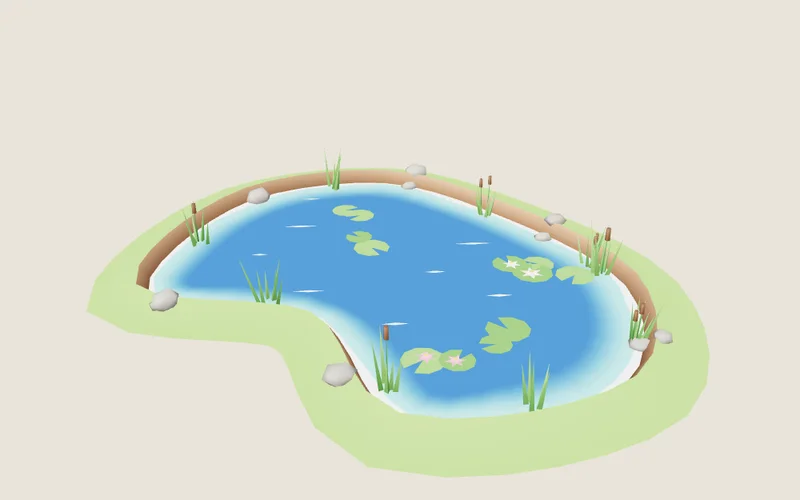
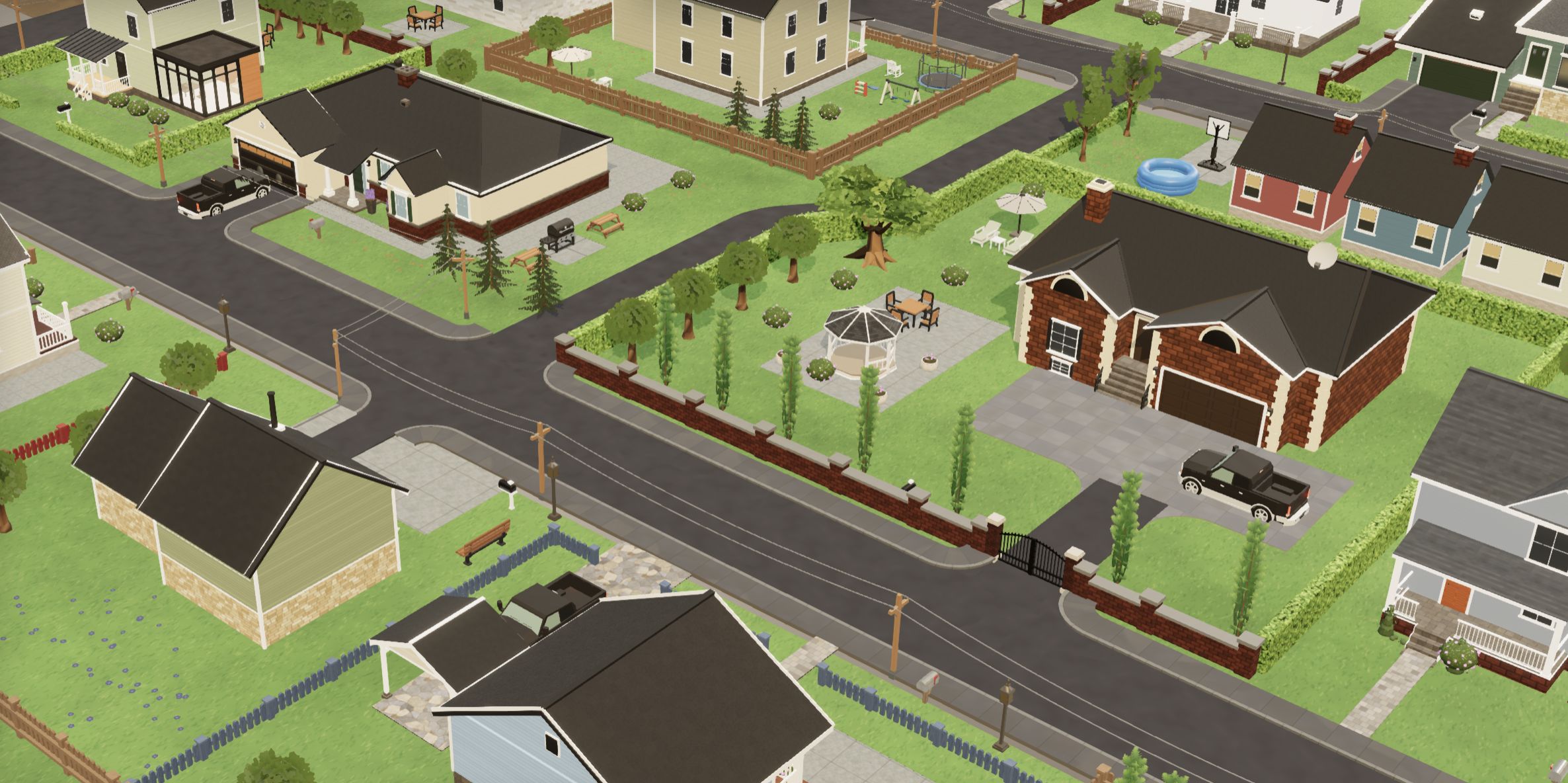
We used real files from our packs, chosen to stress different parts of a GLB, all in their uncompressed desktop-tool form (the dcc/ copy in each pack) so that no earlier compression skewed the results:
| File | Size | Triangles | Meshes | Textures | Animation | Deformation |
|---|---|---|---|---|---|---|
| T-72 tank | 4.17 MB | 29,940 | 88 | 19 (1.86 MB) | 26 clips (9 KB) | — |
| Cozy village | 12.8 MB | 239,802 | 305 | 2 (260 KB) | — | — |
| Pit demon | 699 KB | 3,596 | 1 | — | 10 clips (169 KB) | skinned, 72 bones |
| Lake | 373 KB | 1,112 | 2 | 2 (260 KB) | 1 clip (26 KB) | 13 morph targets |
| Military catalogue | 106.0 MB | 1,507,875 | 4,518 | 83 (10.3 MB) | 841 clips (336 KB) | — |
Each was encoded five ways with the tools people actually use: quantized only and Meshopt with glTF Transform 4.4 (quantize() with the default interleaved vertex layout, and meshopt({ level: 'high' })), Draco with glTF Transform’s defaults (14-bit positions, 10-bit normals, 12-bit UVs, edgebreaker), and Meshopt with gltfpack 1.3 at -cc -kn -km -ke — its higher-compression mode, keeping node, material and extras names. Textures were left untouched everywhere, so every difference below is geometry and animation.
File size, and the size that actually crosses the network
Cozy village: 239,802 triangles, 305 meshes
- File on disk
- Transferred with Brotli
All values
| Encoding | File | gzip -9 | Brotli 11 | Geometry | Animation | Textures |
|---|---|---|---|---|---|---|
| Uncompressed | 12.8 MB | 2.97 MB | 1.82 MB | 12.3 MB | — | 264 KB |
| Quantized (interleaved) | 7.38 MB | 2.37 MB | 1.42 MB | 6.80 MB | — | 264 KB |
| Quantized (separate streams) | 7.42 MB | 2.15 MB | 1.24 MB | 6.80 MB | — | 264 KB |
| Draco | 1.74 MB | 1.23 MB | 1.08 MB | 1.19 MB | — | 264 KB |
| Draco, 11-bit | 1.52 MB | 1.05 MB | 935 KB | 975 KB | — | 264 KB |
| Meshopt, medium | 3.01 MB | 1.56 MB | 1.29 MB | 2.27 MB | — | 264 KB |
| Meshopt (glTF Transform) | 2.63 MB | 1.31 MB | 1.12 MB | 1.89 MB | — | 264 KB |
| Meshopt (gltfpack -c) | 2.24 MB | 1.05 MB | 908 KB | 1.68 MB | — | 264 KB |
| Meshopt (gltfpack -cc) | 2.09 MB | 976 KB | 855 KB | 1.53 MB | — | 264 KB |
On disk, Draco wins clearly: 1.74 MB, 14% of the original. glTF Transform’s Meshopt is 2.63 MB, gltfpack’s 2.09 MB. Then put the files behind Brotli, as any properly configured server does with text: the uncompressed GLB collapses from 12.8 MB to 1.82 MB (float arrays of a regular model are very repetitive), Draco gains less, though still a useful 38% (1.08 MB), and gltfpack’s Meshopt drops to 855 KB, the smallest transfer of all.
Why glTF Transform’s Meshopt is larger than gltfpack’s here: some of the village’s meshes have UVs outside 0–1 (tiled textures), and glTF Transform’s quantize() skips those — the log says “Skipping TEXCOORD_0; out of [0,1] range” — leaving them as floats. gltfpack quantizes them anyway and moves the scale into KHR_texture_transform. Its JSON is also smaller: glTF Transform writes one buffer view per accessor (479 KB of JSON here), gltfpack packs streams together (292 KB).
Pit demon: skinned character, 10 animation clips
- File on disk
- Transferred with Brotli
All values
| Encoding | File | gzip -9 | Brotli 11 | Geometry | Animation | Textures |
|---|---|---|---|---|---|---|
| Uncompressed | 699 KB | 190 KB | 157 KB | 454 KB | 169 KB | — |
| Quantized (interleaved) | 471 KB | 185 KB | 152 KB | 226 KB | 169 KB | — |
| Quantized (separate streams) | 471 KB | 178 KB | 148 KB | 226 KB | 169 KB | — |
| Draco | 262 KB | 152 KB | 135 KB | 16 KB | 169 KB | — |
| Draco, 11-bit | 261 KB | 152 KB | 135 KB | 16 KB | 169 KB | — |
| Meshopt, medium | 264 KB | 140 KB | 131 KB | 56 KB | 123 KB | — |
| Meshopt (glTF Transform) | 188 KB | 75 KB | 68 KB | 48 KB | 55 KB | — |
| Meshopt (gltfpack -c) | 159 KB | 84 KB | 77 KB | 43 KB | 61 KB | — |
| Meshopt (gltfpack -cc) | 130 KB | 58 KB | 52 KB | 41 KB | 34 KB | — |
The character shows the other half of the story. Draco shrinks its mesh from 454 KB to 16 KB — but the 10 animation clips stay at 169 KB of raw floats, now 65% of the file. Meshopt compresses keyframes too: 55 KB with glTF Transform, 34 KB with gltfpack, which also resamples to 30 fps and quantizes rotations to 12 bits by default. Over the wire: 135 KB with Draco, 52 KB with gltfpack.
And the tank shows where neither matters much. 1.86 MB of its 4.17 MB are PNG textures, which no geometry codec touches. Draco took the geometry from 2.12 MB to 266 KB, a dramatic 13% — and the whole transfer from 2.36 MB to 2.02 MB. Every encoding finished between 2.00 MB and 2.09 MB. For a model like this, converting textures to WebP or KTX2 saves more than choosing between geometry codecs; the glb/ copy of the same tank in our pack, with WebP textures and Draco, is 1.59 MB.
| Over the wire (Brotli) | Uncompressed | Quantized | Draco | Meshopt (glTF Transform) | Meshopt (gltfpack -cc) |
|---|---|---|---|---|---|
| T-72 tank | 2.36 MB | 2.13 MB | 2.02 MB | 2.09 MB | 2.00 MB |
| Cozy village | 1.82 MB | 1.42 MB | 1.08 MB | 1.12 MB | 855 KB |
| Pit demon | 157 KB | 152 KB | 135 KB | 68 KB | 52 KB |
| Lake | 248 KB | 241 KB | 238 KB | 237 KB | 220 KB |
| Military catalogue | 39.4 MB | 27.6 MB | 20.1 MB | 24.1 MB | 18.9 MB |
“Quantized” in the charts and this table is glTF Transform’s default interleaved layout. The command we recommend later adds --vertex-layout separate, which compresses better: 1.24 MB with Brotli for the village instead of 1.42 MB. See the GPU memory section for why.
The catalogue is every vehicle of the Military pack in one file: 1,507,875 triangles, 329 materials, 83 textures. Brotli at quality 9 for the files above 20 MB, 11 for the rest.
The CDN detail that changes the result
Meshopt’s best numbers assume the server compresses the GLB. Many do not. model/gltf-binary is not on Cloudflare’s default list of compressed content types, Vercel’s list has no model/* types, and nginx compresses only text/html unless you add types to gzip_types. GitHub Pages did gzip a .glb in our test on 5 November 2026. Check your own host: open DevTools ▸ Network, click the .glb request and look for content-encoding: br or gzip in the response headers.
| Fast 4G | Brotli: transferred | Brotli: loaded in | No compression: transferred | No compression: loaded in |
|---|---|---|---|---|
| Cozy village, Uncompressed | 1.82 MB | 1.9 s | 12.8 MB | 12 s |
| Cozy village, Draco | 1.08 MB | 1.5 s | 1.74 MB | 2.1 s |
| Cozy village, Meshopt (glTF Transform) | 1.12 MB | 1.4 s | 2.63 MB | 2.8 s |
| Cozy village, Meshopt (gltfpack -cc) | 855 KB | 1.2 s | 2.09 MB | 2.3 s |
| Pit demon, Uncompressed | 157 KB | 325 ms | 699 KB | 811 ms |
| Pit demon, Draco | 135 KB | 545 ms | 262 KB | 665 ms |
| Pit demon, Meshopt (glTF Transform) | 68 KB | 409 ms | 188 KB | 530 ms |
| Pit demon, Meshopt (gltfpack -cc) | 52 KB | 405 ms | 130 KB | 466 ms |
| T-72 tank, Uncompressed | 2.36 MB | 2.4 s | 4.17 MB | 4.0 s |
| T-72 tank, Draco | 2.02 MB | 2.3 s | 2.31 MB | 2.5 s |
| T-72 tank, Meshopt (glTF Transform) | 2.09 MB | 2.4 s | 2.63 MB | 2.8 s |
| T-72 tank, Meshopt (gltfpack -cc) | 2.00 MB | 2.3 s | 2.41 MB | 2.6 s |
Cold load on the fast 4G profile, median of 3 fresh contexts, same method as the load-time charts below; the decoders themselves were served with Brotli in both columns.
Without HTTP compression the static files flip back: Draco’s 1.74 MB beats gltfpack’s 2.09 MB for the village, and an uncompressed village is a 12.8 MB download instead of 1.82 MB. The animated character does not flip: Draco leaves its keyframes as floats, so Meshopt stays smaller even without Brotli, 130 KB against 262 KB (the lake with morph targets: 289 KB against 310 KB). So the first question is whether your server compresses .glb, and the second is what is in the file. If you cannot control the server (a marketplace, a CMS, a client’s S3 bucket), Draco is usually smaller for static geometry; for animation and morph targets, compare both. If you can, Meshopt plus Brotli was smaller for every file we tested, and you can pre-compress at build time (file.glb.br) instead of relying on on-the-fly compression.
Load time: network, decoder, decode
Cozy village: time until the model is loaded
- Fast 4G (9 Mbit/s, 150 ms)
- Slow 4G (1.6 Mbit/s, 560 ms) + 4× CPU slowdown
GLTFLoader.load() until the callback fires: GLB download, decoder download and start-up, decode, texture decode. Not included: GPU upload and shader compilation before the first frame. Median of 3 fresh browser contexts; the three runs were within 1–7% of each other. With only three runs, we do not draw conclusions from timing differences below roughly 10%. NVIDIA GeForce RTX 4060 Laptop GPU, Chrome 156, ANGLE → Direct3D 11, three.js r180.All values, including the local (unthrottled) run
| Encoding | GLB transferred | Local | Fast 4G (min–max) | Slow 4G + 4× CPU (min–max) |
|---|---|---|---|---|
| Uncompressed | 1.82 MB | 125 ms | 1.9 s (1,909–1,927 ms) | 10 s (10,160–10,294 ms) |
| Quantized (interleaved) | 1.42 MB | 88 ms | 1.5 s (1,515–1,536 ms) | 8.0 s (7,979–8,067 ms) |
| Draco | 1.08 MB | 121 ms | 1.5 s (1,465–1,492 ms) | 7.2 s (7,164–7,302 ms) |
| Meshopt (glTF Transform) | 1.12 MB | 76 ms | 1.4 s (1,414–1,463 ms) | 7.1 s (6,953–7,079 ms) |
| Meshopt (gltfpack -cc) | 855 KB | 83 ms | 1.2 s (1,161–1,202 ms) | 5.7 s (5,655–5,888 ms) |
On a phone-class connection the download is everything. The decode itself took tens of milliseconds on our desktop; on slow 4G the uncompressed village needed 10 s, Draco 7.2 s and gltfpack’s Meshopt 5.7 s — the order of the Brotli sizes, shifted by one more cost: the decoder.
The decoder is a download too. DRACOLoader fetches its WASM module and wrapper (345 KB, 75 KB with Brotli) the first time it meets a Draco file, then starts up to four Web Workers and compiles the module in each. It does this only when the first Draco mesh needs decoding, after the GLB has arrived; preload() starts downloading the decoder files earlier (the workers are still created on the first decode). In our cold runs on slow 4G the phase between “GLB downloaded” and “model ready” took 1.1 s for Draco against 151 ms for Meshopt. The Meshopt decoder is 25 KB of JavaScript with the WASM inlined (6 KB with Brotli); we loaded it with a dynamic import(), which cost 610 ms of round trips on slow 4G and is included in our timings. Bundled with your app code it needs no separate request, though its bytes and start-up remain.
Pit demon: time until the model is loaded
- Fast 4G (9 Mbit/s, 150 ms)
- Slow 4G (1.6 Mbit/s, 560 ms) + 4× CPU slowdown
GLTFLoader.load() until the callback fires: GLB download, decoder download and start-up, decode, texture decode. Not included: GPU upload and shader compilation before the first frame. Median of 3 fresh browser contexts; the three runs were within 1–7% of each other. With only three runs, we do not draw conclusions from timing differences below roughly 10%. NVIDIA GeForce RTX 4060 Laptop GPU, Chrome 156, ANGLE → Direct3D 11, three.js r180.All values, including the local (unthrottled) run
| Encoding | GLB transferred | Local | Fast 4G (min–max) | Slow 4G + 4× CPU (min–max) |
|---|---|---|---|---|
| Uncompressed | 157 KB | 21 ms | 325 ms (322–331 ms) | 1.5 s (1,421–1,470 ms) |
| Quantized (interleaved) | 152 KB | 21 ms | 320 ms (307–330 ms) | 1.4 s (1,384–1,413 ms) |
| Draco | 135 KB | 45 ms | 545 ms (544–568 ms) | 2.3 s (2,280–2,295 ms) |
| Meshopt (glTF Transform) | 68 KB | 22 ms | 409 ms (399–409 ms) | 1.6 s (1,601–1,638 ms) |
| Meshopt (gltfpack -cc) | 52 KB | 25 ms | 405 ms (396–422 ms) | 1.5 s (1,509–1,535 ms) |
For a small file the decoder can cost more than it saves. The character’s Brotli transfer is 157 KB uncompressed and 135 KB with Draco — a 22 KB saving, smaller than the Draco decoder itself. On fast 4G it loaded in 325 ms uncompressed, 320 ms quantized and 545 ms with Draco; both Meshopt files took about 405 ms, too close to rank. The decoder is paid once per visit, so the balance changes when a page loads many Draco models; for a product viewer with one small model, quantization alone (no decoder) is often the best choice.
Full parse from memory. Once the bytes are in memory and the decoders are warm, the totals were close. This is GLTFLoader.parseAsync() as a whole, not the geometry decoder alone: it includes building three.js objects and materials and decoding images. Parsing the village took 53 ms with Draco, 31 ms with gltfpack’s Meshopt and 36 ms uncompressed; with the CPU slowed 4× (an artificial slowdown of a desktop CPU, not a model of any particular phone) 120 ms, 116 ms and 119 ms. On these files the difference in full parse time was small. Even the 106 MB catalogue parsed in a similar time whichever way it was encoded, and blocked the main thread for hundreds of milliseconds in every case:
| Military catalogue, 1,507,875 triangles | Parse time | Longest main-thread block | Parse, 4× CPU | Longest block, 4× CPU |
|---|---|---|---|---|
| Uncompressed | 644 ms | 383 ms | 2.0 s | 1.2 s |
| Draco | 645 ms | 202 ms | 2.1 s | 782 ms |
| Meshopt (glTF Transform) | 553 ms | 336 ms | 2.0 s | 1.2 s |
| Meshopt (gltfpack -cc) | 529 ms | 278 ms | 1.8 s | 1.0 s |
Meshopt (gltfpack -cc), use | 484 ms | 211 ms | 1.8 s | 767 ms |
Full parse from memory: the file is fetched first, then GLTFLoader.parseAsync() runs on the in-memory bytes; median of 4 warm runs after one discarded. “Longest main-thread block” is the longest longtask entry during the parse — the time the page could not respond to input. Texture decoding (83 images) is included in every row.
The geometry codec is not where that time goes. The catalogue has 4,518 primitives, 329 materials and 83 images: building that many three.js objects and decoding the textures dominates, and both happen whatever the geometry encoding. DRACOLoader decodes in up to four Web Workers, so Draco’s own work is off the main thread already. MeshoptDecoder decodes on the main thread unless you call MeshoptDecoder.useWorkers(n); with four workers the longest block of the catalogue fell from 1.0 s to 767 ms at 4× CPU. For a model this big the real fixes are structural: split it into files you load as needed, and merge meshes that share a material.
GPU memory: quantized data stays small
What happens after decoding matters for memory, and here the pipelines really differ. In our Draco files positions, normals, UVs and colours came back as 32-bit floats (three.js picks the type from each accessor; skin indices stayed 16-bit), so a smaller file did not mean smaller GPU buffers. How much a Draco file uploads also depends on topology: Draco welds duplicate vertices, so it can end up a little smaller or larger than the original. Quantized and Meshopt files hand three.js 8- and 16-bit integers, and WebGL draws them as they are; the dequantization is a scale in the node’s matrix, applied in the vertex shader.
| Vertex and index data uploaded to the GPU | Uncompressed | Draco | Quantized, separate streams | Meshopt (glTF Transform) | Meshopt (gltfpack -cc) |
|---|---|---|---|---|---|
| T-72 tank | 2.30 MB | 2.28 MB | 1.18 MB | 1.18 MB | 943 KB |
| Cozy village | 12.3 MB | 13.7 MB | 6.80 MB | 5.74 MB | 6.00 MB |
| Pit demon | 876 KB * | 468 KB | 221 KB | 193 KB | 180 KB |
Sum of the typed arrays three.js uploads as WebGL buffers for every attribute and index of the loaded scene, each buffer counted once. * The uncompressed character is inflated by the interleaving issue described next: its interleaved buffer mixes 32-bit floats with 16-bit skin indices, so three.js uploads it twice. Its real vertex data is close to the Draco figure.
One trap here: plain quantization with glTF Transform made GPU memory larger. Its default writer interleaves all attributes of a mesh into one buffer view, and a quantized mesh mixes 16-bit positions and normals with 8-bit colours (and floats, where UVs could not be quantized) in that view. three.js r180 builds one InterleavedBuffer per component type (the cache key includes it), so the same interleaved block is uploaded once for the 16-bit attributes and again for the 8-bit ones: the quantized tank used 4.09 MB against 2.30 MB uncompressed, the village 17.2 MB against 12.3 MB. Writing the same file with separate vertex streams — io.setVertexLayout(VertexLayout.SEPARATE) in glTF Transform — fixed it: 1.18 MB for the tank, 6.80 MB for the village — and it compressed better too, 1.24 MB with Brotli instead of 1.42 MB. The Meshopt writers already use separate streams. The same thing happens without any quantization when an interleaved buffer mixes types: the uncompressed character interleaves 16-bit skin indices with float attributes and uploaded 876 KB instead of about 468 KB. On the command line, add --vertex-layout separate to any glTF Transform command.
Half the vertex memory or less matters most on integrated and mobile GPUs, where vertex fetch shares bandwidth with everything else, and in a browser tab that has to fit next to other pages. We measured buffer sizes, not frame time; smaller attributes usually help, but check rendering performance on your target devices.
Quality: what quantization costs
Every encoding we tested except “uncompressed” is lossy, because every tool quantizes first: positions are snapped to a grid. (Meshopt’s byte codec itself is lossless; quantization and its optional filters are not.) At the defaults — 14 bits per axis over each mesh’s bounding box — the grid step on the 8.5 m tank is about 0.5 mm. We rendered every variant from the same camera and counted pixels whose colour moved by more than 8/255. The share is of the whole frame, background included, so it is only a rough indicator: a small defect in an important spot barely moves it. Look at the heat maps, not just the number.
| T-72 close-up, 1600×1000 | Pixels changed | Largest channel change |
|---|---|---|
| Draco | 1,974 (0.12%) | 64/255 |
| Meshopt (glTF Transform) | 2,067 (0.13%) | 86/255 |
| Meshopt (gltfpack -cc) | 6,072 (0.38%) | 96/255 |
| Draco, 11-bit (positions 11, normals 8, UVs 10 bits) | 22,928 (1.43%) | 104/255 |
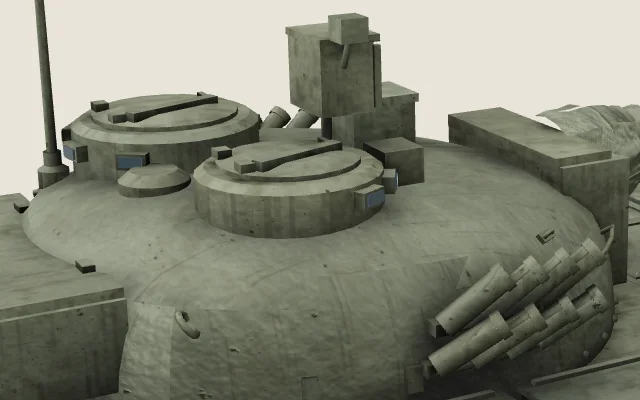
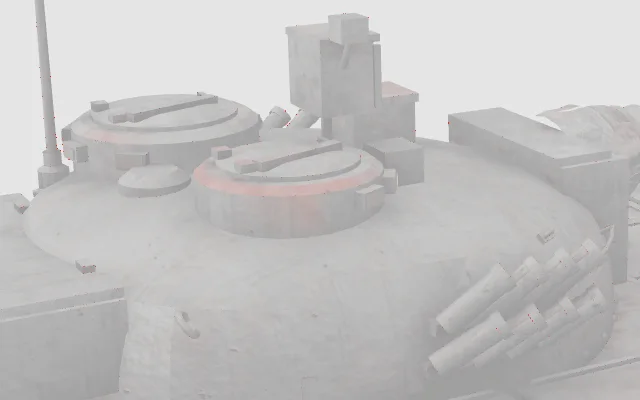
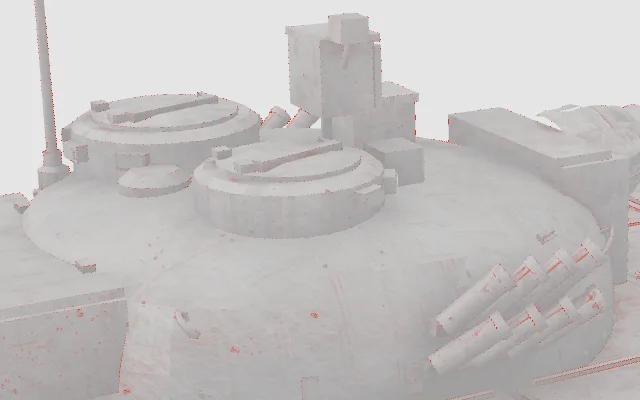
At default settings the differences are a fraction of a percent of the pixels, mostly single pixels on silhouettes. The one visible pattern is a faint shading band on the hatch ring. We first blamed the 8-bit normals that glTF Transform’s level: 'high' writes, and tested that: level: 'medium' (10-bit normals) gave exactly the same diff, and so did quantization alone, even with 16 bits for every attribute. gltfpack shows the band too; Draco does not. So it is not normal precision. It follows the files that keep integer attributes and move the dequantization scale into the node, but we did not isolate the cause. It is a shift of a few colour levels; if a glossy hero model must match the source exactly, compare renders before you ship.
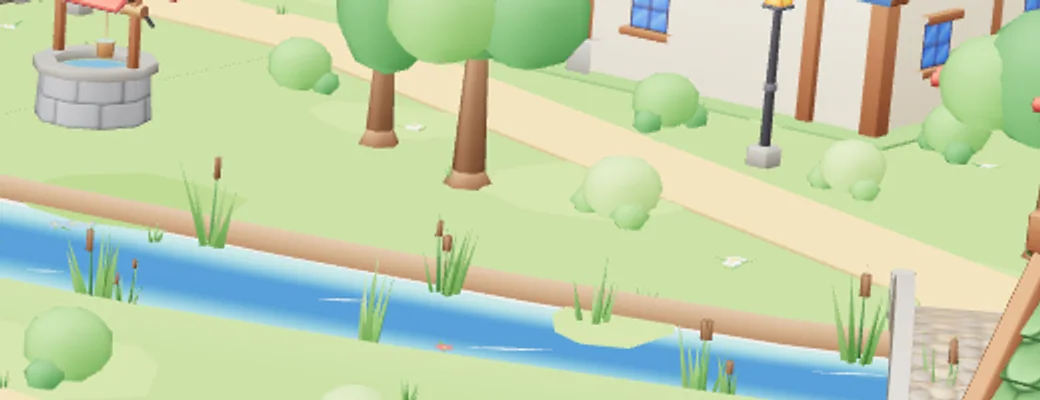
Pushing the bits down is where it breaks, and not where you would expect. The quantization grid is per mesh (quantizationVolume: 'mesh' by default), so a large flat mesh gets a coarse grid. In our village the ground and the river bed are separate large meshes; at 11 bits the step is several centimetres, the river surface drops through the ground and grass shows through the water:

Two practical points follow. Treat 14-bit positions as a starting point, not a guarantee: the grid step is the mesh’s largest extent divided by about 2bits, so for big meshes and coplanar layers (water, decals, road markings, terrain) compare that step with the smallest gap between surfaces and with the error you can accept, and raise the bits if it is close. And if separate meshes must meet exactly (modular walls, terrain tiles), quantize them on one grid (quantizationVolume: 'scene' in glTF Transform), or a hairline crack can open along the seam. The trade-off: one grid over the whole scene is coarser than per-mesh grids at the same bit count, so you may need more bits.
Animation. Compressing keyframes is lossy too, and gltfpack changes them more than the others: it resamples every clip at 30 Hz and quantizes rotations. We played all 10 clips of the character in every version once, without looping (LoopOnce, clamped at the end), sampled every clip on a 120 Hz grid over the time both versions cover (2,798 poses in total) and compared every bone’s world position and the foot and toe bones separately with the original. Clip length is listed on its own because it affects looping and timed events, not the pose:
| Pit demon, 2.4 m tall | Largest bone offset observed | Largest foot/toe bone offset | Clip length change | Brotli size |
|---|---|---|---|---|
| Draco | none | none | none | 135 KB |
| Meshopt (glTF Transform) | < 1 mm | < 1 mm | none | 68 KB |
| Meshopt (gltfpack -cc) | 7.6 cm | 1.3 cm | up to 26 ms | 52 KB |
| Meshopt (gltfpack -cc -af 0) | 2.7 mm | < 1 mm | none | 57 KB |
Draco leaves keyframes untouched, and glTF Transform’s Meshopt stayed under half a millimetre. gltfpack at its defaults gave the largest offset we observed, 7.6 cm at a fingertip in a fast part of the death animation; the foot and toe bones moved by up to 13 mm, and clip lengths changed by up to 26 ms. Sampling cannot prove these are the true maxima. Whether that is visible depends on the animation and the camera; it matters most for hand contacts, foot planting and events timed to the clip end. With -af 0 (keep the original keys) clip lengths stayed the same and the largest offset fell to 3 mm and the Brotli transfer grew only from 52 KB to 57 KB, still far below Draco’s 135 KB. The lake’s morph-target weights moved by at most 0.023 (on a 0–1 scale) at defaults and 0.002 with -af 0.
Topology changes too. Draco welds duplicate vertices and drops degenerate triangles: the tank went from 29,940 to 28,834 triangles, the character from 7,124 to 7,080 vertices. gltfpack also removes degenerate triangles. That is usually invisible when rendering (check yours), and it breaks anything that addresses vertices by index: per-vertex data you add at run time, vertex-picking tools, or morph targets authored outside the file.
Code gotchas after quantization
Draco hands three.js float positions in the original units. Quantized and Meshopt files do not, and code that reads geometry directly can silently get the wrong numbers. This is what three.js r180 built for the first mesh of the tank:
| Encoding | position array | Scale on the node above | geometry.boundingBox max (x) |
|---|---|---|---|
| Uncompressed, Draco | Float32Array | 1 | metres, as authored |
| glTF Transform quantize / Meshopt | Int16Array, normalized | 3.47 | ≤ 1 (the mesh is scaled up by its parent) |
| gltfpack | Uint16Array, not normalized | 0.0005 | up to 16383 (integer grid units) |
Rendering, raycasting and Box3.setFromObject() are fine — they apply world matrices. What breaks: physics colliders built from geometry.attributes.position.array, bounds read from geometry.boundingBox without the world matrix, merging geometries from different files with mergeGeometries (mismatched types fail), and code that expects mesh.scale to be 1. Read positions through the mesh and its world matrix:
import * as THREE from 'three';

// World-space positions for float, normalized and integer attributes alike.
// getVertexPosition() also applies morph targets and, on a SkinnedMesh, the current
// bone pose, so call it after mixer.update() and scene.updateMatrixWorld().
function worldPositions(mesh) {
  const count = mesh.geometry.attributes.position.count;
  const out = new Float32Array(count * 3);
  const v = new THREE.Vector3();
  for (let i = 0; i < count; i++) {
    mesh.getVertexPosition(i, v).applyMatrix4(mesh.matrixWorld);
    v.toArray(out, i * 3);
  }
  return out;
}
Two gltfpack defaults to know about. It renames meshes (ours became mesh_0, mesh_1…; -kn keeps named nodes, not mesh names), and it resamples every animation at 30 Hz (see the animation table above): the tank’s sparse turret keyframes grew from 9 KB to 17 KB. Add -af 0 to keep the original keys. Quantization also adds nodes — the dequantization scale needs a parent — so the tank’s 263 nodes became 395 with glTF Transform and 481 with gltfpack. Look objects up by name, not by child index.
Compatibility: who can open what
This is often the deciding factor. A three.js app loads both codecs once the decoders are attached; desktop tools and engines are much less uniform. We imported every variant into the three Blender versions we had installed:
| Blender importer | Uncompressed | Quantized | Draco | Meshopt |
|---|---|---|---|---|
| Blender 3.3.12 | Opens | Opens | Opens | Fails: “Extension EXT_meshopt_compression is not available on this addon version” |
| Blender 4.1.1 | Opens | Opens | Opens | Fails: “Extension EXT_meshopt_compression is not available on this addon version” |
| Blender 5.1.2 | Opens | Opens | Opens | Fails: “Extension EXT_meshopt_compression is not available on this addon version” |
Blender opened the quantized files and decoded Draco fine; Meshopt failed in all three. The glTF importer gained Meshopt support in Blender 5.2 LTS (July 2026), so anything older — and many studios pin an LTS — cannot open a Meshopt GLB at all. For the rest we checked the importers’ documentation and source:
| Tool | Draco | Meshopt (EXT) | Quantized | Basis |
|---|---|---|---|---|
| three.js GLTFLoader | Yes, with DRACOLoader | Yes, with set (r122+) | Yes (r111+) | Tested, r180 |
React Three Fiber / drei use | Yes (decoder from a CDN by default) | Yes | Yes | Docs and source |
| Babylon.js | Yes | Yes (5.0+) | Yes | Docs |
| PlayCanvas | Yes | Merged in Oct 2026, not in a release yet | Yes | Docs, merged PR |
| Unity — glTFast | With com. | With com. | Yes | Docs, glTFast 6.14 |
| Unreal Engine 5 — built-in glTF importer | No | No | Not listed | Docs |
| Unreal — glTFRuntime plugin | With glTFRuntimeDraco | Yes | Yes | Plugin docs |
| Godot 4 | No: import fails | No | Not listed (an open PR adds all three) | Forum report, open PR |
| Blender | Yes (2.92+) | From 5.2 LTS | Yes | Tested 3.3, 4.1, 5.1; 5.2 from release notes |
| glTF-Validator | Not validated inside | Not validated inside | Yes | Docs |
“Not listed” means the documentation does not mention the extension: no confirmation either way, not proof that import fails. Only the three.js and Blender rows are our own tests.
That is why our packs ship two copies of every model: glb/ for the web, with Draco geometry and WebP textures, and dcc/ with plain geometry and PNG/JPEG textures for Blender, Unity, Unreal and Godot. Compress for a known runtime; keep an uncompressed master for everything else. Converting back is one command — gltf-transform copy in.glb out.glb decodes Draco and Meshopt when the decoders are installed — but every lossy pass compounds, so re-encode from the master, not from a compressed copy.
Setting it up
In three.js, attach both decoders once and GLBs load whether they use Draco, Meshopt or neither. Host the decoder files yourself so a third-party CDN is not on the critical path:
import { GLTFLoader } from 'three/addons/loaders/GLTFLoader.js';
import { DRACOLoader } from 'three/addons/loaders/DRACOLoader.js';
import { MeshoptDecoder } from 'three/addons/libs/meshopt_decoder.module.js';

// Copy node_modules/three/examples/jsm/libs/draco/ to /draco/ in your public folder.
const draco = new DRACOLoader().setDecoderPath('/draco/');
draco.preload(); // optional: start downloading the decoder files early

const loader = new GLTFLoader()
  .setDRACOLoader(draco)
  .setMeshoptDecoder(MeshoptDecoder);

// Large Meshopt files: decode off the main thread.
MeshoptDecoder.useWorkers(4);

const gltf = await loader.loadAsync('/models/village.glb');
Encoding, from the command line:
# Draco, glTF Transform defaults (14/10/12 bits)
npx @gltf-transform/cli draco in.glb out.glb

# Meshopt, glTF Transform (level high writes 8-bit normals; --level medium keeps 10)
npx @gltf-transform/cli meshopt in.glb out.glb

# Meshopt, gltfpack: higher compression, keep names, keep original animation keys
npx gltfpack -i in.glb -o out.glb -cc -kn -km -ke -af 0

# Quantize only: smaller, no decoder needed. Separate streams avoid the double
# upload in three.js described above (our size charts used the default layout)
npx @gltf-transform/cli quantize in.glb out.glb --vertex-layout separate

# Back to plain floats
npx @gltf-transform/cli dequantize in.glb out.glb
The # lines are comments in bash, zsh and PowerShell; in Windows cmd.exe leave them out. The commands themselves are the same everywhere. Textures are a separate step: gltf-transform webp or etc1s/uastc for KTX2, or gltfpack’s -tw / -tc.
What to use: a decision table
| Situation | Use | Why |
|---|---|---|
Web app, you control the server and it compresses . (or you pre-compress) | Meshopt (gltfpack -cc) | Smallest transfer with Brotli for all five of our files, a 6 KB decoder, compact GPU memory, compresses animation and morph targets. |
| Web, static geometry, hosting you do not control or HTTP compression off | Draco | Smallest static file without help from the server; the decoder is a one-off cost per visit. With animation or morph targets compare both: Meshopt was smaller for our character even without Brotli. |
| Animated characters, many clips | Meshopt | Draco does not touch keyframes; in our character they were most of the Draco file. With gltfpack, add -af 0 if hand contacts or event timing matter. |
| Small models, one or two per page | Quantized only, or nothing | A 75 KB (Brotli) decoder download can outweigh what it saves; quantization needs no decoder. |
| Texture-heavy models | Either — then fix the textures | Geometry was 51% of our tank; WebP or KTX2 saves more. |
| Files for Blender, Unity, Unreal, Godot users | Uncompressed | Godot and Unreal’s built-in importer read neither codec; Blender reads Meshopt only from 5.2. |
| Master files and archives | Uncompressed | Every pipeline we tested is lossy; re-encode from the master. |
How we measured. NVIDIA GeForce RTX 4060 Laptop GPU, Chrome 156, ANGLE → Direct3D 11, three.js r180, 1280×800, device pixel ratio 1. A small Node server served every file with Brotli (or uncompressed for the no-compression table), Cache-Control: no-store; network and CPU throttling through the Chrome DevTools Protocol, profiles close to DevTools’ “Fast 4G” and “Slow 4G”. Every load timing is the median of three fresh browser contexts with an empty cache; the min–max range is in the data tables under each chart. The interval starts at the GLTFLoader.load() call and includes the Meshopt decoder’s dynamic import() and the Draco decoder download, which DRACOLoader starts when it meets the first Draco mesh; it ends at the loader callback, before GPU upload and shader compilation. “Transferred” is the GLB’s own encoded body size; decoder files are counted separately. Sizes and quality numbers are deterministic. Animation was compared with every clip played once (no looping) and sampled at 120 Hz over the time both versions cover. Blender imports ran headless (blender -b, factory settings). The models are real game assets from our packs — your own files will compress differently, so measure the same way on two or three of them before you settle a pipeline.
Frequently asked questions
Is Draco or Meshopt better for three.js?
Both load in three.js with one line each. If your server compresses .glb with gzip or Brotli, Meshopt was smaller over the wire for all five of our test files. Without HTTP compression Draco gave the smaller static files, but Meshopt stayed smaller for the animated character.
Does Draco or Meshopt compress textures?
No. Textures need their own conversion to WebP or KTX2, which is often the bigger saving.
Does gzip or Brotli on a GLB help?
A lot on uncompressed and Meshopt files: our uncompressed village went from 12.8 MB to 1.82 MB with Brotli alone. Even Draco-compressed GLBs can benefit substantially: Brotli reduced our Draco village by another 38%, although the benefit depends on the file’s remaining data. Check that your host actually compresses the model/gltf-binary content type — many do not by default.
Can I use Draco and Meshopt in the same file?
Technically a file can mix them per mesh, but tools write one or the other. There is no benefit in stacking them on the same mesh.
How do I remove compression from a GLB?
With glTF Transform: npx @gltf-transform/cli copy in.glb out.glb decodes Draco and Meshopt, and dequantize turns quantized attributes back into floats. In Blender 5.2+, import and re-export with compression off. The quantization error stays — decompression is not a restore.
Why does my Meshopt model have a scale of 3.47 (or 0.0005)?
Quantized positions are stored as integers in a unit box; the scale and offset move into the node above the mesh. Use world matrices (Box3.setFromObject, applyMatrix4(mesh.matrixWorld)) instead of raw arrays or mesh.scale.
Is KHR_meshopt_compression the same as EXT_meshopt_compression?
The same compression as a Khronos extension, with an updated codec version. In November 2026 its spec was still a release candidate; three.js r183+ and gltfpack 1.x (-ce khr) support it, most other tools do not yet. Use the EXT_ version unless you control the loader.
Sources
- Khronos — KHR_draco_mesh_compression
- Khronos — EXT_meshopt_compression
- Khronos — KHR_meshopt_compression (release candidate)
- Khronos — KHR_mesh_quantization
- meshoptimizer / gltfpack documentation
- glTF Transform — draco(), meshopt(), quantize()
- three.js r180 — GLTFLoader.js
- three.js r180 — DRACOLoader.js
- three.js — KHR_meshopt_compression support (PR #32163)
- Blender 5.2 release notes — glTF importer
- glTFast — features and packages
- Unreal Engine — glTF file format support
- Godot forum — Draco GLB import error
- Godot — PR adding Draco, Meshopt and quantization import (#120205)
- PlayCanvas — Meshopt support (PR #9738)
- Cloudflare — content types compressed by default
- Vercel — CDN compression
- nginx — ngx_http_gzip_module (gzip_types)